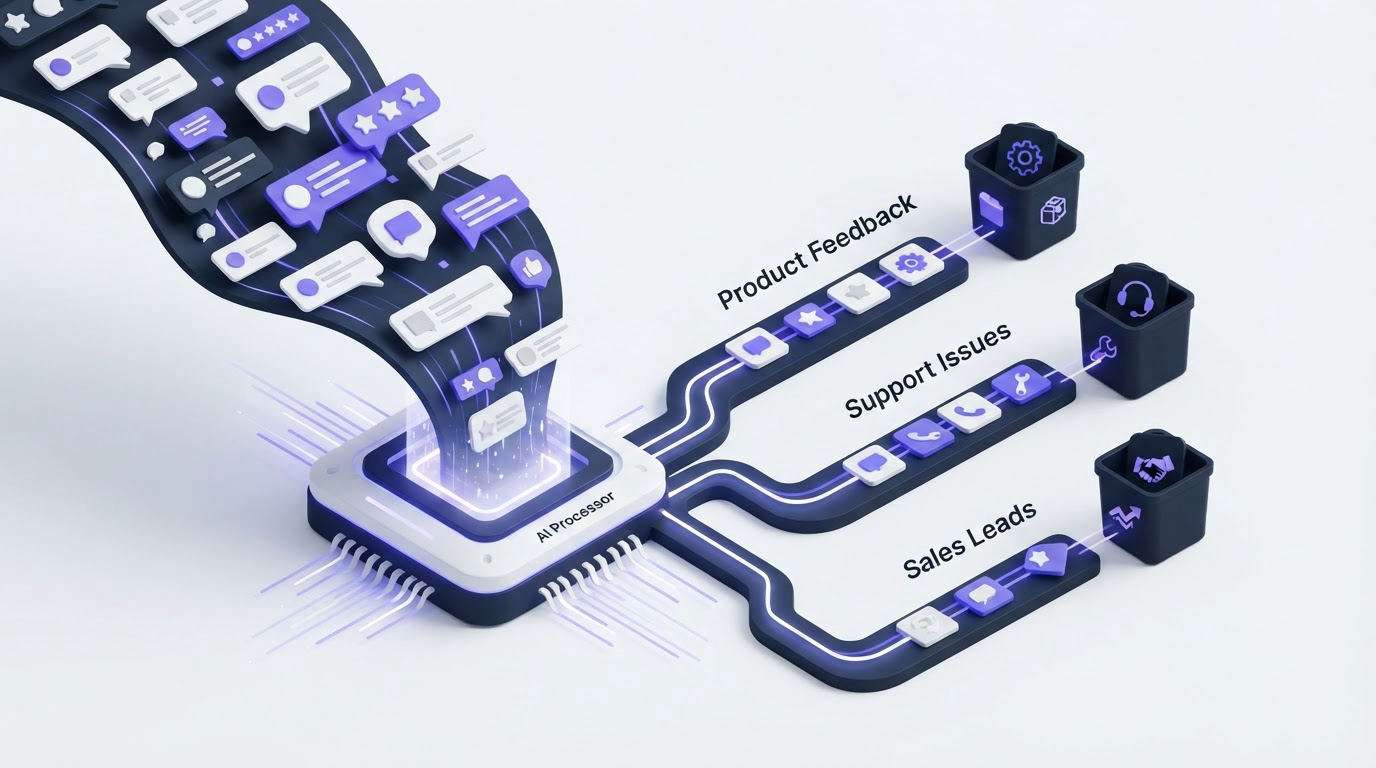
A product team receives feedback through its widget, support inbox, sales calls, and public board. Within a week, dozens of requests for the same capability arrive with different language, while a billing bug and a usability complaint sit in the same unassigned queue.
AI customer feedback automation gives each submission a consistent category, sentiment signal, and owner so the team can act before valuable context disappears. Upvoty provides a practical place to collect, organize, prioritize, and communicate that feedback across the product lifecycle.
Quick answer: how to automate customer feedback tagging and routing
Set up the workflow in this order:
- Define a small taxonomy of product areas, request types, and routing destinations.
- Classify incoming feedback with AI into those approved tags.
- Add sentiment and urgency as review signals, with confidence thresholds.
- Merge duplicate requests so demand accumulates on one record.
- Route each tagged item to the responsible product, support, or engineering queue.
- Review exceptions weekly, tune the rules, and close the loop when work ships.
For the wider process from collection through follow-up, read this guide to an AI customer feedback automation workflow.
Start AI customer feedback automation with a usable taxonomy
Automation depends on a vocabulary your team can actually use. Begin with a short set of tags that reflect ownership and product decisions. A taxonomy with 40 overlapping tags creates weak classifications and inconsistent reporting. Start with 8 to 15 tags, then expand only when a real routing gap appears.
Use three tag layers:
- Product area: billing, reporting, integrations, mobile app, permissions.
- Feedback type: feature request, defect report, usability issue, question, praise.
- Business context: enterprise account, trial user, accessibility, security review.
Keep routing separate from product-area tags. A request about SSO may carry the tags permissions and feature request, while its destination is the identity squad. That setup lets leaders report on demand by product area without losing accountability.
A B2B scheduling SaaS can use this taxonomy for a request submitted at app.example.com/feedback: “Please let admins export attendance reports as CSV. Our finance team needs it before month end.” AI can apply reporting, feature request, and enterprise account. The routing rule then sends it to the reporting product manager, while a time-sensitive phrase triggers a review flag for the support lead.
Set clear tag definitions in a shared document. For example, define defect report as a broken behavior with expected and actual outcomes. Define usability issue as a task that works but creates avoidable friction. Classifiers perform better when people reviewing edge cases apply the same definitions.
How to classify feedback with AI
Give the classifier the full feedback text plus any context that changes its meaning. Useful context includes the customer plan, account segment, submission channel, product page, and language. Avoid feeding broad internal notes or sensitive data into a classification prompt unless your data handling process permits it.
Ask AI to return structured fields, not a paragraph. A useful output might include:
product_area: reporting feedback_type: feature_request sentiment: frustrated confidence: 0.88 reason: export needed for monthly finance workflow
Structured output makes routing rules dependable. It also makes sampled reviews much faster because the reviewer can see both the label and the reasoning behind it.
Use a confidence threshold before automatic routing
High-confidence classifications can move directly to a team queue. Medium-confidence items should receive tags and enter a review view. Low-confidence items need human triage before ownership is assigned.
For the scheduling SaaS example, “CSV export for monthly finance” has enough specificity for a high-confidence reporting label. “Reports are terrible” carries too little detail. Route that submission to a feedback triage view, then ask the customer which report, task, and outcome caused the problem.
Confidence scores require calibration. Review a sample of 20 to 50 tagged submissions each week during the first month. Track where the classifier selected the wrong product area, confused a request with a defect, or missed a key customer segment. Update definitions and examples after each review cycle.
The NIST AI Risk Management Framework supports this kind of ongoing measurement and governance. Treat feedback classification as an operational system with monitored quality, not a one-time setup.
Use sentiment as a triage signal, not a product priority score
Sentiment helps teams spot friction and protect relationships. It can identify a blocked customer, a confusing workflow, or a recent release problem. Product priority still needs evidence such as affected segment, frequency, strategic fit, effort, and revenue exposure.
Apply sentiment at the submission level: positive, neutral, frustrated, or urgent. Pair it with a reason when possible. “I can’t invite my accountant” is more useful when the record also captures permissions, blocked workflow, and the account segment.
Use this routing model:
| Feedback signal | Example classification | Route | Required safeguard |
|---|---|---|---|
| Clear feature request | Reporting + feature request | Product manager backlog | Check for an existing request first |
| Repeated defect language | Mobile app + defect report | Support and engineering triage | Confirm affected version and steps |
| Frustrated enterprise account | Permissions + frustrated | Account owner and product lead | Review account context before replying |
| Vague negative feedback | Usability issue + low confidence | Feedback review queue | Ask a follow-up question |
| Positive praise | Onboarding + positive | Customer success insights | Remove personal data before sharing broadly |
A common failure mode is routing every frustrated message straight to engineering. Some messages require a support response, account intervention, or clearer documentation. Create an escalation path that includes support and customer success, then give engineering reports with verified reproduction details.
Handle personal information carefully. Feedback can contain names, email addresses, invoices, screenshots, or details about a customer’s users. The ICO guidance on data protection and AI is a useful reference for building proportionate controls around data use, retention, and human oversight.
Merge duplicates before sending feedback to product teams
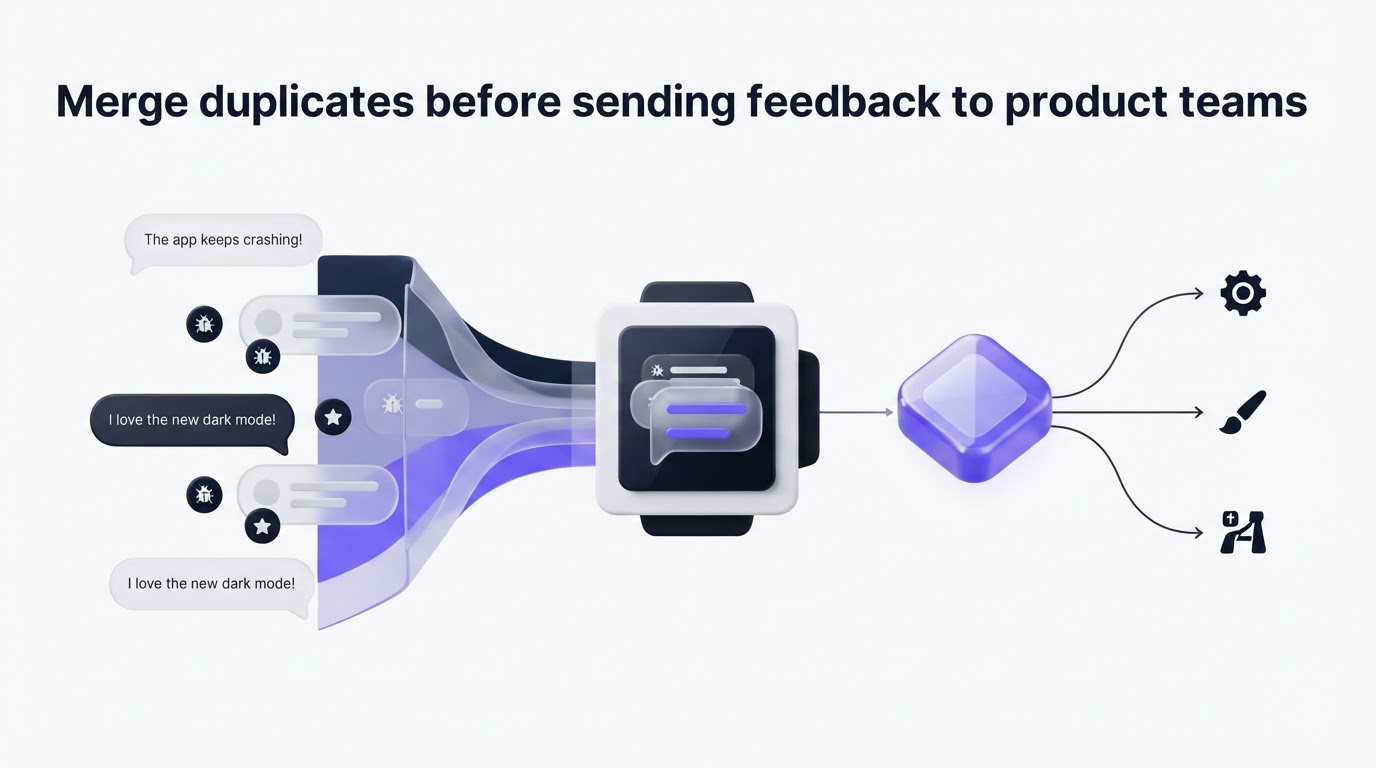
Duplicate handling is where AI customer feedback automation becomes materially more useful for roadmap decisions. Five requests for “CSV report export,” “download attendance data,” and “export finance report” may all describe one underlying need. Separate records hide the demand and scatter customer context across the queue.
Run a duplicate check after classification. Compare the new submission against open requests in the same product area, then present the likely match to a reviewer when confidence is uncertain. Keep the original wording attached to the canonical request. Product teams need the volume and the nuance.
In the scheduling SaaS example, a support agent already logged “Export attendance report to CSV” at app.example.com/feedback/attendance-export. The new finance request should join that record. The product manager can now see several customers asking for export, including one enterprise account with a month-end deadline.
Use vote counts carefully. Voting signals visible demand, while account value, affected workflow, strategic direction, and support burden complete the decision. Customer feedback prioritization by revenue segment and demand explains how to add that context without treating a raw vote total as the roadmap.
Build routing rules that reach the right team
Once tags and duplicate checks are in place, make routing rules specific enough for action. Each route needs a named owner, a destination, a response expectation, and an exception path.
For example, the scheduling SaaS can configure these outcomes in its operating process:
reportingplusfeature requestgoes to the reporting product manager’s weekly review.reportingplusdefect reportgoes to support triage with engineering visibility.permissionsplusenterprise accountalerts the account owner and identity squad.- Any
low confidenceresult stays in a shared review queue. - Any request matched to an existing record joins the canonical item and preserves the submitter’s context.
Set a service expectation for every destination. Support might acknowledge blocked-workflow issues within one business day. A product manager might review validated feature requests each week. The purpose is reliable ownership, not instant delivery of every request.
Avoid routing rules based on a single word. “Export” may refer to downloading a report, exporting contacts, or a data portability request. Combine intent, product area, and context before assigning ownership.
How Upvoty supports automated feedback tagging and routing
A feedback workflow works best when collection, organization, prioritization, and customer communication stay connected. Upvoty gives teams one place to run those steps without copying every request between a form, spreadsheet, and roadmap.
First, collect structured submissions through an in-app feedback widget or a feedback board. Configure the form to capture the context your classifier and reviewers need, such as product area or account type. A well-placed widget also reduces vague messages because the customer can submit feedback at the moment they encounter the issue. See practical placement guidance in How to Set Up an In-App Feedback Widget Without Disrupting Users.
Next, use Smart Tags to organize feedback into consistent categories that match your routing and reporting model. Keep tags focused on the choices a team will make: who owns the issue, what kind of work it represents, and which segment experiences it.
Then, use Merge AI to bring related requests together. The reporting product manager sees consolidated demand for CSV export rather than a list of near-identical submissions. This is the point where automation protects the signal that scattered feedback usually loses.
!Upvoty feedback dashboard showing a central workspace for reviewing customer submissions
Assign owners and priorities with assignees and priorities, then pass validated work into the delivery process through Jira or Linear. Keep customer feedback as the source record so the product team retains the original language, votes, and segment context alongside the implementation task.
Finally, publish the outcome when work reaches the roadmap or ships. A customer-facing status update reduces repeat requests and shows that submissions reached a real decision process. Pair this with the workflow in How to Close the Customer Feedback Loop with a Changelog so affected customers hear about the release.
Review AI customer feedback automation every week
Automation improves through feedback from your own reviewers. Schedule a short weekly review with the person who owns feedback operations and representatives from product and support. Sample recent classifications, check routing accuracy, inspect duplicate matches, and look for tags that have become too broad.
Track four operational measures:
- Percentage of submissions classified with high confidence.
- Percentage of routed items reassigned by the receiving team.
- Duplicate merge accuracy from a reviewed sample.
- Time from submission to first human ownership for urgent feedback.
Use the findings to refine definitions, examples, and destinations. If many reporting requests land with the data integrations team, split the category only after reviewing the actual wording. If a new product area generates enough volume, add a dedicated tag and owner.
Keep a human review path for every high-impact route. Security reports, account cancellation threats, accessibility barriers, and possible legal requests deserve direct review even when AI provides a strong classification.
FAQ about automatically tagging and routing customer feedback
Can AI route feature requests directly to engineering?
AI can identify likely product areas and request types, then send validated items to an engineering triage queue. Engineering should receive requests with enough context to assess scope, existing behavior, customer impact, and duplicate history. Product management remains responsible for prioritization and roadmap decisions.
How many feedback tags should a SaaS team use?
Start with 8 to 15 tags across product area, request type, and customer context. Review the taxonomy after four to six weeks of real submissions. Add tags when a repeated routing or reporting need appears.
Should negative sentiment create an urgent ticket?
Use negative sentiment to prompt review, especially when a customer describes a blocked workflow or potential churn. Confirm urgency through account context, issue severity, and reproducible details before escalating the work.
Can customers see the status of routed feedback?
Yes. A public board and roadmap can show whether an item is under review, planned, in progress, or released. Share status carefully and protect internal discussions, sensitive requests, and uncommitted plans. Build a public product roadmap customers trust covers the governance required for that visibility.
Set up your taxonomy, review queue, and routing owners before increasing automation. Upvoty can bring submissions, duplicate management, prioritization, and customer updates into the same feedback workflow. Read next: AI Customer Feedback Automation: Route Feedback to the Right Product Team.


