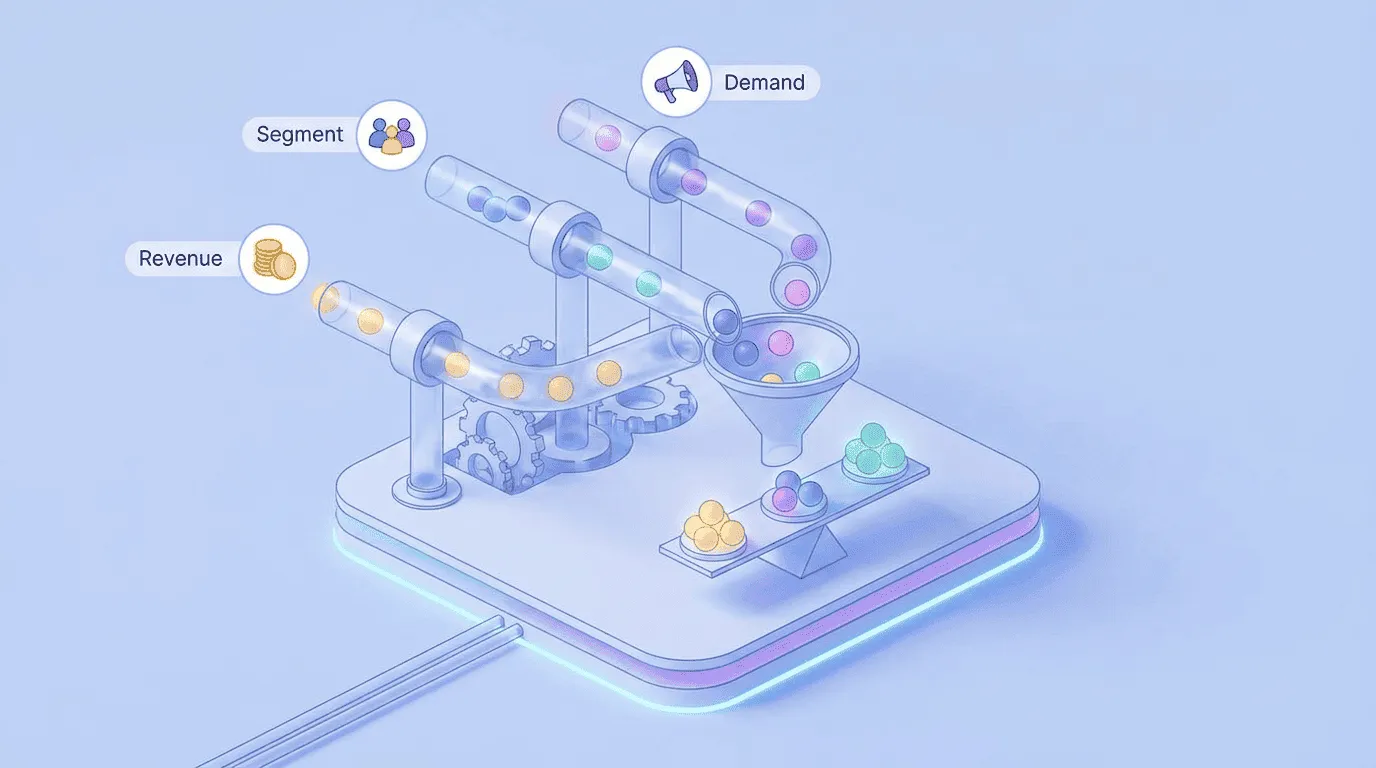
A customer submits a feature request, gets a polite acknowledgment, and then hears nothing for six months. Your team may have reviewed, prioritized, built, and shipped the request, but from the customer’s perspective it disappeared into a form.
A changelog closes that gap only when it is connected to the original request and the people interested in it. Upvoty supports that connected workflow across feedback boards, a roadmap, and a changelog.
Quick answer: how to close the customer feedback loop
Use this workflow from submission through release:
- Capture the request on a shared feedback board.
- Merge duplicates and preserve every interested user.
- Acknowledge the request and clarify the underlying need.
- Prioritize it using demand, customer context, and product strategy.
- Publish meaningful status changes on a customer-facing roadmap.
- Create a changelog announcement when the improvement ships.
- Notify everyone who submitted or voted for the request.
- Ask whether the release solved the original problem.
- Measure adoption and reopen the loop if the outcome falls short.
What it means to close the customer feedback loop
Closing the customer feedback loop means telling a customer what happened because of their input. A complete response may be a shipped feature, a workaround, a decision not to build, or a request for more detail. Silence is not a response.
The workflow contains several smaller loops. First, confirm receipt. Later, communicate whether the request is being considered or planned. At release, explain what changed and notify the people who cared. Afterward, verify that the change addressed their problem.
This is where a changelog has more value than a stream of release notes. Ordinary release notes document software changes. A feedback-connected changelog explains the customer problem, describes the outcome, and reaches the audience attached to the original request.
Consider a fictional SaaS product called Ledgerly. Its customers repeatedly ask to export invoice data on a schedule rather than downloading CSV files manually. The public request lives at feedback.ledgerly.example/requests/scheduled-invoice-exports. Twelve customers vote, but their needs differ: finance teams want a monthly email, agencies need weekly exports, and one enterprise account wants delivery to cloud storage.
We will carry that request through the full process. The team eventually ships scheduled CSV exports by email. Cloud storage delivery remains out of scope. That boundary becomes important in every update.
Step 1: capture requests in one feedback system
Start with one canonical record for each product problem. Requests arrive through support tickets, calls, sales conversations, surveys, and public boards, but they should not remain scattered across those channels.
Create a record titled around the need, not the first customer’s proposed implementation. For Ledgerly, “Schedule recurring invoice exports” is better than “Add an S3 export button.” The broader title leaves room to compare possible solutions without losing the original use case.
Record enough context to make the request useful later:
- Who submitted it and which account they belong to
- The job they are trying to complete
- Current workaround and frequency of the problem
- Requested outcome, including format and delivery method
- Product area, segment, and commercial context
- Permission and contact details for follow-up
Do not treat votes as anonymous counters. A vote should preserve a relationship with a person who may need an update. That connection is what makes targeted notification possible after release.
A public board can reduce duplicate submissions because customers see related ideas before posting. It also creates an expectation of visibility, so set moderation and response ownership before launch. Upvoty’s feedback boards provide a shared place to collect requests and votes while keeping the discussion attached to each idea.
For a detailed intake and organization process, use this feature request management workflow. The key is to preserve the source and the interested users when moving a request out of support or sales notes.
Step 2: merge duplicate feedback without losing subscribers
Duplicate requests split the evidence. One post may have eight votes, another four, and support may have six unrecorded conversations. Looking at only the largest item makes demand appear weaker and hides the language customers use to describe the problem.
Choose the clearest request as the canonical item. Merge or link the others, transfer their voters where your system supports it, and preserve useful comments. Then normalize the title and add an internal summary of the common need.
In the Ledgerly example, the team finds three posts:
- “Email invoice export every month” with seven votes.
- “Automate CSV download” with three votes.
- “Send billing data to S3” with two votes.
They combine all three under scheduled invoice exports, but retain S3 as a distinct requirement. This prevents a common failure mode: shipping email delivery and telling the S3 requester that the entire request is complete.
Reply on duplicate posts before merging if the move could confuse participants. A short note such as “We are combining this with the broader scheduled exports request so updates reach everyone” explains the change and preserves trust.
Do not delete a duplicate merely to make the board look tidy. Its comments may contain the best problem statement, an important constraint, or a customer who expects a response.
Step 3: acknowledge the request and clarify the need
Send an acknowledgment soon after submission. Avoid implying commitment. “We have received this and will review it” is accurate; “Great idea, we will add it” creates a promise the product team may not keep.
A useful first reply confirms the request in the customer’s terms and asks one question that could change the product decision. For Ledgerly, the product manager asks whether scheduled exports are primarily for internal monthly reporting, client delivery, or transfer into another system. The answers reveal that most customers need email attachments for reconciliation. S3 matters to one account, but its security review and configuration requirements make it a separate project.
The acknowledgment should also set a communication expectation. Tell users where statuses will appear and whether they will receive notifications after voting or subscribing. Do not promise a decision date unless the team has a real review cadence.
If the request cannot be considered because it conflicts with product scope, close that loop now. Give a brief reason and, when available, a workaround. Keeping an impossible request marked “under consideration” for years is not transparency.
Step 4: prioritize customer feedback with context, not votes alone
Votes show breadth of stated demand. They do not show urgency, strategic fit, development cost, retention risk, or whether several customers are voting for different solutions to different problems.
Build a compact evidence packet for the decision. For Ledgerly, the canonical request has 12 voters across three customer segments. Eight describe monthly reconciliation, three want weekly client reporting, and one wants automated data transfer. Engineering estimates that scheduled email delivery can reuse the existing export job, while S3 requires credential management, audit logging, and new support procedures.
The team chooses scheduled email delivery first. It serves the dominant job and has a manageable operational burden. It explicitly excludes S3 rather than hiding the limitation.
The table below shows how each signal should affect the decision and the eventual customer message.
| Signal | What it tells the team | How it affects communication |
|---|---|---|
| Unique interested users | Breadth of demand after duplicates are merged | Notify every subscriber, not only the original author |
| Customer segment | Whether demand is concentrated in a target group | Tailor examples to the segment receiving the most value |
| Problem frequency | How often the workaround causes friction | Explain the time-consuming step the release removes |
| Revenue or retention context | Commercial importance without making it the only criterion | Prioritize follow-up with affected accounts, but avoid claiming universal demand |
| Strategic fit | Whether the request supports the product direction | Say no clearly when it falls outside scope |
| Effort and operational risk | Cost beyond initial development | Narrow the release and disclose exclusions |
| Evidence quality | Strength of interviews, usage data, and support history | Use cautious language when the need is still uncertain |
Read how to prioritize customer feedback by revenue, segment, and demand for a fuller scoring process. A score supports judgment. It should not replace the discussion about customer outcome and product direction.
When the team decides not to proceed, update the request rather than leaving it in limbo. A concise explanation is enough: “We are not planning direct cloud storage delivery because it requires credential handling outside our current product scope. Scheduled email exports remain planned.” Customers may dislike the answer, but they can plan around it.
Step 5: use roadmap statuses to keep the feedback loop moving
A roadmap update should convey a meaningful decision. Internal stages such as “ticket created,” “refined,” or “in sprint 24” rarely help customers. Use a small status set tied to what users need to know.
Useful public states include under review, planned, in progress, shipped, and not planned. Define each state internally. If “planned” means approved but unscheduled, say so. If it means committed to a target period, make that definition equally clear.
Move Ledgerly’s request to “under review” while interviews and technical checks are happening. After the team approves scheduled email exports, change it to “planned” and add scope: CSV format, email delivery, monthly or weekly schedules, and no S3 support in the first release. When development begins, use “in progress” only if the team is comfortable making that work visible.
The roadmap entry should answer three questions: what problem is being addressed, what outcome is intended, and how firm the timing is. It does not need implementation detail.
Avoid exact dates until the release has enough certainty. A broad period may be more honest, and sometimes no date is appropriate. The Upvoty product roadmap is designed to make these progress changes visible to customers. This guide to building a public product roadmap customers can trust explains how to manage confidence and scope without turning the roadmap into a promise ledger.
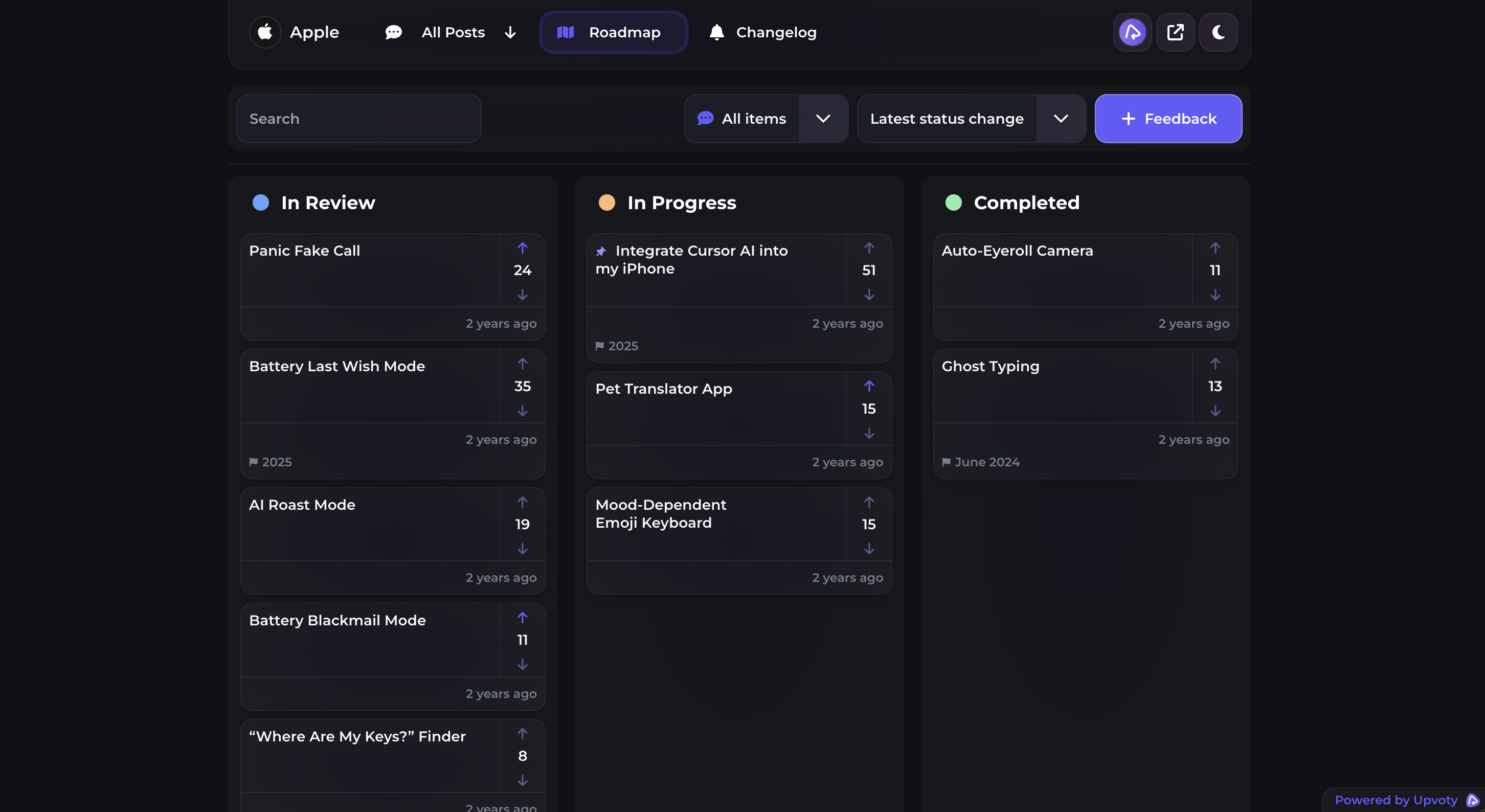
The following product view shows how roadmap items can be presented so customers can see what is being considered, planned, and completed.
Status changes should trigger communication, but not every internal movement deserves an alert. Notify users when the information changes what they can expect. Too many low-value messages train them to ignore the launch notice that matters.
Step 6: write a changelog announcement that completes the story
A strong changelog entry is written for the user who made the request, not for the engineer who merged the code. Lead with the outcome. Then explain how to use it, who can access it, and any relevant limitation.
For Ledgerly, the title “Schedule invoice exports by email” is clearer than “Recurring export job released.” The entry opens with the original problem: finance teams no longer need to remember a manual CSV download before reconciliation. It then gives the path: Invoices > Export > Schedule, followed by supported weekly and monthly frequencies.
Include these elements when they are relevant:
- The customer problem and the shipped outcome
- Exact setup steps or the location of the new control
- Eligibility, permissions, plan requirements, or rollout limits
- A screenshot or short demonstration
- Known exclusions that affect the original request
- A way to report whether the release solved the need
Mention that cloud storage delivery is not included. Omitting that detail would cause the S3 requester to click through, search for a missing option, and conclude that the announcement is inaccurate.
A changelog should not copy the public roadmap text. The roadmap describes intent and progress. The changelog documents available behavior. Release notes can contain technical detail, but the main announcement should show a customer what they can now accomplish.
Google’s guidance on helpful, people-first content is also a useful standard here: write for the audience’s task rather than filling a page with internal terminology. For accessible images and demonstrations, follow the W3C’s guidance on meaningful text alternatives so the release remains understandable when an image cannot be seen.
This changelog view illustrates how product announcements can sit in one public, scannable stream.
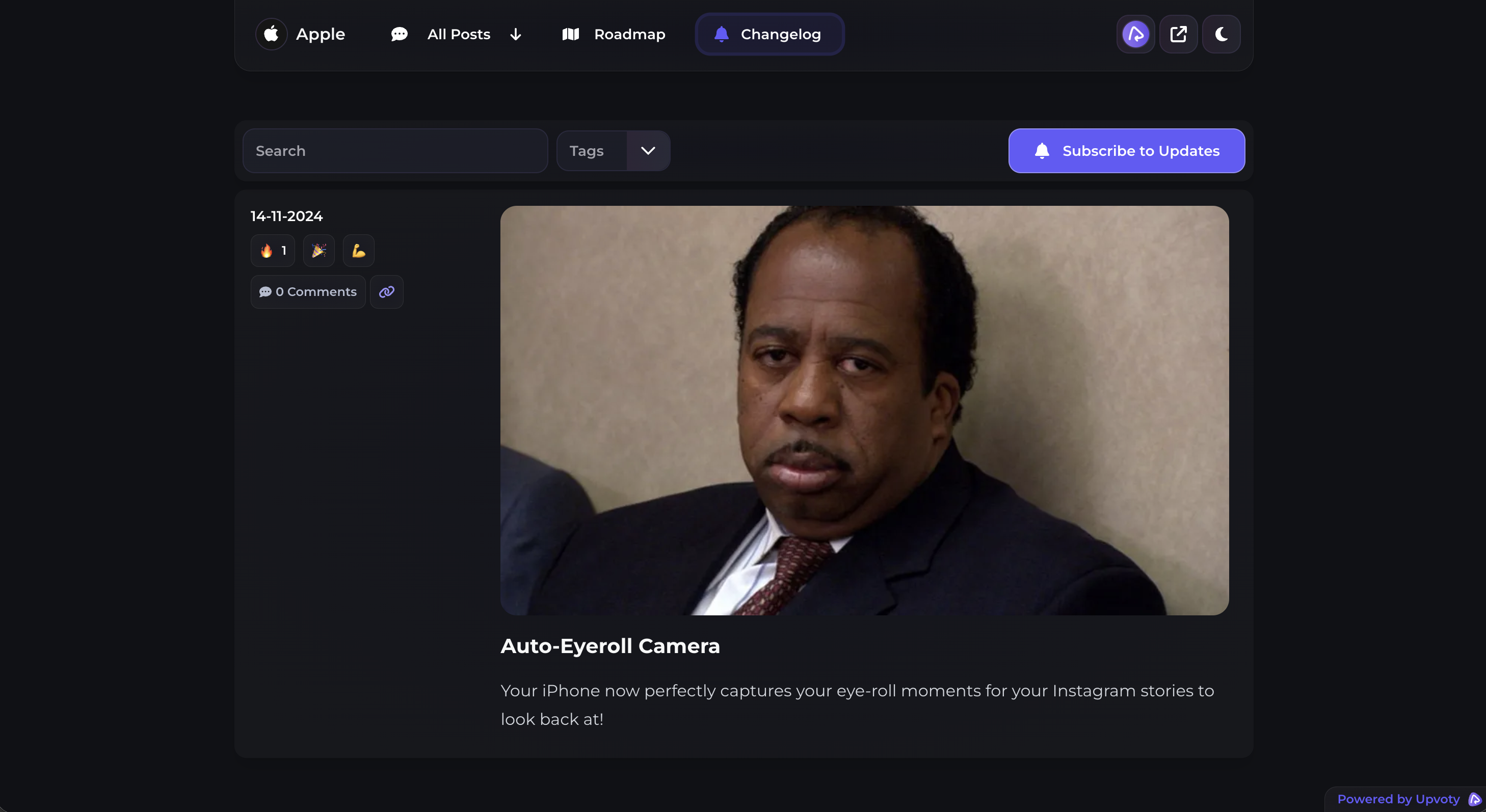
The Upvoty changelog is built for publishing these customer-facing updates. Keep each entry focused on one coherent outcome so the users attached to that request receive a relevant message.
For a practical lesson in communicating product changes, this GitHub video explains how changelogs turn release history into information people can use.
Step 7: notify the customers who asked for the feature
Publishing is not the same as notifying. A customer who submitted a request months ago may not visit the feedback board or changelog again. Send the update to the people connected to the request.
The minimum audience includes submitters, voters, subscribers, and customers whose support conversations were attached to the item. Account teams may also need a list of affected high-touch accounts so they can follow up in context.
Use the notification to reconnect the sequence. For example:
“Earlier, you asked for a way to automate invoice exports. Scheduled CSV exports by email are now available. Choose weekly or monthly delivery under Invoices > Export > Schedule. Direct S3 delivery is not included in this release. Reply to tell us whether email delivery covers your workflow.”
That copy is specific without pretending every voter requested the same implementation. It also invites correction.
Segment when the release applies only to certain plans, roles, regions, or rollout groups. Sending an “available now” announcement to someone who cannot access the feature creates a new support issue. If rollout is gradual, say when the recipient should expect access.
Comply with applicable email and privacy requirements, and separate necessary product-status notifications from promotional subscriptions where your legal basis or customer expectations require it. The US Federal Trade Commission’s CAN-SPAM compliance guide explains requirements for commercial email. Consult qualified counsel for the rules that apply to your audience and message type.
How Upvoty connects feedback, roadmap updates, and the changelog
A manual version of this workflow can work with forms, spreadsheets, project tickets, email lists, and a publishing tool. It becomes fragile when identities, duplicates, and statuses must be copied between them. One missed export is enough to leave the original requester out of the launch message.
Inside Upvoty, the customer first posts or votes on an idea through a feedback board. The team manages that feedback in the dashboard, combines related demand, and keeps interested users associated with the item. This is the intake layer, not a separate inbox that gets abandoned after triage.
Next, the team changes the item’s public status as the decision progresses. Planned work can appear on the customer-facing roadmap, giving users a place to check movement without opening a support ticket. Scope notes should travel with the update, especially when the chosen solution covers only part of the original demand.
When the work ships, the team publishes a release through the changelog and connects the announcement to the users who expressed interest. Those people receive the relevant update rather than a generic monthly release digest. The public history also remains available for prospects and customers who did not follow the original request.
This sequence is the practical value of keeping feedback boards, a public roadmap, and a product changelog in the same workflow. The request, status, release, and audience remain connected.
That does not remove product judgment. Your team still has to separate needs from proposed solutions, decide what to build, set honest statuses, and write the announcement. The software removes handoffs and makes it less likely that users vanish between those decisions.
Canny, Featurebase, and Nolt also operate in the product feedback category. Compare them on the workflow details that matter here: duplicate handling, voter and subscriber retention, roadmap status controls, changelog publishing, and notification behavior. Check each vendor’s own product and pricing pages for current information, then use the product feedback tools selection guide to run a structured evaluation without treating a long feature list as proof of fit.
Step 8: ask whether the release solved the original problem
A shipped status closes the delivery loop, but it does not prove the customer’s job is complete. Ask a small number of useful questions while the context is fresh.
For Ledgerly, the team asks voters whether they created a schedule, whether weekly or monthly frequency covers their process, and what still requires manual work. The S3 requester receives a more specific note acknowledging that the original transfer requirement remains unresolved.
Keep this follow-up lightweight. A reply link or one-question prompt often produces clearer evidence than a long survey. Contacting every subscriber may be appropriate for a major feature; for a smaller change, sample users with distinct use cases.
Do not ask “Do you like it?” Ask about behavior and outcome. “Did you create a schedule?” and “Can your reconciliation now run without a manual download?” produce answers the team can act on.
Route new gaps correctly. If customers find a defect, create a bug report and communicate the fix path. If they want an extension, link it to a new or existing request. Do not quietly expand the completed item forever, because its shipped status will stop meaning anything.
Step 9: measure adoption and reopen the loop when needed
Feedback tells you what people say they need. Adoption indicates whether the release became part of their work. Use both.
For scheduled exports, track eligible accounts that open the scheduling control, create a schedule, complete a delivery, encounter an error, or disable the schedule. Review support conversations after launch as well. A delivery failure may look like low adoption if event tracking only records successful jobs.
Define success before launch. It might be successful schedule creation among users who voted, fewer support requests about recurring exports, or confirmation that finance teams no longer perform a manual download. Pick measures tied to the original problem, not page views on the changelog.
If adoption is weak, investigate before announcing victory. Customers may not have permission, the control may be difficult to find, or the delivered format may omit required fields. Update the changelog if setup instructions were unclear. Reopen or create a linked request when the product outcome is incomplete.
Keep the canonical request searchable after shipment. Future customers will find the decision history, limitations, and release link instead of submitting the same question again.
Common mistakes when closing the customer feedback loop
Treating every request as a promise
Acknowledgment is not approval. Use careful status language and explain what each state means. A board filled with casual commitments becomes harder to maintain than a private backlog.
Closing an item when development starts
“In progress” tells customers the team is working. It does not tell them the feature is available. Mark the request shipped only after the release is usable by the announced audience and documentation is ready.
Publishing a changelog without linking it to demand
A polished announcement still misses the people who asked if the interested-user list lives elsewhere. Test the workflow with a staff account before release. Submit, vote, change status, publish, and verify each notification.
Hiding partial scope
Ledgerly’s email schedule does not satisfy direct S3 delivery. State the boundary on the request, roadmap item, and changelog entry. Partial delivery can be valuable, but calling it complete without qualification damages trust.
Sending every update to everyone
Broadcasting all releases produces noise. Notify the users tied to the request, plus a broader segment only when the change is genuinely relevant. Reserve company-wide announcements for releases with company-wide value.
Using votes as the only prioritization rule
A popular request can be expensive, strategically wrong, or based on several conflicting needs. Merge duplicates and inspect the use cases behind each vote before choosing a solution.
FAQ about closing the customer feedback loop
What is a closed customer feedback loop?
It is a process in which the business acknowledges feedback, decides what to do, communicates progress, reports the outcome, and checks whether that outcome addressed the customer’s need. The response can be a release, a workaround, a request for clarification, or a transparent decision not to proceed.
Do I need a public roadmap to close the loop?
No. You can send direct updates from a private system. A public roadmap is useful when many customers ask about the same work because it provides a shared source of status. Keep sensitive, contractual, or security-related work private when public visibility would create risk.
Should every feature request appear on the changelog?
No. Publish changes that customers can use or need to understand. Tiny fixes may belong in grouped release notes, while internal infrastructure work may need no public announcement unless it affects reliability, security, or customer behavior.
When should users receive feedback status notifications?
Send notifications when receipt is confirmed, when a meaningful decision changes expectations, when the feature becomes available, and when follow-up is needed. Avoid alerts for internal administrative changes. Relevance matters more than frequency.
How do you close the loop when a request is rejected?
Change the status to not planned or an equally clear label, provide a short reason, and offer a workaround or alternative when one exists. Notify the users attached to the request. Do not blame individual customers or expose confidential prioritization details.
Can a changelog replace release notes?
Sometimes, but they serve different readers. A customer-facing changelog explains outcomes and use. Technical release notes may document fixes, API changes, deprecations, and version details. Keep both when your administrators or developers need technical records.
How long should a changelog announcement be?
Use enough detail for a customer to understand the benefit, find the feature, confirm access, and recognize limitations. A small improvement may need 150 words and one image. A workflow change may require setup steps, migration notes, and links to documentation.
What should we compare in customer feedback software?
Test the complete journey rather than isolated features. Submit a request, merge a duplicate, retain both subscribers, update its roadmap status, publish a changelog entry, and inspect every email. Also assess permissions, branding, moderation, data export, and the effort required to keep customer identities connected.
A feedback loop works when the person who asked can see the decision, follow the progress, and recognize the shipped result. See how Upvoty connects feedback to public updates, then test the workflow with one real request from submission through notification. Read next: Using MCP to Analyze Customer Feedback in ChatGPT, Claude, and Cursor. Read next: SaaS Feedback Tool: Collect, Prioritize, and Close the Loop.