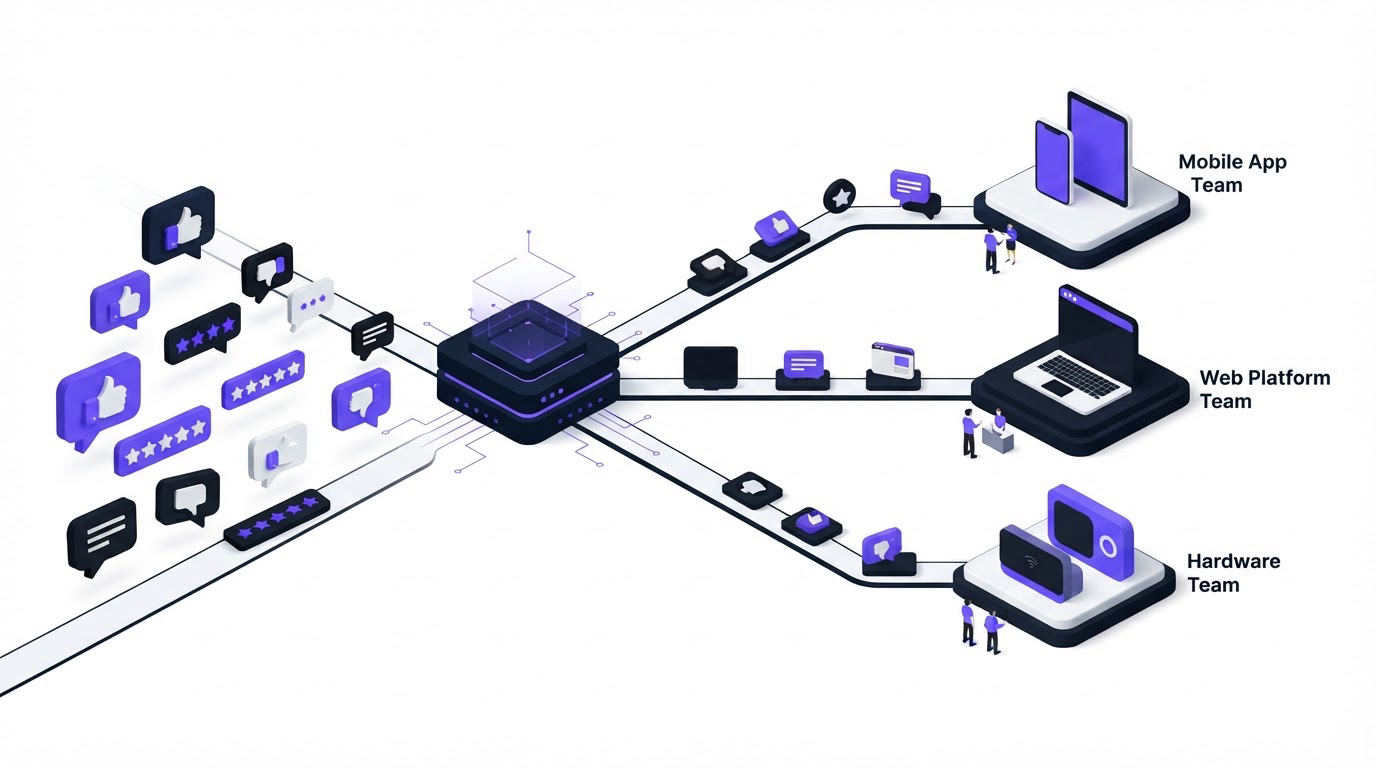
A support inbox receives a bug report about CSV exports. A feedback board receives three requests for the same export improvement. Meanwhile, an account manager logs an escalation from a large customer. When these signals land in separate tools, the product team sees fragments instead of the complete problem.
AI customer feedback automation helps SaaS teams classify incoming feedback, attach useful context, and send each item to the team that can act on it. Upvoty can serve as the shared feedback record before requests move into delivery workflows.
Quick answer: how to automate customer feedback routing
Use this workflow to route feedback while keeping the original customer signal available to every owner:
- Collect feedback in a central record with source, customer, account, segment, and request details.
- Use AI to identify the request theme and find closely related feedback.
- Apply rules that map themes and urgency signals to a named owner and destination workflow.
- Send a concise action request with a link back to the full feedback record.
- Require the destination owner to choose a status and document the next decision.
- Review low-confidence classifications and refine rules each week.
How AI customer feedback automation works in practice
The strongest routing setup treats every request as a durable record. The record holds the customer’s original words, related votes or submissions, account information, tags, internal notes, owner, and status. AI can then assist with sorting and grouping, while people retain control over prioritization and commitments.
Start by defining three routing lanes:
| Feedback signal | Routing rule | Destination | Context the owner needs |
|---|---|---|---|
| Reproducible defect | Error, broken behavior, screenshot, or steps to reproduce | Engineering issue workflow | Affected URL, environment, steps, account impact, original wording |
| Product capability request | New outcome or workflow requested by several users | Product discovery workflow | Theme, related requests, demand, customer segments, links to duplicates |
| How-to question or configuration issue | Existing capability, setup question, or unclear documentation | Support workflow | Product area, plan or segment, conversation history, suggested help content |
| Strategic account risk | Renewal, security, compliance, or blocked business process | Product owner plus account team | Account owner, renewal timing, use case, exact blocker, linked requests |
Use AI at the theme-detection stage. For example, feedback that says “CSV removes account IDs,” “leading zeroes disappear after export,” and “our finance import fails after downloading data” belongs to an export-data-integrity theme. The wording varies. The user outcome is consistent.
Next, add business context before a route fires. A request from a trial user, a long-term enterprise account, and an internal teammate may all concern the same capability. They should remain connected to one theme, while their account context stays visible for prioritization. The practical scoring model is covered in this guide to prioritizing customer feedback by revenue, segment, and demand.
Set up AI-assisted rules before you send anything to engineering
Write routing rules around observable conditions. Broad rules such as “send feedback about exports to engineering” generate noisy tickets and leave product managers cleaning up duplicate work.
A useful rule contains four parts: a trigger, a classification, a destination, and an exception path. Give every rule a clear owner who can update it when the product changes.
Consider a B2B analytics SaaS with feedback coming from its portal, an in-app widget, support conversations, and account reviews. An enterprise user submits: “Downloaded CSV changes 00128 to 128, so our reconciliation fails.” AI groups it with six similar submissions under “CSV data formatting.” The request also carries the user’s segment, browser, export page URL, and a screenshot.
The first routing decision sends this to a product triage queue rather than straight into the engineering backlog. A product manager confirms that the issue is reproducible and that the group is a defect rather than a new export feature. The next rule creates an engineering item with the reproduction details and a link to the grouped feedback record.
An early mistake in this scenario is routing every message containing “CSV” directly to engineering. That route catches requests for additional columns, questions about file limits, and defects in the same queue. Engineering spends time interpreting demand instead of fixing verified issues. Split rules by user outcome and evidence:
- Route reproducible breakage to engineering after triage.
- Route new output, integration, or report requests to product discovery.
- Route setup and usage questions to support with the relevant documentation.
- Route renewal-risk signals to the product owner and account team together.
Keep a small “needs review” queue for ambiguous AI classifications. Export the last 30 days of those records each month. Look for recurring wording, then add or revise a rule where the pattern is stable.
Preserve customer context when feedback moves between teams
A short ticket title such as “Fix CSV export” loses the details that shape a good product decision. The receiving team needs enough context to understand who is affected, what failed, and whether the item represents one isolated request or a repeated pattern.
Send these fields with every routed item: the feedback record URL, original submission, theme, source, customer segment, related request count, attachments, current status, and the assigned product owner. Add a link back to the original record rather than pasting a static summary into each tool. The linked record stays current as more customers add feedback.
In the export example, the engineering issue should state that leading zeroes are removed, identify the export page where the problem occurs, and include a reproducible sample. The product record should also show that several users asked for export changes, although only one theme is a confirmed defect. This keeps demand evidence separate from implementation evidence while retaining both.
Create a return path as well. When engineering resolves the defect, update the feedback status and notify the affected users. A feedback system earns trust when customers can see that their input reached a decision. Use a customer feedback loop with a changelog to communicate shipped work clearly.
Use AI customer feedback automation in Upvoty
Upvoty gives the workflow a stable home where customer-facing feedback and internal delivery steps remain connected. Here is how a SaaS team can run the export example through the product.
First, collect requests through feedback boards or a feedback widget and require fields that help routing, such as product area, account type, and relevant page. The initial record becomes the permanent reference point.
Second, use Merge AI to bring similar feedback together. In this example, the submissions about missing leading zeroes become one primary feedback item instead of seven disconnected tasks. Votes and comments contribute to a clearer view of demand.
Third, apply smart tags for themes such as exports, data-integrity, and billing. Assign a product owner and priority to the grouped item. Tags create a dependable routing layer because they describe the underlying issue rather than relying on one phrase in a customer message.
Fourth, send the verified item into the delivery workflow. The Jira integration supports an engineering handoff, while Slack, Linear, webhooks, and other connected workflows can support team-specific notification and action paths. Keep the Upvoty record linked in the delivery item so that implementation work stays tied to customer evidence.
This dashboard view is useful when product managers need to validate the route, inspect related submissions, and assign the next decision before work enters a sprint.
!Upvoty feedback management dashboard showing organized customer feedback
Finally, update the request as it moves from under review to planned, in progress, or complete. If a public roadmap fits your product strategy, publish only commitments that the team is ready to stand behind. This guide explains how to build a public product roadmap customers can trust.
For the broader intake process, see how small businesses can use AI to automate customer feedback. The routing model here focuses on the next operational step: getting each validated signal to an accountable team with its context intact.
Review AI routing quality and protect customer data
AI classifications need regular quality checks. Review a sample of routed feedback each week, especially items that were sent to engineering, escalated as account risk, or placed in the review queue. Record the false routes and the reason: unclear wording, a missing field, a changed product area, or an overly broad tag.
Measure operational outcomes rather than trying to optimize for an abstract AI score. Track time from submission to owner assignment, percentage of requests returned from a destination queue, duplicate rate, and the share of feedback that receives a status update. A high return rate usually points to an unclear route definition or missing context.
Set confidence thresholds carefully. High-confidence, low-risk classifications can receive automatic tags. Requests that trigger customer commitments, security claims, or major backlog work should receive human review. The NIST AI Risk Management Framework is a useful reference for documenting governance, measurement, and review responsibilities around AI-supported decisions.
Limit the data carried into each downstream system. A support workflow may need a customer email and conversation history, while an engineering issue may only need an account tier and a technical reproduction. The European Commission’s GDPR guidance provides a helpful basis for applying data minimization and purpose limits to customer information.
FAQ about AI customer feedback automation
Can AI automatically prioritize every feature request?
AI can identify themes, detect similar requests, and prepare useful summaries. Product prioritization still needs business inputs such as strategic fit, account impact, technical effort, and roadmap timing. Use AI to reduce sorting work, then let the accountable product owner make and document the decision.
Should feedback go directly to Jira or Linear?
Send verified defects and approved work into engineering tools. Route early-stage feature ideas into a product discovery record first, where related feedback, votes, customer segments, and internal discussion can accumulate. This avoids filling delivery backlogs with duplicate or poorly defined requests.
How do we prevent duplicate feedback from creating duplicate tickets?
Group similar requests before creating a delivery item. Give one primary feedback record a clear theme, link related submissions to it, and route only the validated primary record. Review grouping decisions when a new product area or phrase starts generating confusion.
What should support own in a feedback routing workflow?
Support should own requests that can be solved through guidance, configuration, troubleshooting, or documentation. Support can also flag repeated questions that indicate a product usability issue. Product should review those recurring patterns even when each individual conversation is resolved.
Set up a shared record, define three or four clear routes, and review the exceptions weekly. Upvoty gives product, support, and engineering teams one place to retain customer context while feedback moves into action. Read next: Shopify Customer Feedback: A Practical Workflow.


