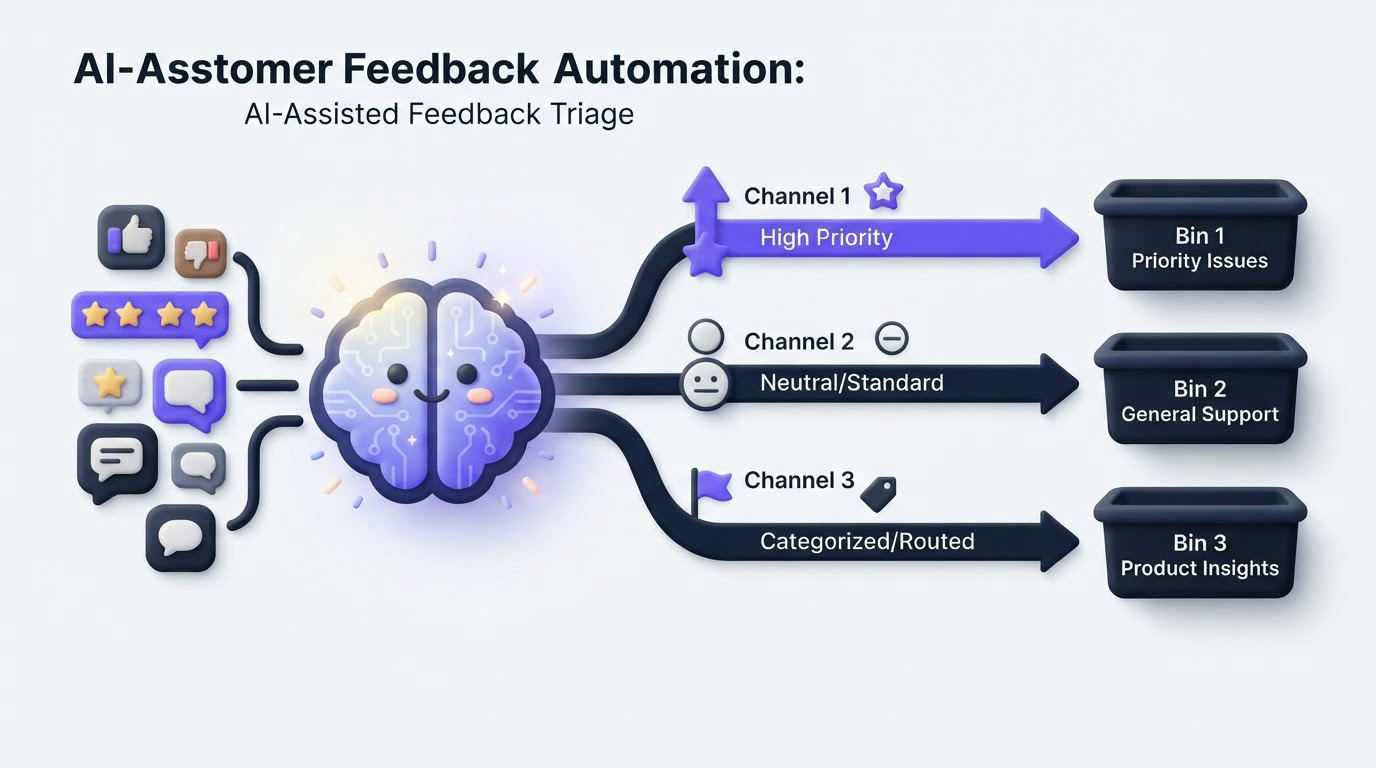
A product inbox becomes hard to manage when feedback arrives through an in-app widget, support conversations, sales calls, and public requests. Similar requests get written in different language, urgent defects sit beside long-term ideas, and product managers lose hours sorting before they can evaluate demand.
AI customer feedback automation gives every submission an initial classification and a clear route. Upvoty can provide the shared feedback workspace where those decisions, voter signals, and follow-up updates stay visible.
Quick answer: how to automate customer feedback triage
Use this workflow to set up AI-assisted feedback triage while retaining human approval for product priorities:
- Send feedback into one intake location and require enough context to identify the customer, product area, and request.
- Define a small tag taxonomy for request type, product area, urgency, and customer segment.
- Use AI to suggest tags, summarize lengthy submissions, and flag likely duplicates.
- Route each tag combination to a named owner with a response deadline.
- Escalate security, outage, data-loss, and high-value account reports to a human immediately.
- Review the AI output in a daily triage queue, then merge, correct, and approve records.
- Prioritize approved themes using demand, customer segment, revenue context, effort, and strategy.
- Publish meaningful decisions through a roadmap or changelog and notify affected customers.
Start AI customer feedback automation with one clean intake
Automation depends on consistent source data. Start by choosing where new feedback enters the system. An embedded widget captures feedback in the product, while a public board gives customers a place to search for existing requests and add their vote. Support and sales teams can submit feedback internally when the customer shared it elsewhere.
Ask for four pieces of information at submission: a clear problem statement, the relevant product area, the customer identity or account, and the use case. Screenshots and browser details help for defects. A free-text field still matters because customers frequently describe the same need in their own terms.
Consider a 40-person B2B scheduling SaaS that receives 60 requests per week. Its customers submit messages such as:
> “Please let managers approve shift swaps before employees see them.”
> “We need a way to stop accidental schedule changes.”
> “A supervisor approval step would solve our compliance issue.”
The team initially stored these in separate support tickets. Their triage workflow should create one underlying theme, “shift-change approval workflow,” while preserving the original customer wording and account context.
For a broader intake and organization process, use this feature request management workflow. If you are evaluating the wider operational case, this guide explains how small businesses can use AI to automate customer feedback.
Define the labels AI should apply
AI performs best when it works within a taxonomy that your team has already agreed on. Avoid a long tag list. Start with labels people can apply consistently during a busy week.
For the scheduling SaaS example, a practical taxonomy might include product area tags such as Scheduling, Approvals, Reporting, and Integrations. Request type tags could include Bug, Improvement, New capability, and How-to question. Urgency tags could include Critical, Time-sensitive, and Planned review.
A submission can receive several tags. “Supervisors cannot approve swaps” could be tagged Scheduling, Approvals, Bug, and Time-sensitive. Those labels give the routing rules enough information to work.
| Triage signal | AI-assisted action | Human owner | Expected outcome |
|---|---|---|---|
| Product area | Suggest one or two product-area tags | Product operations | Consistent grouping across similar wording |
| Request type | Classify as bug, improvement, capability, or question | Support or product manager | Correct queue and response path |
| Duplicate likelihood | Surface related posts for review | Triage reviewer | One canonical request with combined voter demand |
| Urgency language | Flag terms related to outages, security, compliance, or blocked work | On-call or functional owner | Fast review of potential escalation |
| Customer context | Attach segment and account context when available | Product manager | Better prioritization evidence |
Keep a short written definition for each tag. “Critical” could mean a production outage, suspected security issue, legal deadline, or widespread blocked workflow. Clear definitions prevent every unhappy message from being marked urgent.
Classify and merge incoming feedback with AI assistance
Once the taxonomy exists, configure AI to recommend tags, summarize the issue, and surface likely duplicates. Treat every output as a proposal that enters a review queue. A product or support team member should approve the final categorization when the confidence is weak, the request spans multiple areas, or account context changes the meaning.
In the scheduling example, AI identifies all three shift-swap messages as likely related. The reviewer checks the wording, creates one canonical post, and merges the supporting requests. The canonical post can then collect votes and comments rather than splitting demand across several entries.
This step has a common failure mode: overly broad merges. “Approval workflow” might cover shift swaps, expense approvals, and user access requests. Merge only when the customer outcome and product work genuinely match. Leave related requests separate when they need different design or engineering decisions.
Use confidence thresholds to control review volume. For example, auto-apply a stable product-area tag when the model has strong confidence, while sending medium-confidence suggestions to a human queue. Require human review for duplicates and all severity flags during the first few weeks. Export the last 90 days first, test the taxonomy against real submissions, and refine labels before applying automation to new feedback.
The Smart Tags feature gives teams a structured way to group feedback, while Merge AI supports consolidation of related requests. The purpose is a cleaner evidence base for product decisions.
Route feedback and escalate the cases that need fast attention
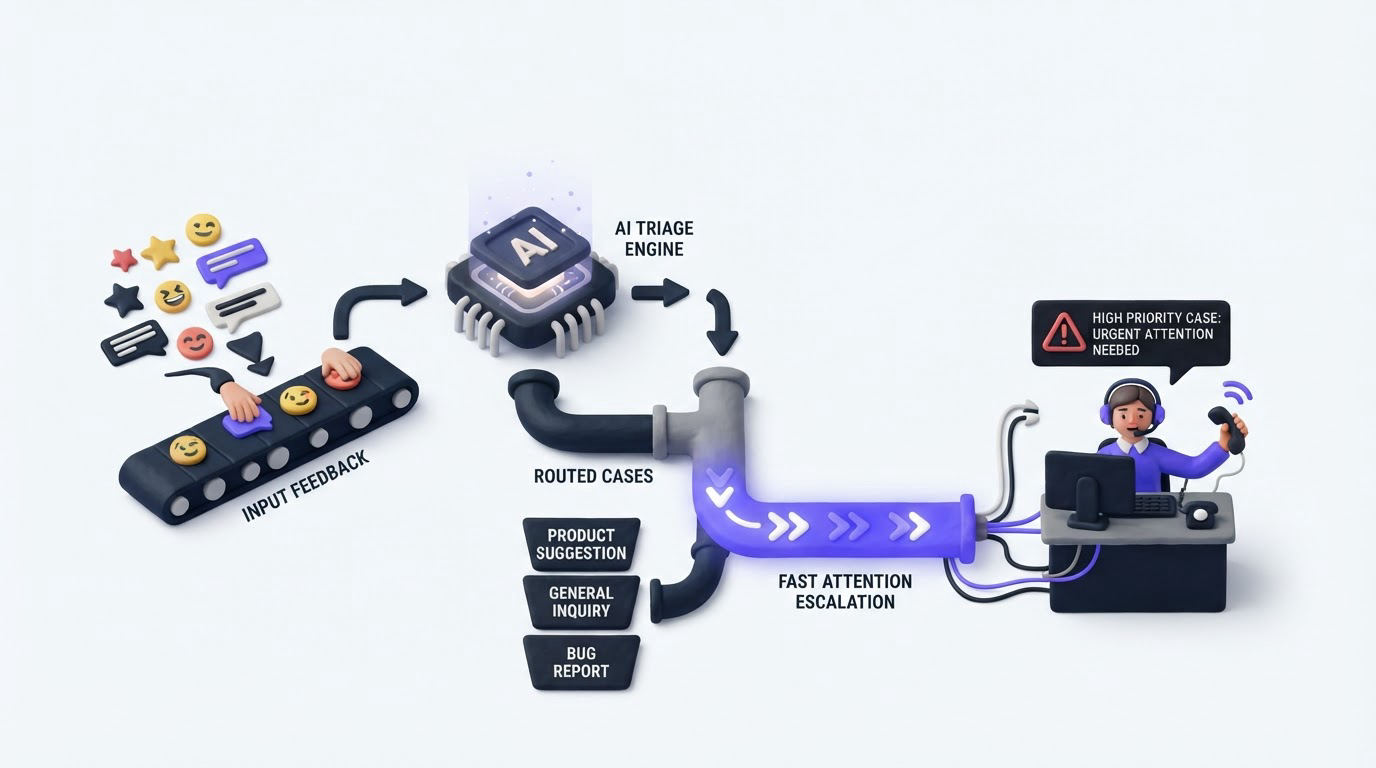
Routing rules should map a combination of labels to a person or team. A Scheduling plus Bug submission goes to the engineering triage owner. An Integrations plus New capability submission goes to the integrations product manager. A How-to question routes to support with a link to the relevant documentation.
Escalations need tighter rules. Send a real-time alert when feedback includes suspected account access, payment failures affecting multiple users, data exposure, data loss, or a regulated deadline. Include the original text, customer or account, timestamp, AI summary, and the reason for escalation. The receiving owner needs enough context to investigate without reopening the intake source.
For the scheduling SaaS, a message saying “staff can see another location’s schedule” belongs in a security review path, even if AI also tags it as Scheduling. The product request route can wait. The potential access issue cannot.
Set response targets that match the risk. A critical security flag might require review within one hour. A feature request from a strategic account could receive an acknowledgement within one business day and then move into the normal prioritization process. Build an audit trail for these actions, especially when customer data is involved.
The NIST AI Risk Management Framework provides useful guidance for documenting governance, measurement, and review of AI-supported decisions. If feedback includes personal data from people in the European Economic Area, design the workflow around purpose limitation, access control, and retention requirements in the General Data Protection Regulation.
Keep humans responsible for customer feedback prioritization
AI can organize evidence quickly. Product prioritization calls for judgment about strategy, feasibility, timing, customer promises, and the cost of delay. Keep that decision with the people accountable for the product.
Review a weekly queue of approved feedback themes. For each theme, examine the number of voters, affected segments, account value where appropriate, support burden, strategic fit, estimated effort, and dependencies. The “shift-change approval workflow” may have only 12 votes, yet eight could come from customers in a regulated segment. That context could justify earlier discovery work.
Use a simple decision record: Now, Next, Later, Need more evidence, or Declined. Add an internal note that explains the decision and names the owner. This prevents an AI-generated summary from becoming the sole explanation for a roadmap choice.
For a deeper framework, see how to prioritize customer feedback by revenue, segment, and demand. Review corrected AI tags and missed escalations each month, then use those findings to improve the rules and prompt guidance.
How to run AI-assisted triage in Upvoty
A feedback system works best when intake, review, decisions, and customer communication stay connected. Here is how the workflow can run in Upvoty.
First, collect requests through feedback boards or an embedded widget. Product teams can use feedback boards for customer voting and the feedback widget for contextual in-app collection.
Next, apply Smart Tags to organize themes such as product area, request type, and urgency. Review likely duplicate requests with Merge AI, then maintain a canonical post that keeps demand together. Add internal notes for account context and investigation details that customers should never see.
Then assign the approved post to the correct owner and set its priority. The assignees and priorities tools give the team a clear operational handoff. Use integrations with tools such as Slack, Jira, or Linear where the engineering handoff requires a linked work item.
This dashboard view shows the kind of consolidated workspace that supports review, ownership, and analysis.
!Upvoty feedback management dashboard for sorting and reviewing product feedback
Finally, move decisions customers can see onto a roadmap and share shipped work through a changelog. A transparent update gives voters an answer and reduces repeated status requests. Learn how to close the customer feedback loop with a changelog after a decision reaches delivery.
Common mistakes with AI customer feedback automation
The most damaging mistake is allowing automated urgency labels to page the entire company. Keep critical alert criteria narrow, require an accountable recipient, and audit every escalation for false positives and missed cases.
Another problem appears when teams use a vague tag such as “feature request” for almost everything. Specific labels create useful routing and reporting. A small taxonomy with clear ownership produces stronger data than a large, inconsistent list.
Teams also lose trust when merged requests erase customer context. Preserve each original submission, voter, segment, and comment beneath the canonical theme. Product managers need to see who asked, why they asked, and whether the requests describe the same job to be done.
Finally, close the loop. A customer who submitted feedback expects a response or a visible status over time. Use a public product roadmap for decisions suitable for customers, while keeping security investigations, internal prioritization notes, and sensitive account details private.
FAQ
Can AI automatically prioritize product feedback?
AI can rank or group feedback using rules you provide, such as urgency terms, vote counts, or customer segments. Product leaders should approve priority because roadmap choices involve strategy, technical effort, commitments, and qualitative customer context.
How accurate is AI feedback classification?
Accuracy depends on the clarity of your taxonomy, the quality of the incoming text, and regular review of mistakes. Begin with a limited number of labels, sample results weekly, and update tag definitions when reviewers repeatedly correct a category.
Should urgent customer feedback bypass the normal review queue?
Yes, for predefined safety, security, outage, data-loss, and compliance scenarios. Route those reports to a named human owner with a fast response target. Preserve the original feedback alongside the AI summary so the reviewer can assess the situation directly.
What happens when two feature requests look similar?
Place them in a duplicate-review queue. Merge them when they describe the same customer outcome and likely require the same product work. Keep separate posts when they imply different workflows, owners, or technical solutions.
Set up a small triage taxonomy, test it on recent feedback, and keep a human approval step for merges, escalation, and prioritization. Upvoty gives product teams one place to collect the evidence, organize it, and communicate the decisions that follow.


