
Feature ideas often arrive through support tickets, sales calls, chat, and email, then disappear into separate spreadsheets. Product teams lose the request context, customers submit duplicates, and planned work feels invisible. Upvoty brings those conversations into a voting workflow that turns scattered requests into an accountable product queue.
Quick answer: how to use feature voting software
Use feature voting software in this order:
- Create a focused feedback board and choose who can access it.
- Collect requests through a portal, in-app widget, or custom form.
- Moderate duplicates and group related requests into one demand signal.
- Add customer segment, revenue, effort, and strategic context before prioritizing.
- Move selected work to a roadmap and publish updates in a changelog.
- Notify voters as each request progresses or ships.
How feature voting software works
A voting board gives customers a visible place to submit ideas and vote for requests that affect them. Each vote becomes a demand signal attached to a specific problem, rather than another isolated conversation in an inbox.
Consider Northstar Desk, a fictional B2B help desk SaaS company. Its support team receives recurring requests for Microsoft Teams alerts. Sales also hears the request from larger accounts, while smaller teams ask for faster ticket assignment rules. Before adopting a structured process, both ideas live in separate places and appear equally urgent.
Northstar Desk creates a board at feedback.northstardesk.com, with categories for integrations, workflow, and reporting. A customer submits “Microsoft Teams alert for high-priority tickets.” When three similar submissions appear, the team merges them into one canonical request. Customers add votes and comments to the same item, giving the team a cleaner view of demand and use cases.
Votes provide useful evidence. A build decision also needs the audience behind those votes, the customer problem, delivery effort, product direction, and dependencies. This is where a disciplined feature voting workflow earns its place.
| Input | What it tells the team | How Northstar Desk uses it |
|---|---|---|
| Vote count | Breadth of visible demand | Finds the requests customers discuss most often |
| Voter segment | Which customers need it | Separates enterprise integration needs from small-team workflow needs |
| Comments | The job customers are trying to complete | Learns whether alerts require assignment, escalation, or reporting context |
| Delivery effort | Engineering cost and dependencies | Sizes the Teams API work before committing a roadmap date |
| Strategic fit | Alignment with the product plan | Ranks integrations against the quarter's retention goals |
Set up feature voting software with the right rules
Start with one board for a clear audience and product area. A broad, unmoderated board quickly fills with vague ideas such as “make reporting better,” which produces weak evidence and extra follow-up work.
For Northstar Desk, the team uses a public board for customer-facing requests and a private board for internal requests from support, sales, and customer success. Public participants can see existing ideas before submitting a new one. Internal teams can attach account context without exposing it.
Use clear categories and a submission form that asks for the information your team needs. Ask customers what they are trying to achieve, where they encounter the problem, and who on their team is affected. Upvoty's custom submit forms support structured intake, while private or public boards let you control visibility for each audience.
Set moderation ownership from day one. One product owner or operations lead should review new entries on a regular schedule, merge duplicates, clarify titles, and remove requests that belong in support. The goal is a board that customers can trust and a queue the product team can actually use.
For a fuller intake process, read this guide to collecting, organizing, and prioritizing feature requests.
Prioritize feature requests after customers vote
A request with 50 votes can deserve less attention than one with 10 votes from customers facing a critical workflow problem. Add business context before you make commitments.
Northstar Desk finds that the Microsoft Teams request has 18 votes, including six from its enterprise segment. The ticket assignment rule request has 31 votes, mainly from smaller teams. The product manager tags both requests, reviews linked comments, checks active opportunities, and asks engineering for a rough delivery assessment. Teams alerts move forward because they align with the current enterprise retention work and solve an immediate escalation gap.
Keep the vote count visible, then layer decisions on top of it. Useful fields include segment, account owner, strategic theme, owner, delivery confidence, and target release. Use segments to compare demand across audiences, and use assignees and priorities to keep decisions owned and traceable.
A common failure mode appears when every popular item receives a “planned” status. Customers read that status as a promise. Reserve it for work the team has actually chosen and can explain. Keep the remaining items under review with an honest status.
For a practical scoring model that includes account value and demand, see how to prioritize customer feedback by revenue, segment, and demand.
Run feature voting in Upvoty from request to release
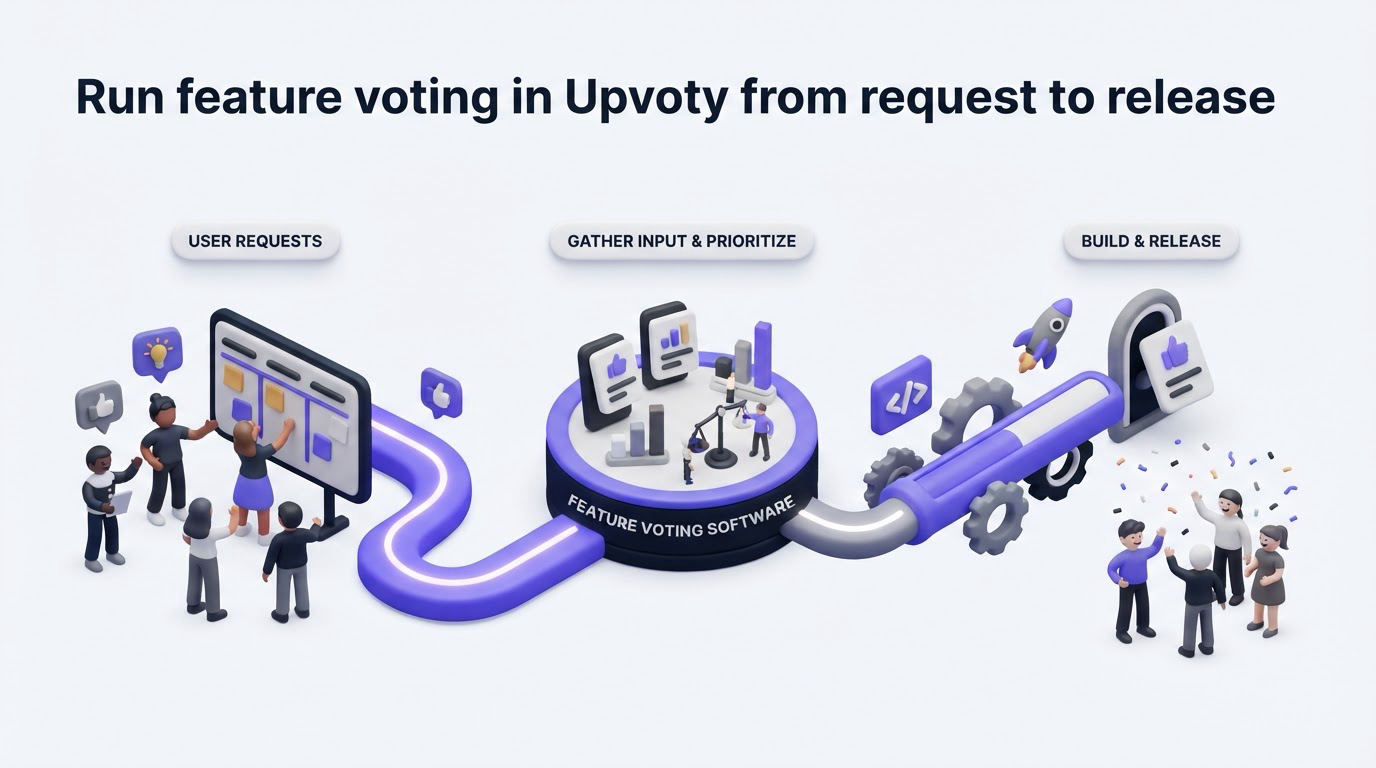
Upvoty removes the manual handoffs that make voting programs drift. The workflow follows the path customers and product teams already need.
First, publish an Upvoty feedback board where customers can search, submit, comment, and vote. Northstar Desk can also place the feedback widget inside its app, close to the ticketing workflows where feedback occurs.
Next, the product team reviews new posts in the dashboard. They combine similar Microsoft Teams submissions with Merge AI, apply a segment and internal notes, and assign an owner. This keeps one request page as the source of truth while preserving the underlying demand.
The dashboard gives the team a working view of the voting program.
!Upvoty dashboard for managing feature feedback and requests
When the team chooses the Teams alerts request, it can create a roadmap item and connect delivery work through the Jira integration. Jira remains the delivery system while Upvoty remains the customer-facing feedback record. Teams working with Jira can also review Atlassian's overview of Jira Software for its project and issue-management model.
Finally, publish the outcome through the roadmap and changelog. Voters receive updates as the request moves forward, reducing repeat “any update?” tickets and showing that their input reached the team.
Connect feature voting software to a public roadmap and changelog
A voting board captures what customers want. A roadmap explains what the team has chosen to explore, build, or release. A changelog closes the loop once the work reaches customers.
Northstar Desk adds “Microsoft Teams high-priority alerts” to its public roadmap after scope review. The roadmap description says the first release will cover high-priority ticket alerts, while assignment automation remains under consideration. That scope note prevents customers from assuming a larger integration package is already committed.
!Public Upvoty roadmap showing planned product work
When the alerts ship, the team publishes a changelog entry with setup instructions and notifies every voter. Learn how to build a public product roadmap customers can trust and how to close the feedback loop with a changelog.
For boards that include customer identity or account data, define access rules, retention practices, and approved team roles before launch. Teams operating in Europe should align their process with the European Commission's GDPR guidance.
What to look for in feature voting software
Choose a platform that fits the complete feedback cycle. A simple vote counter can collect ideas, yet the surrounding workflow determines whether the team can act on them.
Look for a tool that gives you controlled board visibility, duplicate management, flexible forms, customer segmentation, internal context, roadmap publishing, changelog publishing, and voter notifications. Check the daily workflow as well: moderators need to find duplicates quickly, product managers need to filter demand by audience, and customers need straightforward status updates.
Evaluate integrations based on where delivery and customer context live today. If your team works in Slack, Intercom, HubSpot, Jira, or Linear, confirm the connection supports the handoff you need. Also review customization, domain options, authentication, and data-export requirements before committing.
Teams comparing platforms can use Upvoty's feature comparison page and review the feature voting and feedback options in one place.
Feature voting software FAQs
Can feature voting software work for private customer feedback?
Yes. Private boards work well for beta groups, enterprise accounts, internal stakeholders, and account-specific planning. Give each group appropriate access, then use internal fields to preserve sensitive context alongside customer requests.
How do you prevent duplicate feature requests?
Make search prominent during submission, review new posts frequently, and merge matching requests into one canonical entry. Keep the clearest title, retain useful comment context, and direct voters to the merged request so demand accumulates in one place.
Should customers be able to see every planned feature?
Share the level of roadmap detail that your team can support publicly. Many teams show broad statuses such as under consideration, planned, in progress, and released. Leave experimental work private until scope and timing are stable.
How many votes should a feature need before development starts?
There is no universal threshold. Use votes alongside customer segment, problem severity, strategic fit, delivery effort, and the evidence in comments. A smaller number of votes from a key audience can justify a focused discovery effort.
Can feature voting software support an in-app feedback program?
Yes. An in-app widget lets customers submit ideas while they are using the relevant feature, which improves context. Pair the widget with a public or private board so customers can see existing requests and follow progress.
Build a feedback process customers can see and your team can run every week. Start with a board, make prioritization decisions visible, and use Upvoty to carry each request through roadmap and release updates.