
A feedback tool can look convincing in a demo and still create extra work after launch. Duplicate requests pile up, product decisions remain in spreadsheets, and customers never hear what happened to ideas they submitted.
Growing SaaS teams should evaluate feedback software as a complete operating workflow, not as a list of isolated features. Upvoty is built around that connected loop, from collecting requests through publishing roadmap and changelog updates.
Quick answer: how to choose feedback software
Use this sequence to evaluate each product against the work your team actually performs:
- Map how feedback moves from submission to product decision and customer update.
- Define the collection channels and duplicate-management process you need.
- Test integrations using real support, CRM, and development workflows.
- Check whether the portal, widget, roadmap, and emails match your brand.
- Verify team roles, private boards, authentication, moderation, and data controls.
- Test prioritization and reporting with customer segments, not vote totals alone.
- Confirm the software can handle more products, users, languages, and data.
- Run a time-boxed pilot and score every option against the same requirements.
The best choice is the product that keeps this entire loop understandable for customers and manageable for the people operating it.
Start your feedback software evaluation with the workflow
Write down the current process before looking at product pages. Start with the moment a customer has an idea. Follow that idea until the customer receives a final response.
A typical flow might begin with an in-app widget or a request logged by support. The product team then checks for duplicates, adds customer context, assigns a category, reviews demand, decides whether to investigate, and publishes an appropriate status. If the feature ships, affected customers receive an update.
Consider a fictional B2B SaaS company with an application at app.example.com. It has a product team, a support team, and account managers serving several enterprise customers. The company wants a portal at feedback.example.com, plus an in-app form for users who should not have to leave the product.
Its current process breaks in three places. Support copies requests into a spreadsheet, similar requests use different wording, and account managers cannot tell whether a planned feature may be discussed publicly. Those problems become evaluation requirements.
Create one sample request and carry it through every product you test. For example: “Allow billing administrators to export invoices by subsidiary.” Submit it through the widget, merge a duplicate, attach an enterprise account, add an internal note, move it to the roadmap, publish a release note, and verify the notification received by the original voter.
This end-to-end test reveals more than a generic feature checklist. It also shows how many manual handoffs survive after implementation.
Test how the feedback software collects and organizes requests
Collection should fit where users already encounter friction. For a SaaS product, that often means combining an embedded widget with a hosted feedback board. Support and customer success teams may also need to submit requests on behalf of customers.
Check what information the submission form can collect. A title and description are rarely enough for complex products. You may need product area, user role, workspace plan, browser details, urgency, or consent to make the post public. Custom fields should improve triage without turning the form into a survey.
The fictional SaaS team could ask users to select “Billing,” “Reporting,” or “Account management.” It should not ask customers to estimate development effort or business impact. Those judgments belong to the internal team.
Duplicate handling matters as volume grows. Search suggestions during submission can redirect users to an existing request, while merging tools can combine similar posts found later. Verify what happens to votes, comments, subscribers, tags, and source records after a merge. A merge that discards context creates quieter dashboards and worse evidence.
Moderation also deserves a live test. Submit spam, a post containing private account information, and an angry but valid complaint. Confirm that moderators can edit, hide, reject, or move each item without losing an audit trail your team needs.
If embedded collection is important, use this guide to plan an in-app feedback widget for your SaaS product before comparing implementations.
Evaluate feedback software integrations with real scenarios
An integrations page only confirms that two product names appear together. It does not show which fields move, what triggers the connection, or how failures are handled.
Turn each integration requirement into a scenario. When support receives a request, can an agent send it to the feedback system without retyping the description? When product accepts a request, can the team create a development issue with a link to the source? When the status changes, does the feedback record update automatically, or does someone need to reconcile two systems?
For the example company, test three routes. Send the invoice-export request from the support workspace, associate it with the correct account in the CRM, and create an engineering issue after product review. Then change the title in one system and see what happens elsewhere.
Pay attention to ownership. Two-way synchronization sounds attractive, but it can create conflicting statuses and unexpected edits. A one-way handoff with clear source ownership is often easier to operate.
API and webhook access provide an escape route when a native integration does not cover your process. Ask for authentication details, event types, pagination behavior, rate limits, retry rules, and sample payloads. API documentation expressed through the neutral OpenAPI Specification is easier for a technical team to inspect and maintain than a loose collection of examples.
Also test failure visibility. Disconnect an integration during the pilot. The product should make failed deliveries discoverable so the team can replay or repair them instead of silently losing requests.
Check feedback software customization across the full customer experience
A branded portal involves more than a logo and accent color. Review the domain, navigation, terminology, email sender, status labels, submission forms, roadmap columns, changelog layout, and mobile presentation.
Open every customer-facing surface side by side. The widget may look consistent while notification emails use language that does not match the product. A roadmap can also reveal internal terminology that customers will not understand.
For feedback.example.com, the example team might replace a technical status such as “Backlog validated” with “Under consideration.” It could use “Planned” only after capacity has been assigned. That wording sets expectations and reduces support questions.
Custom domains and single sign-on affect trust as well as appearance. Verify certificate handling, login redirects, session behavior, and what a signed-out visitor can see. If the portal is embedded, test it with the content security policies used by your application.
Localization should be evaluated at the workflow level. Confirm whether interface text, custom labels, notification emails, roadmap entries, and changelog posts can all be translated. A language switcher on the board does not solve the problem if automated emails remain in one language.
Review permissions, privacy, and access controls
Feedback often combines public product ideas with private commercial context. Account value, contract commitments, security concerns, and internal product opinions should not appear on a public board.
Build a permission matrix using actual roles. Include an anonymous visitor, authenticated customer, enterprise customer, support agent, product manager, developer, moderator, and administrator. For each role, test viewing, submitting, commenting, voting, editing, exporting, and publishing.
The example company needs account managers to add private notes to the invoice-export request. Customers can see the public description and status, but not the enterprise account discussing a renewal condition. Developers need access to accepted technical details without receiving permission to publish roadmap promises.
Role names alone are not sufficient. Log in as each role and attempt actions that should be blocked. The OWASP authorization guidance recommends denying access by default and validating permissions on every request rather than relying on hidden interface controls.
Data controls should cover export, deletion, retention, processing locations, subprocessors, and authentication. If your customers include people in the European Union, inspect how the vendor supports access and portability obligations described in Article 20 of the GDPR.
Ask what happens when a user account is deleted. Their personal data may need removal while product teams still require an aggregated record of the request. The answer should be specific and operational.
Compare feedback reporting and prioritization
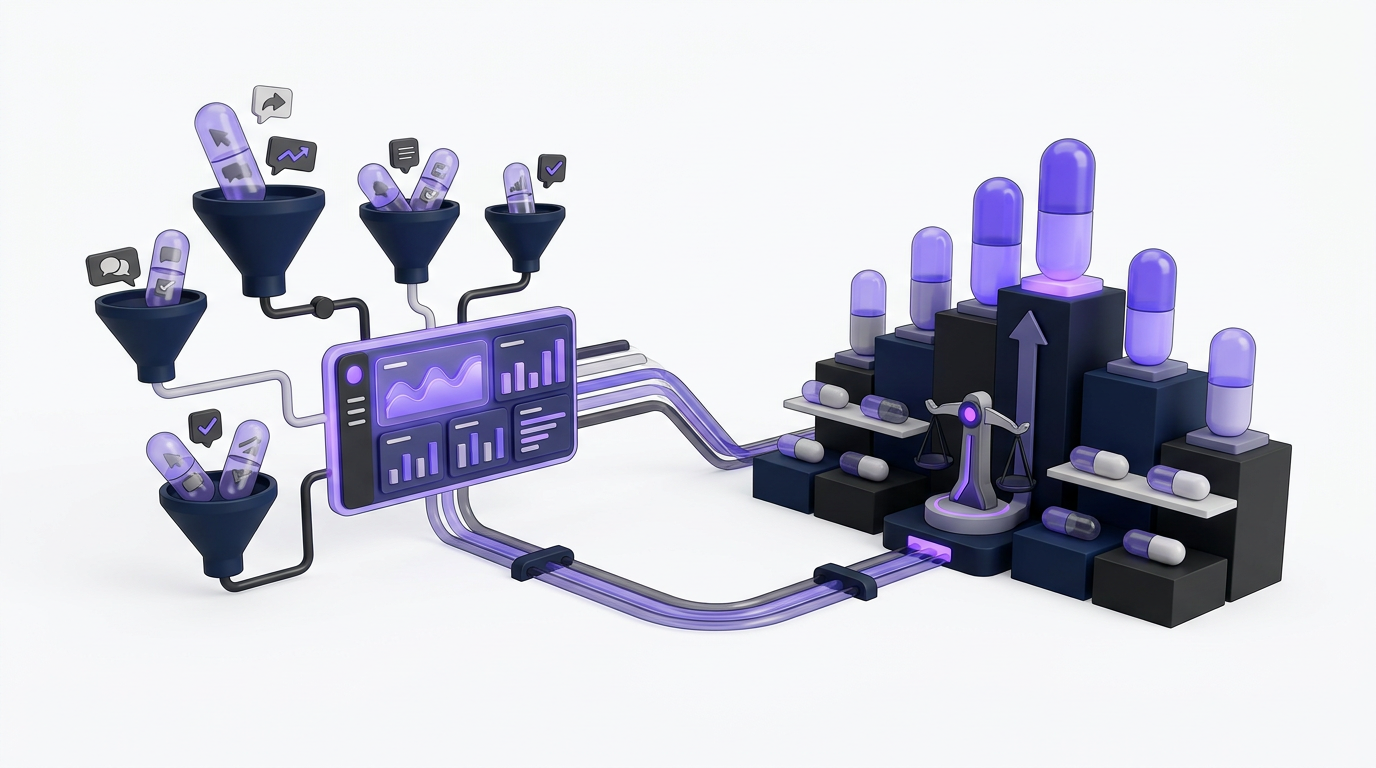
Raw vote totals are useful evidence, but they are not a product strategy. Ten requests from trial users do not automatically outweigh three requests from customers in a target segment. Votes can also be influenced by where a post appears and how long it has been public.
Reporting should let the team answer concrete questions. Which requests come from enterprise administrators? Which product area generates the most unresolved demand? How many accepted items have had no customer-facing update? Which requests are associated with multiple accounts in a target market?
Use the invoice-export request to test segmentation. Filter voters by user role, account type, plan, or another field relevant to the business. Then inspect whether comments and internal notes preserve qualitative details, such as the need to export by subsidiary rather than only by date.
A practical prioritization record combines demand, strategic fit, reach, urgency, confidence, and estimated effort. Some criteria may live in the feedback platform, while detailed scoring remains in a product planning system. The important requirement is traceability. A product manager should be able to explain which customer evidence informed a decision.
This guide to customer feedback prioritization by revenue, segment, and demand explains how to avoid letting the loudest request dominate the queue.
The following scorecard turns broad requirements into tests that can be repeated across products.
| Evaluation area | Requirement to verify | Pilot test | Failure signal |
|---|---|---|---|
| Workflow | One request can move from collection to release communication | Process the invoice-export request from submission through changelog | Staff copy data between stages |
| Collection | Portal, widget, and staff submissions preserve their source | Submit the same idea through three channels | Context or attribution disappears |
| Integrations | Support, CRM, and engineering handoffs are reliable | Change status and fields, then disconnect one integration | Silent failures or conflicting records |
| Customization | Customer-facing surfaces use approved branding and language | Review portal, widget, email, roadmap, and changelog | Key surfaces cannot be changed |
| Permissions | Public and private context remain separated | Test every action using customer, agent, and admin roles | Hidden data appears in search, exports, or notifications |
| Reporting | Teams can segment demand and retain qualitative context | Filter the request by account and user attributes | Only total votes are available |
| Scalability | Additional boards, products, languages, and data remain manageable | Import a representative dataset and add a second product area | Search, moderation, or administration becomes fragmented |
Plan feedback software for a larger team and product
Scalability is partly technical, but the operational side usually appears first. More customers produce more duplicates, comments, moderation work, and status questions. More internal users create inconsistent tags, overlapping boards, and unclear publishing authority.
Estimate the structure you may need over the next two years. A single-product company might later separate requests by web application, mobile application, API, and integrations. Check whether the software supports that structure without requiring customers to search several unrelated portals.
Import a representative sample rather than five clean posts. Include long descriptions, attachments, comments, duplicate requests, user records, tags, and historical statuses. Search for older items and time common moderation actions. Large datasets expose friction that an empty trial conceals.
Exports deserve equal attention. Confirm which records are included, how relationships are represented, and whether comments, votes, tags, users, roadmap states, and changelog links remain usable outside the platform. An export that returns post titles without voter relationships offers weak portability.
Governance becomes important once several teams participate. Define who can create boards, change statuses, publish roadmap items, send notifications, edit customer posts, and alter integrations. Also decide how often unused tags and stale requests will be reviewed.
The public roadmap introduces another scaling risk: accidental promises. A growing audience will interpret roadmap wording more literally. The article on building a public product roadmap customers can trust shows how to communicate direction without presenting uncertain dates as commitments.
Run a feedback software pilot before selecting a vendor
A useful pilot has a fixed dataset, named participants, realistic integrations, and an end date. Give every vendor the same tasks. Otherwise, one product receives a deep technical test while another wins because its demonstration was polished.
Run the pilot with at least one product manager, support representative, customer-facing teammate, administrator, and developer. Customers can also test the submission and status experience if company policy permits it.
Score task completion, not general impressions. Record the time and manual steps needed to submit, merge, categorize, segment, assign, publish, notify, and export the sample request. Note which actions require administrator access.
Do not configure every possible workflow during the trial. Focus first on requirements that could disqualify a product, such as private boards, single sign-on, exports, specific integration behavior, or multiple customer-facing portals.
Ask the vendor to demonstrate unclear cases using your scenario. For competitor products such as Canny, Featurebase, and Nolt, check each vendor's own pricing page directly for current plan limits, then record those limits in your scorecard. Do not assume that a feature shown in a demo is included in the plan you are considering.
A broader product feedback tools selection guide can help create the initial shortlist. Keep the final pilot narrow enough that your team can complete every test.
How Upvoty handles the feedback workflow
The strongest way to assess Upvoty is to run the same sequence customers and internal teams will follow. This exposes what the product removes from the process without relying on a generic demonstration.
First, create a feedback board for a product or customer group. Add the submission fields and decide whether the board is public or private. Then place the feedback widget inside the application so customers can submit ideas where they encounter the need.
Next, review incoming posts in the management dashboard. Moderators can organize requests, while smart tags, internal notes, assignees, priorities, and segments add context for the product team. Where similar posts exist, Merge AI can support duplicate management. Human review still matters because two requests with similar wording may describe different user outcomes.
This is what the feedback management view looks like when requests move into the internal workflow.
!Upvoty dashboard for managing customer feedback and feature requests
After review, selected ideas can move to the product roadmap. The team controls which work becomes customer-facing, so internal investigation does not have to become a public promise. Roadmap language and status choices should follow the communication rules established during evaluation.
When work ships, publish the update through the changelog. Auto-notification can reconnect the release to people who voted, closing the loop without requiring support to search for every affected customer manually. The practical process for doing that is covered in how to close the customer feedback loop with a changelog.
Finally, review results through analytics and export the data when deeper analysis or internal reporting is required. Teams that want to work with feedback through AI tools can also examine Upvoty's MCP feature, while keeping human judgment in prioritization and publication decisions.
This workflow is the central evaluation point. Collection, prioritization, roadmap communication, and release updates should remain connected to the original customer request.
Compare total operating cost, not only subscription price
Subscription price is only one part of the decision. Include implementation time, migration work, integration maintenance, moderation effort, customer support handoffs, and the cost of recreating reports outside the product.
A cheaper tool can become expensive if support agents spend several minutes copying each request or product managers reconcile duplicate spreadsheets every week. A more capable platform can also be poor value when the team pays for advanced planning features it will not use.
Review plan limits against realistic growth. Check seats, tracked users, boards, custom domains, integrations, API access, data retention, exports, single sign-on, and branding controls. Ask what happens when a limit is exceeded and whether read-only collaborators require paid access.
Migration risk belongs in this calculation. Export data from the current process, clean duplicate users and statuses, and map every field before signing a long commitment. Keep an untouched source export so the team can audit migration results.
Use the vendor's current terms and Upvoty pricing when comparing final costs. Pricing pages change, so date every figure in the internal decision document.
Common mistakes when choosing feedback software
The most common mistake is selecting the product with the longest feature list. Teams then discover that the features do not connect in the order their workflow requires.
Another mistake is using vote totals as the only reporting test. That ignores customer segment, request context, account relationships, urgency, and strategic relevance. It can push popular minor improvements ahead of less common problems that block important customers.
Public and internal feedback should not be treated as identical records. A public request may need clearer wording, while account details and commercial commitments stay private. Test that separation before inviting customers.
Teams also underestimate notification behavior. Changing a status can send an email to hundreds of users. Confirm who can trigger messages, whether the content can be previewed, and how incorrect updates are corrected.
Finally, do not postpone export testing. Run an export during the pilot, open the files, and trace the sample request back to its voters, comments, tags, and statuses. Portability should be proven while the vendor is still being evaluated.
Feedback software FAQ
What is the most important feature in feedback software?
No single feature determines a good fit. The most important capability is continuity across collection, review, prioritization, roadmap communication, release updates, and reporting. When those stages are disconnected, staff recreate the missing links through spreadsheets and manual messages.
Should a SaaS feedback board be public or private?
It depends on the audience and the sensitivity of the product. Public boards help customers discover existing requests and see responses. Private boards are appropriate for enterprise groups, beta programs, internal teams, and discussions containing confidential details. Many SaaS companies need both, with explicit rules for moving information between them.
Is feature voting enough to prioritize a roadmap?
No. Voting measures expressed demand within the audience that saw the request. Combine it with customer segment, product strategy, qualitative comments, reach, urgency, confidence, and delivery effort. Treat votes as evidence rather than an automatic queue.
When should a SaaS team replace spreadsheets with feedback software?
Replace spreadsheets when requests arrive through several channels, duplicates are difficult to identify, ownership is unclear, or customers regularly ask for status updates. Another strong signal is that product managers cannot trace a roadmap decision back to the customers and context behind it.
How long should a feedback software pilot run?
Run it long enough to complete the full workflow at least once. For many teams, one or two working weeks is sufficient if integrations, participants, and sample data are prepared in advance. A longer trial does not help when nobody is assigned specific tasks.
How do we compare Upvoty with Canny, Featurebase, or Nolt?
Use one requirements matrix and the same sample request for every platform. Compare workflow continuity, integration depth, public and private access, customization, segmentation, exports, plan limits, and the effort required to notify customers. For a focused comparison, see Upvoty vs Canny, and verify current vendor pricing directly before deciding.
Choose feedback software that fits the complete path from customer input to product response. A qualified team should favor proven workflow continuity, clear permissions, useful segmentation, reliable exports, and customer communication over a longer collection of loosely connected features.
Run your requirements through a real board, roadmap, and changelog before committing. You can see how Upvoty supports the complete feedback loop and decide whether it fits the way your SaaS team works. Read next: How to Set Up an In-App Feedback Widget Without Disrupting Users. Read next: How to Choose Product Changelog Software for Your SaaS.


