
A feedback board can fill up fast with vague requests, duplicate posts, and votes from customers with very different needs. Product teams need a system that turns that activity into evidence they can use when planning work.
The right feedback board software gives customers a clear place to contribute while giving your team control over data quality, access, prioritization, and follow-through. Upvoty is built around that full loop, from collecting requests to sharing a roadmap and publishing updates.
Quick answer: how to choose feedback board software
Evaluate each option by running these steps in a trial:
- Test voting controls with real user identities, vote limits, and voter notifications.
- Submit overlapping requests and verify that duplicate detection and merging preserve every vote.
- Create customer segments and confirm your team can filter demand by the groups that shape product decisions.
- Review moderation workflows for approving, editing, merging, and assigning incoming posts.
- Move a validated request onto a public roadmap and then into a changelog update.
- Check branding, custom-domain, privacy, and accessibility settings on the customer-facing experience.
Start with the feedback board workflow your SaaS team needs
Choose software based on the path a request takes after a customer clicks Submit. A polished public board without sensible workflow controls creates more manual cleanup for the product team.
Use one realistic trial scenario across every vendor. Consider a fictional B2B project-management SaaS with a feedback portal at feedback.exampleapp.com. Customers submit three requests during a two-week evaluation:
- “Add SAML login for enterprise workspaces.”
- “Single sign-on for our security team.”
- “Support enterprise identity provider login.”
The team needs to combine these into one underlying request, identify which voters are on Enterprise plans, keep unhelpful wording off the public board, and later communicate whether the work is planned, in progress, or released.
That scenario exposes whether a product merely collects ideas or supports a durable feedback process. For a broader view of setting up that process, see this guide to feature request management workflows.
Evaluate voting controls in feedback board software
Votes show the visible level of demand. They work best when each vote has context: who cast it, which account they belong to, and whether they have already voted.
During a trial, create test users and try the voting behavior yourself. Confirm whether users can vote once per post, remove a vote if priorities change, and receive an update when the request moves forward. Vote limits can also help when teams want contributors to make real trade-offs among their priorities.
Identity controls deserve close attention. An anonymous board lowers friction, yet it gives the team less context for evaluating demand and can increase moderation work. Authenticated voting produces more useful records, particularly for B2B SaaS products where account tier, role, and company size influence prioritization.
For the example request, the product manager should be able to see that 27 people voted for enterprise login, including four administrators from Enterprise accounts. That creates a far more useful planning conversation than a raw count of 27.
Ask vendors to show the following in a live test:
- The voter list and any profile or account information available to your team.
- Controls for one vote per user and vote removal.
- Automatic notifications when a post status changes.
- Public, private, and restricted board options.
- Downvoting options where teams need to record negative demand.
Test duplicate request handling before the board grows
Duplicate handling is one of the strongest indicators of whether feedback board software will stay usable over time. Customers describe the same need in their own language. Search alone rarely keeps a board clean once it attracts regular traffic.
Submit the three enterprise login requests from the example. Search for each phrase, then ask an administrator to merge the related posts. A good workflow keeps the original context and combines voter demand on the surviving request. The team should also be able to explain the merged title clearly, such as “Support SAML SSO for Enterprise workspaces.”
Check where the software places incoming votes after a merge and what voters see. A voter who backed “Single sign-on for our security team” should be subscribed to progress on the merged request. Otherwise, the team loses the opportunity to close the loop later.
Some teams also need assistance finding likely duplicates before posting or during moderation. Treat automated suggestions as a review aid. A moderator should retain the final decision because similar phrasing can describe different implementation needs.
Use segmentation to prioritize feedback board demand
A board sorted by total votes can favor a large group of low-impact users. Segmentation brings account context into the decision without hiding the public evidence of demand.
For the example, create segments for Enterprise plan, Pro plan, trial users, workspace admins, and European customers. Filter the merged SAML request by each segment. The team can now see whether it is a broad request, an enterprise retention issue, or a requirement concentrated in one market.
Customer data needs a deliberate governance approach. Keep only the attributes required for product decisions, define who can access them, and document how long they are retained. The NIST Privacy Framework provides a useful structure for managing privacy risk around customer data.
Segmentation should lead to an explicit decision. For example, the product team may mark SAML support as a high-priority Enterprise requirement, assign an owner, and record the rationale in an internal note. Read how to prioritize customer feedback by revenue, segment, and demand for a practical prioritization model.
Check moderation and internal collaboration controls
Public input needs an editorial process. Moderation protects customers from spam and gives the product team a consistent place to shape vague requests into usable problem statements.
Run a moderation test with an unclear post such as “Security is bad.” The moderator should be able to request detail, edit the title where policy permits, add tags, merge it into a related item, set a status, and leave internal context for colleagues. Role-based permissions prevent every teammate from making public changes.
In the example, the moderator could convert the initial wording into “Support SAML SSO for Enterprise workspaces,” add an Enterprise tag, connect the account notes, and assign the post to the identity and access management product lead. The public page stays clear while internal decision-making retains the useful detail.
Teams with engineering tools should also test handoffs. A connected issue tracker can reduce retyping, yet the feedback record still needs to remain the customer communication source. Jira is designed to organize and track work items, as outlined in Atlassian’s Jira documentation. Confirm which system owns delivery status and how status changes flow back to voters.
Compare feedback board software criteria side by side
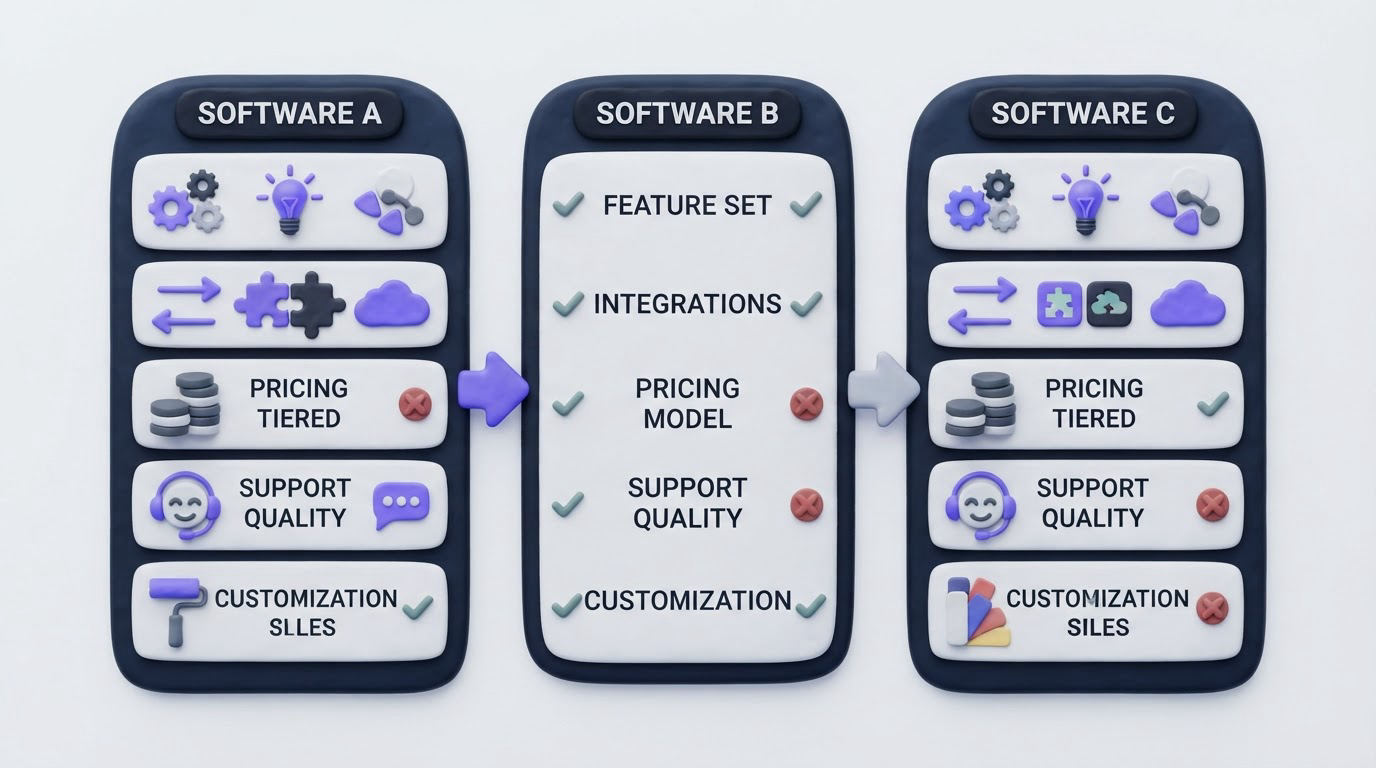
Use this scorecard during demos. Give each row a pass only after completing the relevant trial action.
| Evaluation area | Trial action | Evidence of a strong fit | Failure mode to watch for |
|---|---|---|---|
| Voting controls | Vote as several test users | One vote per person, identity context, and status notifications | Raw vote counts with no customer context |
| Duplicate handling | Submit three versions of one request | Merge preserves voters, comments, and subscription history | Separate posts keep competing for attention |
| Segmentation | Filter a request by plan and role | Demand can be reviewed by account and audience | Every customer carries equal planning weight |
| Moderation | Edit, tag, assign, and approve a test post | Clear permissions and an auditable internal workflow | Spam and vague posts become public immediately |
| Roadmap connection | Move a post to Planned and In Progress | Customer-facing status reflects a controlled product view | Roadmap promises exceed delivery confidence |
| Changelog connection | Mark work Released and notify voters | Release update reaches people who requested it | Customers must discover the outcome themselves |
| Branding and access | Test a branded portal, domain, and sign-in flow | The board feels like part of the product experience | An off-brand portal reduces trust and participation |
Connect feedback board software to a roadmap and changelog
Customers use a feedback board to understand whether their input goes anywhere. A linked roadmap and changelog provide the visible answer at the right stages: consideration, planned work, active work, and release.
For the example, place the merged SAML request into a carefully worded roadmap item once the team commits to the work. “Planned” signals intent while leaving room for normal delivery changes. Move it to “In Progress” when development begins, then publish a release entry once it is available. Send an update to every voter with the release details and any setup requirements.
Avoid publishing every internal backlog item. A customer-facing roadmap works best when it communicates meaningful commitments and current direction. This guide explains how to build a public product roadmap customers can trust.
The final changelog entry completes the loop. It also creates a useful record for prospects and existing customers who want to see how the product evolves. Use this workflow for closing the customer feedback loop with a changelog.
Here is what a connected feedback experience can look like for customers.
!Public voting board for customer feedback and feature requests
Evaluate customer-facing branding, privacy, and accessibility
A feedback board sits close to your product experience. Match its logo, colors, language, and domain to your SaaS brand so customers know where they are and feel safe contributing.
Test the portal on mobile, keyboard-only navigation, and a screen reader where possible. Use the W3C WCAG quick reference to check color contrast, focus visibility, text alternatives, and form labels. These details affect who can participate and how confidently they can use the board.
For account-based products, evaluate private boards, single sign-on, and customer-specific visibility. A public board may suit broad feature discovery. A private board can suit security-sensitive feedback, beta programs, or strategic accounts. Many SaaS teams use both, with clear rules for what belongs in each space.
Also inspect custom submission forms. The SAML example benefits from fields for identity provider, required protocol, affected workspace, and business impact. Structured input reduces follow-up and makes later filtering far more useful.
How Upvoty handles the feedback board workflow
Upvoty brings the customer-facing and internal steps into one sequence. Start by creating feedback boards for the audiences you serve, then choose public or private access and shape the submission form around the information your team needs.
As requests arrive, use moderation controls to review posts, combine duplicates, and keep the board understandable. Add segments to examine demand by the customer groups that affect prioritization. Internal notes, tags, assignees, and priorities give product, support, and engineering teams a shared record behind each customer-facing request.
When the SAML request reaches commitment, create a roadmap item through Upvoty’s roadmap feature. Customers can follow its status without seeing every private delivery detail. After release, publish an update through the changelog and notify the voters who asked for it.
The workflow also supports a branded experience through customization options and a custom domain. That keeps the feedback portal recognizably part of your product rather than a disconnected destination.
Common mistakes when choosing feedback board software
The most expensive mistake is choosing based on the appearance of a demo board. Require a trial that follows a request from submission through release communication.
Another common issue is treating all votes as equal. Add segmentation early, then document how plan, role, revenue context, and strategic fit affect prioritization. Publish status changes with care. A roadmap can build confidence when labels reflect real decisions and owners maintain them.
Finally, assign a moderator. Even a low-volume board benefits from a named person who reviews new posts, consolidates duplicates, and keeps customers informed. Without that ownership, the board gradually becomes another unattended inbox.
FAQ
What features should feedback board software include?
Look for controlled voting, duplicate merging, moderation, segmentation, statuses, roadmap and changelog connections, notifications, custom fields, access controls, and branding. Your trial should confirm that these features work together in one request lifecycle.
Should a SaaS product use a public or private feedback board?
Use a public board when open discovery and visible product direction will help customers participate. Use a private board for account-specific, confidential, or beta feedback. A mixed approach often works well when each board has clear audience and moderation rules.
How do you prevent duplicate feature requests?
Give users a clear search step before submission, then have a moderator merge overlapping requests into one canonical post. Preserve the voters and comments during the merge so the consolidated request represents the full demand.
Are vote counts enough to prioritize product feedback?
Vote counts provide one input. Segment data, customer role, account impact, strategic direction, support burden, and delivery effort should all inform the decision. Record the rationale so product decisions remain explainable over time.
How often should a product team update a feedback board?
Review incoming posts at least weekly for active boards. Update request statuses when a genuine decision or delivery milestone occurs. Regular release updates and voter notifications keep the board credible.
Choose feedback board software by testing the complete path from vote to release update. If your team needs a branded portal, structured moderation, segmentation, and connected roadmap communication, try Upvoty to run that workflow in one place.


