
Product feedback often arrives after the useful moment has passed: in a support thread, a sales call, or an unstructured spreadsheet. Meanwhile, customers cannot see whether anyone has read their request, and product teams spend time reconciling duplicates. Upvoty gives SaaS teams one in-product place to collect, organize, prioritize, and respond to feedback.
Quick answer: how to use in-app feedback software
Use an in-app feedback workflow that captures the request alongside product context and carries it through delivery:
- Add a feedback widget or embedded portal where users already work.
- Route each submission to a focused board and merge duplicate requests.
- Capture voter identity, customer segment, and account value before prioritization.
- Assign owners and priorities, then connect validated work to your delivery process.
- Publish selected items on a roadmap and announce released work in a changelog.
- Notify voters when the status of their request changes.
Collect product feedback inside the app
Place the feedback entry point near the feature your team wants to understand. A small widget works well for broad, always-available feedback. An embedded form beside a reporting screen or settings page works well when you need input about a specific workflow.
Keep the initial form focused. Ask for a clear title and description, then add fields only when they affect a decision. For example, a B2B analytics product may ask whether a request applies to scheduled reports, dashboards, or exports. That routing detail turns a vague suggestion into something a product manager can evaluate.
Use Upvoty's in-app feedback widget when product context is the main advantage of collecting feedback. Teams can also use a branded feedback widget for a persistent route back to their boards.
Consider a hypothetical subscription analytics platform called Northstar Metrics. Customers repeatedly ask for “CSV automation.” The team adds a form on /reports/export with a required question: “Which export schedule would help?” Within two weeks, submissions separate into daily delivery, emailed exports, and API access. Those are three different product decisions, even though the original wording looked identical.
Organize requests in your in-app feedback software
A feedback inbox becomes useful when each request has a clear home. Create separate boards for major product areas or audiences, such as Reporting, Integrations, and Mobile. Customers find relevant requests faster, which increases meaningful voting and reduces repeat submissions.
Moderation should happen before a request becomes visible. Remove sensitive account details, clarify unclear titles, and merge overlapping posts. In Northstar Metrics, “send CSV every morning” and “automatic daily export” should become one parent request, while “connect export to SFTP” remains separate because it introduces a distinct implementation and security path.
Use tags for product area, request type, and lifecycle state. Add internal notes for implementation constraints that customers should never see. A repeatable process for intake, cleanup, and review is covered in this feature request management workflow.
Prioritize feedback with demand and customer context
Vote totals tell you where visible demand is concentrated. They need context before they become a product commitment. A request with 25 votes from trial users calls for a different conversation than a request with five votes from customers who use a core workflow every day.
Capture the signals your team actually uses for trade-offs: customer segment, plan, renewal risk, strategic fit, frequency of the problem, and estimated delivery effort. Set a consistent review cadence, such as a weekly product triage and a monthly roadmap review. This keeps incoming feedback from interrupting every planning decision.
| Signal | What it tells the product team | Northstar Metrics example |
|---|---|---|
| Vote count | Visible breadth of demand | Daily emailed exports gathers 31 votes |
| Customer segment | Who experiences the problem | Most voters manage finance teams |
| Revenue or account value | Commercial impact | Two voters belong to large annual accounts |
| Workflow frequency | How often the issue occurs | Analysts export reports at the end of each day |
| Delivery effort | Cost and dependency risk | SFTP requires security review and infrastructure work |
For Northstar Metrics, daily emailed exports rank ahead of SFTP because they serve more customers, fit the reporting roadmap, and have a smaller dependency footprint. The team marks API access as “Under consideration” while gathering evidence from developers. Read how to prioritize customer feedback by revenue, segment, and demand for a practical scoring approach.
Avoid a voting model that treats every account as identical. That approach can steer a team toward loud, low-impact requests and hide recurring friction in high-value workflows. Segments, internal notes, and priorities give the team a fuller record of why a decision was made.
Turn in-app feedback into a roadmap customers can follow
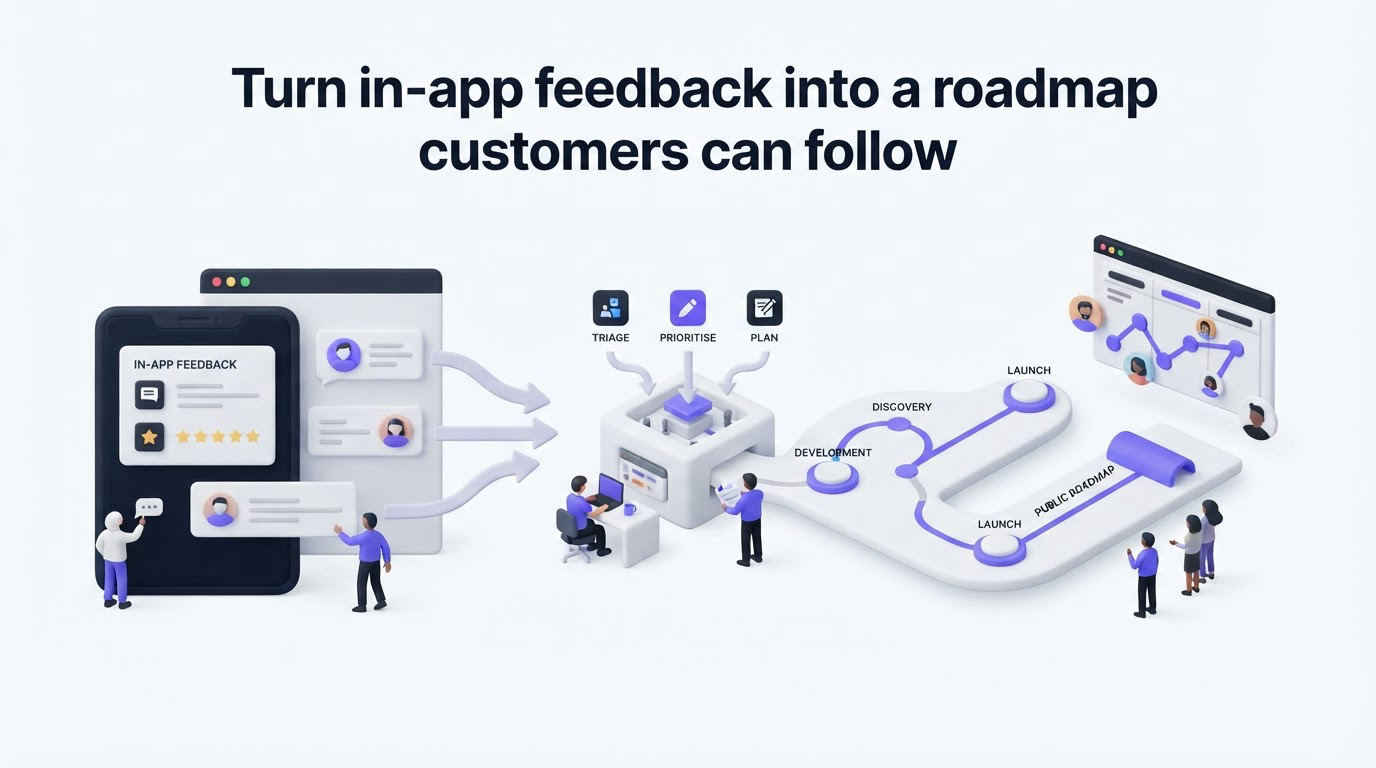
Customers need a clear answer after they submit an idea. Statuses such as Under review, Planned, In progress, and Complete set expectations without forcing a release date before the team has enough certainty.
Publish roadmap items only after you have a meaningful commitment. Keep discovery, technical concerns, and account-specific discussion in internal notes. A public roadmap works best when it communicates direction, scope, and progress in language customers understand.
For Northstar Metrics, the team publishes “Scheduled email delivery for saved exports” as Planned. It leaves SFTP off the public roadmap while security and customer requirements are still being assessed. That choice gives voters a reliable signal without creating a promise around an unfinished decision. Use these principles to build a public product roadmap customers can trust.
How Upvoty runs the feedback loop
Upvoty is built around the full feedback loop, from the first in-app request through the release announcement. Here is how the Northstar Metrics workflow would look inside the product.
First, the team adds the widget or portal and creates boards for Reporting and Integrations. A user submits an export request, searches existing suggestions, and votes on the matching post when it already exists.
Next, a product manager reviews the submission in the feedback dashboard, applies tags, merges overlapping ideas, and records internal context. Feedback boards give customers a clean place to submit and vote while the team keeps its working process organized.
Then the team uses segments, priorities, and assignees to prepare the request for planning. When an item is ready for engineering, the team can send it into its delivery workflow through integrations such as Jira. Atlassian explains how Jira Software organizes work through issues and project tracking in its official product documentation.
Finally, the team moves the committed item to the roadmap and publishes the completed work in a changelog. Upvoty can notify voters as status changes occur, so customers who asked for scheduled exports hear about the release without a manual email list. See how to close the customer feedback loop with a changelog.
This is the operational advantage of connecting boards, prioritization, roadmap, and changelog in one system. The original customer request stays connected to the product decision and the release message.
The feedback dashboard gives the team a working view of requests, voting, and priorities.
!Upvoty dashboard for managing product feedback requests
Choose in-app feedback software for your workflow
Start with the workflow, then evaluate the software. A startup collecting early validation may need a fast public board and simple moderation. A larger SaaS team may need private boards, user identity, segmentation, SSO, integrations, and tighter control over what becomes public.
Ask vendors to show the complete path from submission to release. Test duplicate handling, permissions, branding, and notification behavior with a real request from your backlog. Include your support and engineering leads in the trial, because they handle the downstream work that determines whether the system stays current.
Privacy also belongs in the evaluation. Feedback can contain names, screenshots, account details, and support context. Define who can access private boards, set clear retention practices, and collect only the data required for product decisions. The GDPR text published by EUR-Lex provides the legal framework for organizations handling personal data in the European Economic Area.
Canny, Featurebase, and Nolt are common options in this category. Compare the specific capabilities your process needs, then review Upvoty pricing and the available product features before making a final selection.
FAQ about in-app feedback software
What is in-app feedback software?
In-app feedback software lets users submit ideas, report friction, and vote on existing requests without leaving your product. Teams use it to organize demand, add customer context, prioritize work, and communicate progress.
Should feedback boards be public or private?
Use public boards when transparency and community voting help customers discover shared requests. Use private boards for account-specific ideas, sensitive workflows, internal teams, or early research. Many SaaS companies use both formats for different audiences.
How do you prevent duplicate feature requests?
Prompt users to search as they type, review new submissions regularly, and merge similar posts into one canonical request. Keep the merged request descriptive so voters understand the scope. A clear canonical post preserves demand while giving the team one place to communicate updates.
Can in-app feedback software work with a public roadmap?
Yes. Feedback provides evidence of demand, while a roadmap communicates items your team has selected for delivery. Link the relevant feedback post to the roadmap item and update its status as planning advances.
How often should a team review product feedback?
Review new submissions weekly and run a deeper prioritization session during each planning cycle. Support teams should flag urgent patterns between reviews, especially when a workflow blocks adoption, renewal, or compliance.
Ready to replace scattered requests with a visible product feedback process? Explore Upvoty to collect ideas in your app, prioritize them with context, and keep voters informed as work moves forward.