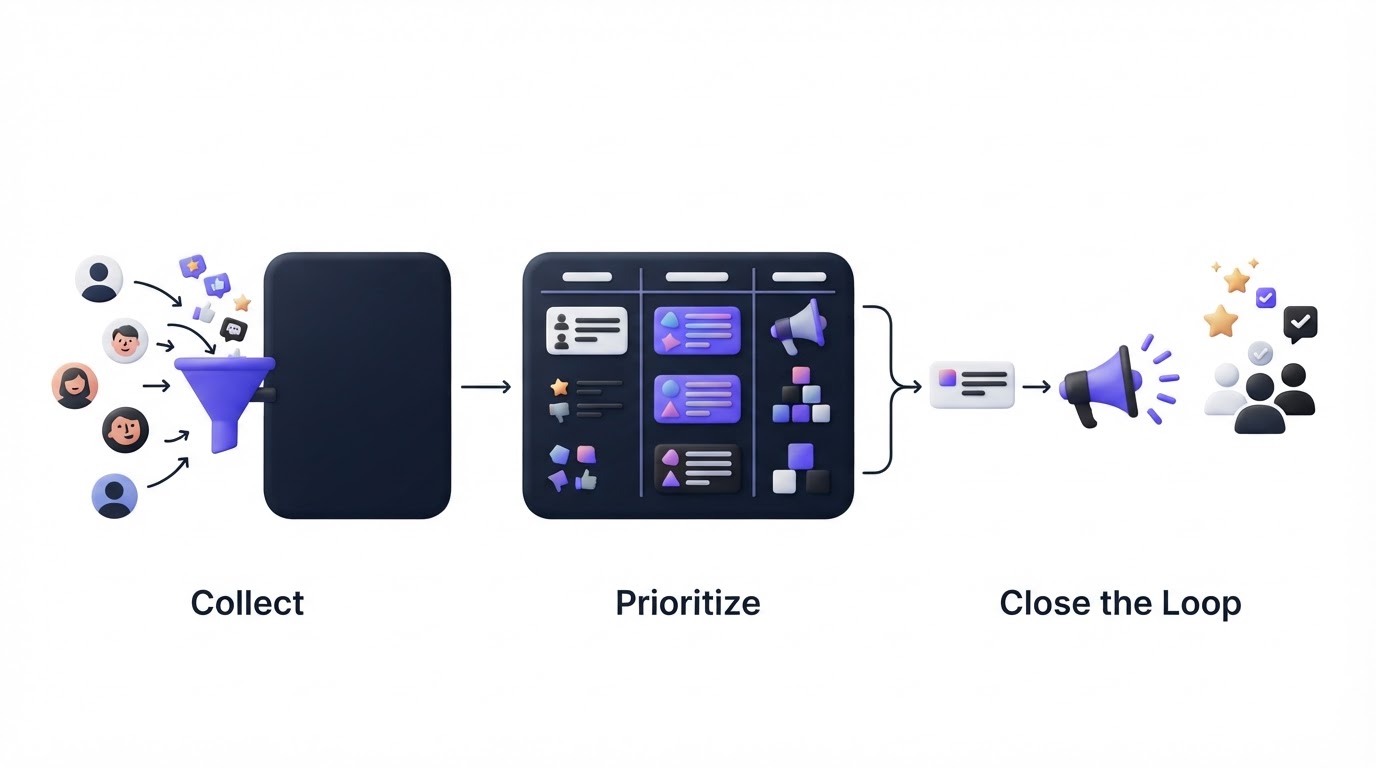
Feature requests often arrive through support tickets, sales calls, Slack messages, and scattered spreadsheets. Product teams then spend hours reconciling duplicates and answering the same question: “Is this on the roadmap?” A customer feedback board gives customers one visible place to submit ideas, vote on existing requests, and follow progress.
Upvoty provides a customer feedback board with voting, moderation, segmentation, roadmap publishing, and changelog updates so feedback can move from request to response in one connected workflow.
Quick answer: how to create a customer feedback board
Set up your board in this order:
- Create a board around a clear product area or audience.
- Add categories and a submission form that collect useful context.
- Publish the board where customers already use your product.
- Merge duplicate requests into one vote total.
- Prioritize requests using demand, customer segment, and strategic fit.
- Move selected work to a visible roadmap.
- Notify voters when work ships and publish the update in a changelog.
How a customer feedback board works
A feedback board is a customer-facing space where people can submit product ideas, discuss requests, and vote for existing posts. The board becomes a shared record of demand, while your team keeps control over moderation, status changes, and delivery decisions.
Start with one focused board when your product is early or your audience has similar needs. Larger products often benefit from separate boards for distinct areas, such as “Reporting,” “Integrations,” and “Mobile.” Customers should quickly recognize where to post without having to interpret internal team structures.
For example, consider a fictional B2B scheduling platform called Northstar Scheduling. Its team receives requests for Google Calendar sync, appointment reminders, reporting exports, and team permissions through sales calls and support. They launch one board called “Northstar Product Ideas” with categories for Integrations, Scheduling, Reporting, and Administration.
A customer looking for calendar sync finds the existing request, adds a vote, and explains that the need applies to a 40-person operations team. That context is more useful than a second disconnected support ticket.
Set up your customer feedback board for useful submissions
The quality of your decisions depends on the quality of each post. Keep the submission process short, then ask for context that helps the product team assess the request.
Northstar’s team uses a title field, description field, category selector, and an optional question: “What workflow would this improve?” A customer requesting CSV exports can describe a monthly reporting process instead of leaving a vague “Please add exports” comment.
Give each board a recognizable URL, branding, and language that matches your product. Customers are more likely to use a board that feels like part of the product experience. If the board collects identifiable customer information, define retention and access practices around the data-minimization principle in Article 5 of the GDPR.
Use clear field labels and instructions. The W3C guidance on form labels is a useful reference for making submission forms understandable for people using assistive technology.
Choose categories customers can understand
Categories should describe customer jobs or product areas. Avoid categories such as “Q3 initiatives” or “Platform team,” which expose internal planning labels and create confusion.
For Northstar, “Integrations” provides an obvious home for Google Calendar sync. The product manager can later filter posts by category while reviewing a planning cycle.
Publish the customer feedback board where feedback happens
A board only works when customers can find it at the moment they have an idea. Add a link in your help center, account menu, onboarding emails, and support macros. Place an in-product prompt near workflows that regularly trigger requests.
A feedback widget helps collect ideas without forcing users to leave the application. Northstar places it on the reporting screen because customers frequently ask for custom exports after reviewing data there.
You can also run a private board for design partners, enterprise accounts, or internal teams. Public boards encourage broader participation and show that the company listens. Private boards support sensitive roadmap conversations and controlled access. Upvoty lets teams choose private or public feedback boards based on the audience for each portal.
Manage duplicate requests before votes become misleading
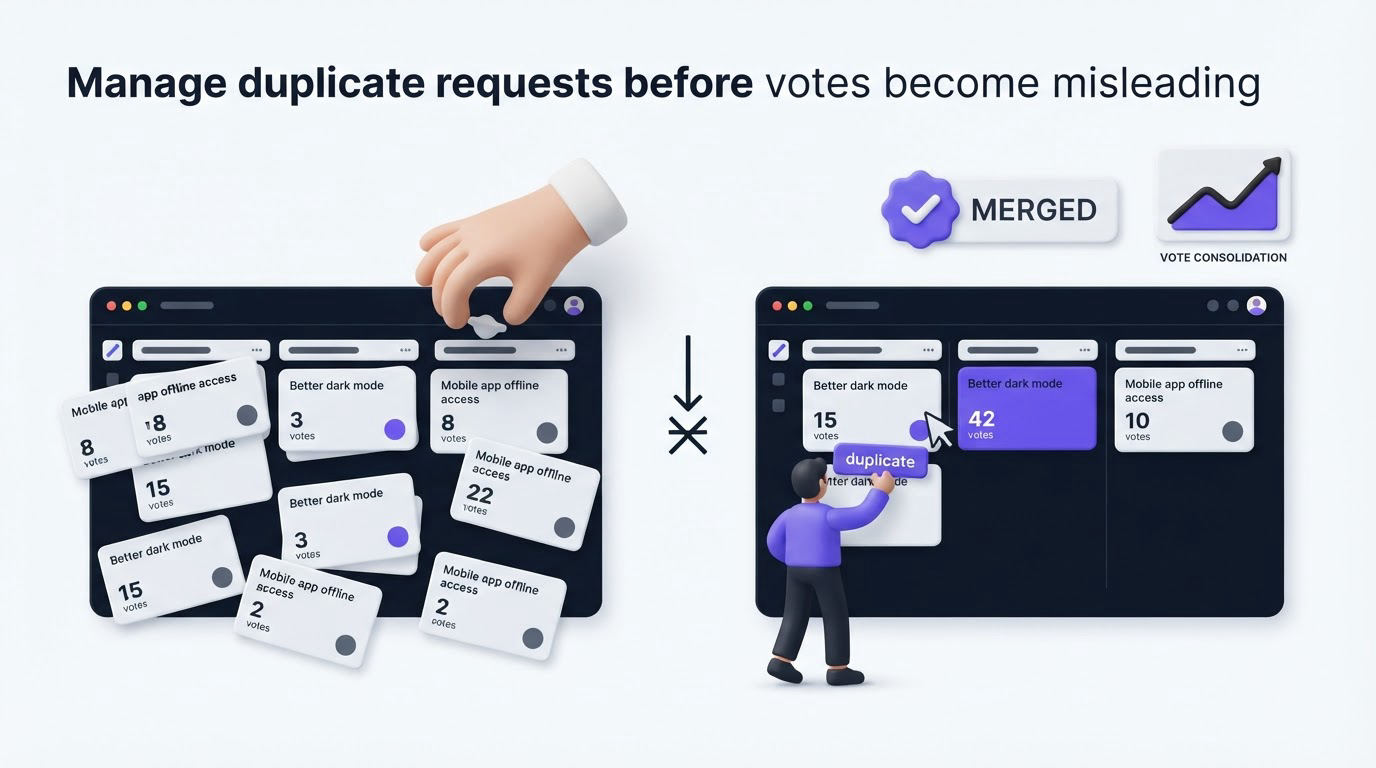
Duplicate posts fragment demand. Five posts asking for calendar synchronization can each appear modestly supported, even though they describe one recurring problem.
Review new submissions on a regular cadence. Merge posts that represent the same underlying outcome, retain the clearest title, and preserve comments where they add detail. Northstar receives separate requests for “Google Calendar,” “two-way Google sync,” and “calendar blocking.” The team merges the first two because both describe syncing appointment availability, while “calendar blocking” remains separate because it concerns a different workflow.
Use moderation to remove spam, route support cases to the right channel, and clarify vague requests before they enter planning. The goal is a clean decision queue that customers can trust.
Prioritize customer feedback board requests with context
Vote totals are one input into product planning. Add customer value, affected segment, revenue exposure, implementation effort, product strategy, and delivery dependencies before assigning a status.
Northstar’s Google Calendar sync post reaches 62 votes. The votes include several accounts with multi-user scheduling workflows, and the sales team identifies the missing integration as a recurring evaluation question. The team marks it “Planned,” while a 90-vote request for cosmetic dashboard themes remains under review because it has lower strategic impact for the current cycle.
| Signal | What it tells your team | Northstar example |
|---|---|---|
| Vote count | Breadth of visible demand | 62 customers support Google Calendar sync |
| Customer segment | Who experiences the problem | Operations teams with multiple schedulers |
| Comments | The job behind the request | Preventing double bookings across calendars |
| Revenue context | Commercial impact and retention risk | Sales reports the request in active evaluations |
| Effort and dependencies | Delivery feasibility | Requires calendar API and conflict-handling work |
| Product strategy | Fit with current direction | Supports the integration-focused planning cycle |
Read our guide to prioritizing customer feedback by revenue, segment, and demand for a practical scoring approach. Keep internal notes separate from public discussion so your team can record trade-offs without exposing unfinished planning.
Use Upvoty to run the full feedback-to-roadmap workflow
A manual board can work at low volume, yet it creates extra work as requests, comments, and updates multiply. Upvoty keeps the customer-facing and internal parts of the workflow connected.
First, create a branded feedback board and configure categories, submission fields, access, and moderation rules. Northstar would add its Integrations category and the workflow-context question before sharing the link with customers.
Next, review incoming posts in the dashboard. The team can merge duplicate requests, tag themes, add internal notes, and assign ownership. Segments help the team understand whether a request comes from trial users, enterprise accounts, or a specific customer group.
This view shows the operational side of managing submissions, votes, and product decisions.
!Upvoty dashboard for managing customer feedback, votes, and feature requests
Then, move approved work to the public roadmap. Northstar can place Google Calendar sync in “Planned” and later move it to “In Progress.” Customers see direction and status without gaining access to every internal project detail. For roadmap structure and status language, see how to build a public product roadmap customers can trust.
Finally, publish the shipped integration in your changelog and notify the people who voted. This closes the loop with the customers who provided the original evidence. The detailed process in closing the customer feedback loop with a changelog helps teams turn completed work into a useful customer update.
Common customer feedback board mistakes
A quiet board often has a distribution problem or an unclear promise. Put the board in places customers already visit, explain what happens after submission, and respond to posts with status updates.
Avoid treating the top-voted post as an automatic commitment. State clear statuses such as Under Review, Planned, In Progress, and Complete. Northstar initially used “Considering” for every request, which gave customers little signal about actual movement. Replacing it with specific statuses made the board easier to interpret.
Another failure mode is publishing a roadmap with dates before the team has sufficient delivery confidence. Use broad stages when dependencies remain open. Customers benefit from transparency, and teams need room to manage changing scope responsibly.
Customer feedback board FAQ
Should a customer feedback board be public?
A public board works well when you want broad participation, visible demand, and transparent product communication. Use a private board for confidential features, account-specific requests, or customer advisory groups. Many teams use both.
How do you encourage customers to vote on feedback?
Link customers to the board from support replies, onboarding messages, product navigation, and relevant in-app screens. Point them to an existing post whenever possible so each vote accumulates on one request.
Can a feedback board replace customer interviews?
A board reveals recurring demand and helps customers express priorities. Interviews reveal the workflow, urgency, alternatives, and language behind that demand. Use both sources during meaningful product decisions.
What should customers see on a public roadmap?
Show selected initiatives, a clear status, and enough context to explain the customer outcome. Keep speculative work and sensitive commercial details in internal planning tools until the team is ready to communicate them.
Create an Upvoty feedback portal when you need one place for ideas, voting, roadmap updates, and release communication. Start with the requests customers already repeat, then give every voter a clear path from submission to shipped update.