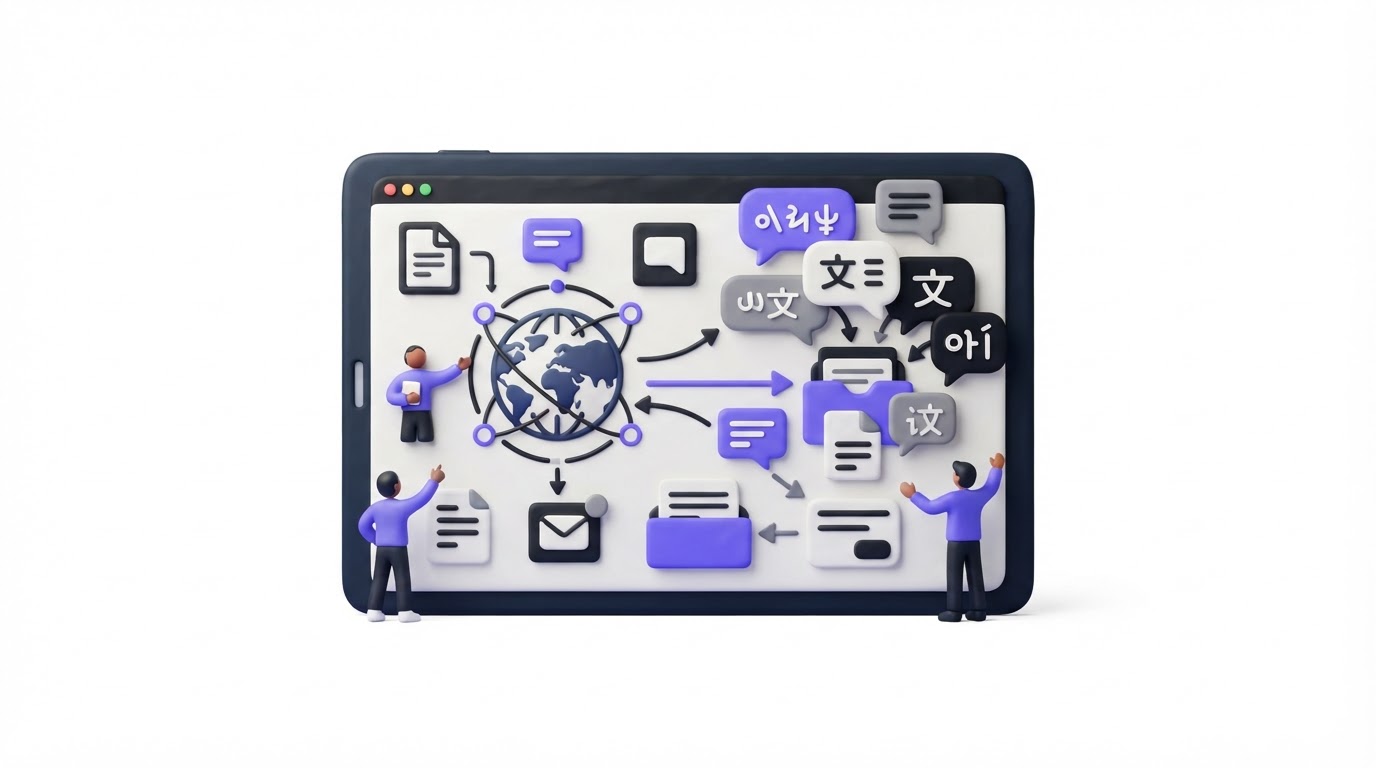
A customer in Germany opens your feedback board and sees English labels, a Dutch customer submits the same request in their own words, and your product team misses the duplicate. Global feedback becomes fragmented quickly when language is treated as an afterthought.
So, how does a board portal handle multi-language support? It uses localized interface copy, records each submission's language context, groups equivalent requests, and communicates decisions in a language each audience can understand. Upvoty supports this feedback lifecycle with a multilingual portal experience, feedback boards, roadmaps, and changelog publishing.
Quick answer: how a board portal handles multiple languages
A practical multi-language workflow follows these steps:
- Set a default language and enable the languages your customers actually use.
- Translate interface labels, navigation, forms, statuses, and system messages.
- Collect feedback in the customer's chosen language and retain the original wording.
- Review requests in one team queue, then link or merge requests that describe the same need.
- Moderate each post with language-aware rules and a reviewer who understands the context.
- Publish roadmap and changelog updates in the relevant audience language, then notify voters.
How a board portal handles translated interfaces
The interface is the controlled part of a feedback portal: buttons, headings, form prompts, category names, vote labels, status names, and email notifications. These elements need consistent translations because customers use them to decide where to submit an idea and how to follow its progress.
Start by choosing a default language for the portal. Then enable locales that match meaningful customer groups, support coverage, and product availability. A language selector gives people control, while a saved preference can reduce repeated switching on later visits.
Use language codes correctly in the portal markup. The W3C guidance on declaring language in HTML explains why this helps browsers, assistive technologies, and search systems interpret text accurately. For dates, plural forms, names, and regional conventions, locale data from the Unicode Common Locale Data Repository provides a reliable technical reference.
A translated portal also needs rules for content that changes frequently. UI copy can be centrally maintained. Customer posts require a different treatment because their original wording contains product context, emotion, and sometimes screenshots or technical terms.
| Portal element | Best language approach | Owner | What can go wrong |
|---|---|---|---|
| Navigation and buttons | Maintain approved translations for every enabled locale | Product or localization owner | A new feature launches with untranslated labels |
| Submission forms | Localize prompts, field help, consent text, and validation messages | Product and legal reviewers | Customers misunderstand what details to provide |
| Customer feedback posts | Preserve the original text and store the submission language | Moderators | Translation removes a key product term or qualifier |
| Status and roadmap labels | Use the same status vocabulary across languages | Product operations | “Planned” carries different expectations across markets |
| Changelog announcements | Publish an audience-ready version for each active locale | Product marketing or support | Customers receive updates they cannot easily read |
For example, imagine a project management SaaS with customers in the United States, Germany, France, and Spain. Its portal at feedback.example.com starts in English, with German, French, and Spanish available through a visible selector. “Submit an idea,” “Under review,” and form guidance appear in the selected language. The team keeps status names aligned to the same underlying workflow, so every locale maps to a single product decision.
How multi-language feedback collection keeps customer context intact
A localized interface encourages participation, yet the submission itself needs an additional layer of care. Capture the language selected at submission time alongside the post. Keep the original text available to moderators and anyone responsible for product discovery.
Ask for the same decision-making information in every locale: the problem, desired outcome, affected workflow, and optional account details. Localized form instructions improve the quality of that evidence. A German customer who can describe a billing workflow in German will usually provide more useful detail than someone trying to translate it into English before submitting.
In the example portal, a French customer submits “Export comptable pour les filiales” and explains that each subsidiary needs a separate export format. A Spanish customer later requests “exportación por entidad legal.” The wording differs, but both posts point to entity-level financial exports.
A translation can help a central team read requests faster. Preserve the source version beside any translated rendering. Product terms such as “entity,” “workspace,” or “invoice profile” often carry specific meaning that generic translation can blur.
Give customers a clear way to report inaccurate translations or confusing localized copy. That feedback belongs in the same improvement process as product requests. It identifies friction at the moment a user is trying to participate.
For a deeper process covering intake, duplicate handling, and prioritization, see this guide to organizing and prioritizing feature requests.
How language preferences should work in a feedback board
A useful preference model has three layers: portal default, visitor selection, and content language. Each solves a separate problem.
The portal default sets the initial experience for a market or audience. A visitor selection lets someone change the interface when the default fails to fit. Content language records how a specific request was written. Keep these fields separate in your data model, even when the same language appears in all three places.
Choose the default with a deliberate rule. A single global portal may start in the company’s main support language. Regional portals can start in the audience’s local language. Teams with separate enterprise and self-serve audiences may also need different portal defaults because their documentation and support coverage differ.
Avoid forcing a visitor into a location-based assumption. A French-speaking customer in Canada may prefer English for work. A Brazilian product manager may submit technical feedback in English while reading general updates in Portuguese. Provide a visible switcher and respect the saved choice.
Language preference also affects notifications. Send status updates, vote confirmations, and changelog messages in the recipient’s selected interface language when localized versions exist. This keeps the feedback loop coherent after the initial submission.
How cross-language moderation prevents duplicate requests
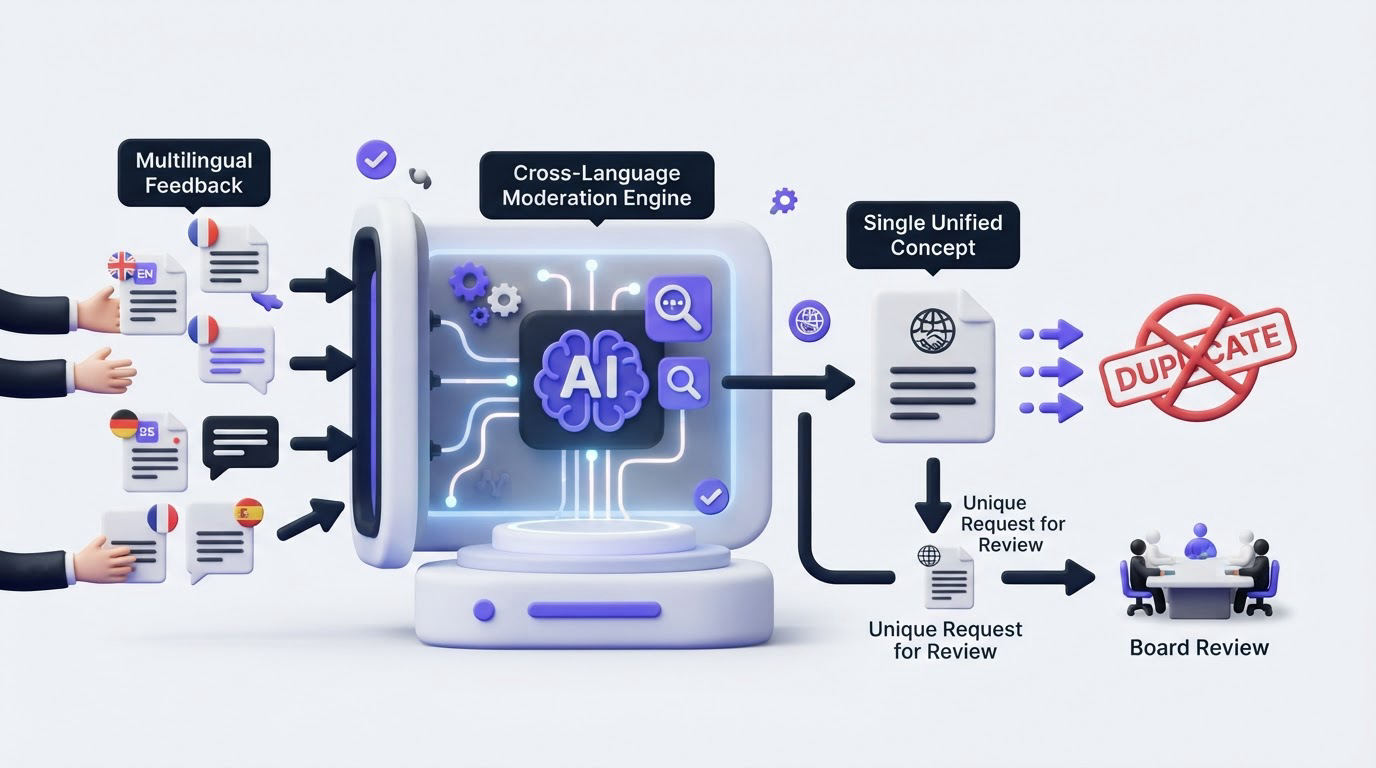
Cross-language moderation connects equivalent feedback without erasing the customer’s language or intent. It needs a review process, clear ownership, and enough context for moderators to make defensible decisions.
Start with a shared moderation queue. Filter by submission language when you need a native-language reviewer, then use product area, account segment, and request status to understand demand. The team in our example sees French and Spanish export requests in the same week. Both are linked to a parent insight: “entity-level accounting exports.” Their original posts stay visible, and each voter remains attached to the request they supported.
Use translation as a reading aid, then make the merge decision from the underlying outcome. “Separate export per subsidiary” and “legal-entity export” may describe one need. A request for a local tax template may require a separate item, even when it arrives under the same broad export topic.
Set moderation standards before volume increases:
- Review meaning, product area, and affected user before grouping requests.
- Keep the original post text available after linking or merging.
- Add an internal note that explains why related requests were grouped.
- Route sensitive, abusive, or legally significant content to a reviewer with the right language skills.
- Check localized status updates before publishing them to customers.
A dedicated moderation workflow helps product teams maintain that review discipline. It also gives moderators a place to document decisions, which prevents a duplicate merge from becoming a mystery six months later.
How Upvoty supports multi-language feedback workflows
Teams can build the process manually with spreadsheets, translation tools, and a shared support inbox. That arrangement creates handoffs at every stage: copying requests, checking languages, finding duplicates, publishing a status, and following up with voters.
With Upvoty, start in the multi-language settings and configure the languages that serve your customer base. Then publish a localized feedback experience through feedback boards, where customers can submit ideas and vote using the portal language that fits them.
As feedback arrives, the team reviews requests together rather than splitting demand into disconnected regional lists. The French and Spanish export requests from the earlier example can be connected during moderation, giving the product team one clearer signal for entity-level exports while preserving the context of each market.
Next, move the validated item to a public roadmap. A transparent roadmap gives customers a place to see that their request has been assessed and where it sits in the product process. Use the principles in How to Build a Public Product Roadmap Customers Can Trust to write status updates that set realistic expectations in every audience language.
After release, publish the update in the changelog and notify the voters who raised or supported the request. The practical details are covered in How to Close the Customer Feedback Loop With a Changelog. This feedback-to-roadmap-to-changelog path is especially valuable for global teams because every region can see what happened after sharing its input.
Common mistakes with multi-language board portals
The most common failure is launching translated navigation while leaving forms, statuses, and follow-up messages in a different language. Customers experience the portal as one service, so every step needs a consistent language plan.
Another failure is creating one board per language with no shared review process. Separate boards can suit genuinely separate products or markets. For a shared product, they often split votes across duplicates and make prioritization harder. Review whether the product decision is global, regional, or account-specific before deciding on board structure.
Teams also lose useful evidence when they replace original posts with machine-translated text. Retain the source language, identify the translation as a translation, and let qualified reviewers resolve ambiguity.
Finally, check what the product team can actually support. A request may be globally popular but blocked by local regulation, infrastructure, support capacity, or a market-specific workflow. Segment feedback by region when those factors affect priority. This guide to prioritizing feedback by revenue, segment, and demand shows how to bring that context into product decisions.
FAQ
Should every feedback board be available in every language?
Enable languages where you have active customers, a clear support path, and someone who can review submitted feedback accurately. Add languages in phases when your team needs to validate translation quality and moderation coverage.
Can customers vote on feedback submitted in another language?
Yes, when the portal presents understandable titles or translated context. Keep the original request available for internal review, then use a clear localized title and description so voters know what they are supporting.
How do you merge duplicate feedback written in different languages?
Compare the desired outcome, affected workflow, and product area. Link requests to one parent item when they represent the same outcome. Keep requests separate when a regional implementation requirement changes the scope or delivery work.
Who should approve translations for product feedback statuses?
Assign a product owner and a native-language reviewer for customer-facing terms. Status labels such as “under review,” “planned,” and “completed” shape expectations, so use approved wording consistently across the portal, roadmap, and changelog.
Does a multi-language portal help with product prioritization?
It gives the team more complete demand data by reducing the language barrier to submitting and voting. Combine those signals with customer segment, strategic fit, implementation scope, and regional requirements before committing roadmap capacity.
Set up a feedback portal that lets global customers share ideas in the language they use every day, then keep those signals connected through review and delivery. Explore Upvoty to create a multilingual feedback workflow from board to roadmap and changelog.