
A customer opens your changelog to check whether a requested API fix has shipped. Instead, they find a long feed containing mobile redesigns, billing notices, integrations, and minor patches, with no practical way to isolate the update they need.
Product changelog software should prevent that problem. Upvoty connects release communication with feedback, roadmap updates, and customer notifications, but the value still depends on how clearly the changelog is organized.
Quick answer: how to organize product changelog software
Use this workflow to make product updates relevant to different customer groups:
- Define categories around stable product areas or update types.
- Add labels for plans, platforms, roles, and other cross-category details.
- Create filters that match the questions customers actually ask.
- Let customers subscribe to relevant products, categories, or requests.
- Connect each release to its original feedback or roadmap item.
- Publish a consistent post with impact, availability, and required action.
- Review category usage and consolidate labels that create noise.
The rest of this guide explains those steps using a fictional B2B billing platform. Its public product portal lives at feedback.example.com, while individual release posts appear under feedback.example.com/changelog/.
Why product changelog software needs more than a release feed
A chronological feed works while releases are infrequent and the product is narrow. It becomes less useful as a SaaS company adds multiple modules, plans, platforms, and buyer types.
Consider the example billing platform. It serves finance teams that export reconciliation reports, agencies that manage multiple client accounts, and developers who use its API. During one month, the team ships these changes:
- SAML single sign-on for enterprise workspaces
- A corrected tax column in CSV exports
- Retry controls for failed webhooks
- A redesigned mobile invoice screen
- New permissions for agency subaccounts
All five updates may deserve publication. They are not equally relevant to every reader.
A developer wants webhook and API releases. A finance manager cares about reports, tax calculations, and exports. An agency administrator needs permissions and account-management changes. If all of them receive the same undifferentiated digest, many will stop opening it.
This is why a changelog should act as a retrieval system, not merely an archive. Customers need several paths into the same release information: browsing by category, scanning labels, applying filters, following a request, or subscribing to a product area.
How to choose product changelog categories
Categories should describe stable divisions that customers already recognize. Good candidates include product modules, platforms, or a small set of release types.
For the billing platform, suitable product-area categories might be Payments, Reporting, Account Management, Integrations, and Developer Platform. These names match the language used in navigation, help documentation, support conversations, and sales calls.
Avoid creating a category for every feature. A category called CSV Tax Export could contain only one or two posts, while Reporting can support years of releases. Categories need enough volume to be useful without becoming broad buckets such as Product Updates.
Decide whether categories describe product areas or update types
Some teams categorize releases by product area. Others use update types such as New Feature, Improvement, Fix, and Security. Both structures can work, but using both in one category system produces overlap.
A release called Retry controls for failed webhooks could sit under Developer Platform as a product area and New Feature as an update type. If the publishing interface permits only one category, the editor must choose between two valid descriptions.
Use categories for the dimension customers are most likely to browse. Put the second dimension into labels. For a multi-product SaaS platform, product areas usually make better primary categories because they remain meaningful after the initial release announcement.
Keep the category list short and stable
Start with five to eight categories. Review whether every proposed release has an obvious home, but do not add a new category simply because one post feels awkward.
The example team initially created separate API, Webhooks, Integrations, Developer Tools, and Automation categories. Editors applied them inconsistently, and developers had to check several pages. The team consolidated API, Webhooks, and Developer Tools under Developer Platform, while keeping Integrations for named third-party connections.
Write a one-sentence internal definition for every category. For example: Developer Platform covers API endpoints, authentication, webhooks, SDKs, and developer tooling. That instruction prevents category drift when a new product marketer takes over publishing.
How labels make changelog categories more precise
Labels describe attributes that cut across the main category structure. They can identify availability, platform, customer role, plan, release stage, or action required.
The corrected tax column belongs in the Reporting category. Useful labels could include CSV, Finance Teams, All Plans, and Fix. The webhook retry feature belongs in Developer Platform and could carry API, Developers, and Enterprise labels.
Do not turn labels into an uncontrolled keyword collection. Minor variations such as API, APIs, Developer API, and API Update fragment the archive and make filters unreliable.
Use a controlled vocabulary. Assign an owner who can create, rename, merge, and retire labels. Editors should select from that approved list rather than typing new labels for every post.
Categories, labels, filters, and subscriptions serve different jobs
These controls are often treated as interchangeable, which leads to cluttered changelog pages. Each has a distinct purpose.
| Changelog control | What it describes | Example | Best customer use | Main failure mode |
|---|---|---|---|---|
| Category | A stable primary grouping | Developer Platform | Browsing one product area | Too many narrow categories |
| Label | A reusable attribute across categories | Enterprise, API, Fix | Scanning availability or context | Duplicate and inconsistent terms |
| Filter | A temporary view based on one or more fields | Developer Platform + Enterprise | Finding a specific set of releases | Too many controls with no clear defaults |
| Subscription | An ongoing notification preference | Follow Developer Platform | Receiving future relevant updates | Sending every release to everyone |
A post normally needs one primary category and a small number of labels. Filters combine those fields. Subscriptions preserve the reader's preference for future releases.
How to design changelog filters customers will use
Filters should correspond to recognizable questions. Customers commonly want to know what changed in a product area, what is available on their plan, what affects their platform, and which releases require action.
For the billing platform, useful filters include Product area, Update type, Plan, and Platform. A developer on an enterprise plan could select Developer Platform, Enterprise, and New Feature without searching through unrelated mobile releases.
Do not expose every internal field. Team ownership, sprint number, engineering priority, and repository name may help employees, but they rarely help customers understand a release.
Set a useful default. Show all recent releases in reverse chronological order, then let readers narrow the view. A blank page that requires four selections creates unnecessary effort.
Filters also need shareable results. If a support agent is answering a webhook question, a filtered URL such as feedback.example.com/changelog?category=developer-platform&label=webhooks is more useful than instructions to click through several controls. Confirm that the selected state remains intact when the link is opened in a new browser.
Do not rely on color alone
Labels often appear as colored pills. Color helps readers scan, but it cannot carry the entire meaning. Each label needs visible text, and filter controls need clear selected and unselected states.
The Web Content Accessibility Guidelines explain that color should not be the only visual means used to convey information. Write Enterprise inside the label instead of expecting readers to understand that purple means enterprise availability.
Test filters with a keyboard and at narrow screen widths. Long category names that work on desktop can turn a mobile filter bar into several rows of truncated controls.
How changelog subscriptions improve release communication
Subscriptions let customers choose what reaches them instead of forcing the product team to guess. The available options should reflect meaningful levels of interest.
A broad subscription might cover every release. A category subscription could follow Reporting or Developer Platform. A narrower subscription may follow a specific feature request and notify its voters when the status changes or the feature ships.
The narrowest option often carries the strongest intent. Someone who requested webhook retry controls probably wants that release notice even if they never subscribe to the entire Developer Platform category. Upvoty's automatic voter notifications support this feedback-to-release connection.
Tell subscribers what they will receive and how often. Weekly digests suit readers who want a general overview. Immediate notifications make more sense for a request they actively follow, a breaking API change, or an update that requires account action.
Include a visible way to change preferences. For email systems implementing one-click unsubscribe, RFC 8058 defines the relevant email headers and request format. High-volume senders should also check the current Gmail email sender guidelines covering authentication and subscription-message requirements.
Connect product changelog software to feedback and roadmap records
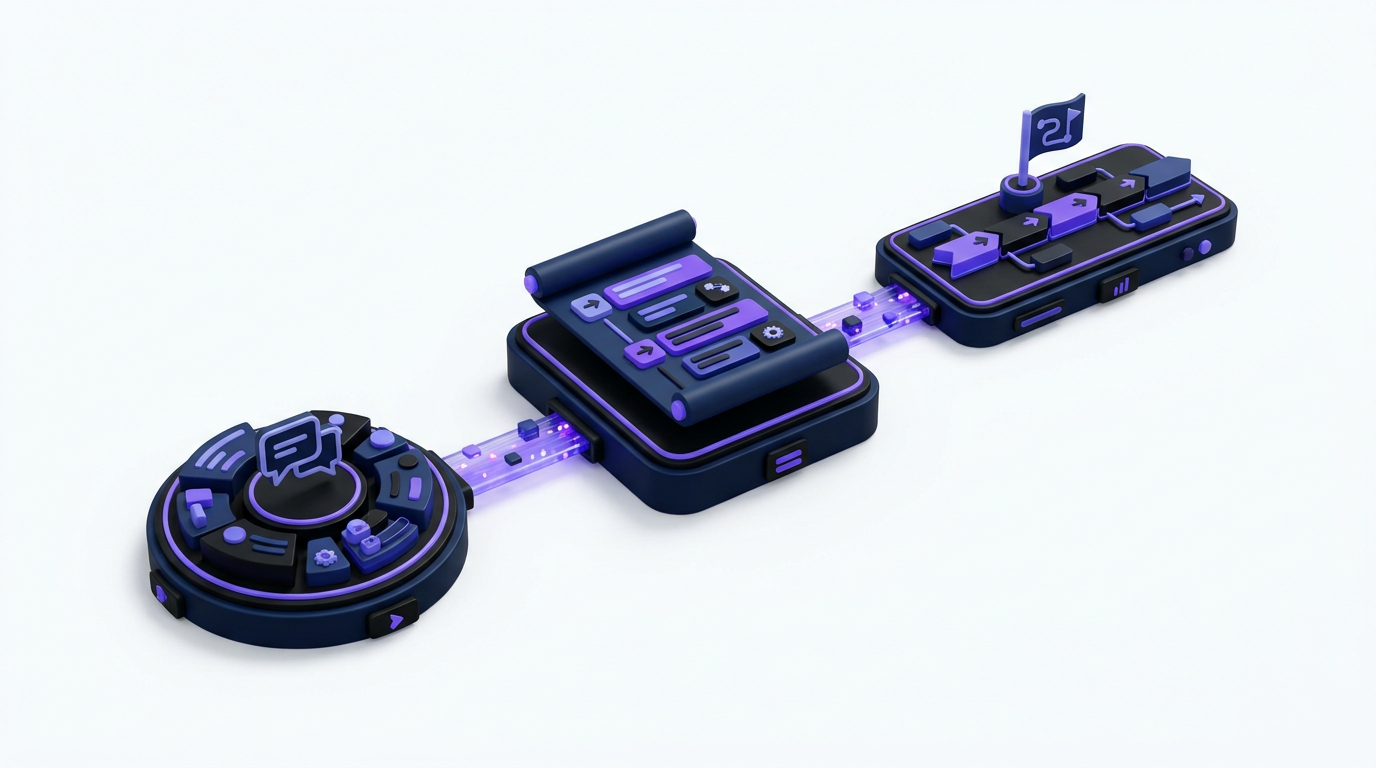
A release post becomes more credible when customers can see how it relates to previous communication. Link the shipped update to the feature request, known issue, or roadmap card that preceded it.
Suppose 38 users supported webhook retry controls on the example feedback board. When the item moves from Planned to In Progress, the team adds implementation notes to the roadmap entry. At release, it publishes a Developer Platform changelog post and notifies the people following the request.
The release post should acknowledge the original need in plain language: failed webhook deliveries previously required manual intervention, and administrators can now retry them from the delivery log. It should then state availability, permissions, and any setup required.
This closes a specific communication loop. A generic monthly email saying webhook reliability improved does not tell requesters whether their problem was addressed. The process is covered in more detail in how to close the customer feedback loop with a changelog.
Roadmap status also needs care. Do not mark an item Released before the feature is available to the customers receiving the notification. Staged rollouts, plan restrictions, and regional availability belong in the changelog post. If the roadmap is public, use the practices in this guide to building a product roadmap customers can trust.
What every product changelog post should contain
A consistent post format makes categories and filters more useful because readers can quickly verify whether an update applies to them.
Start with a title that names the outcome rather than an internal project. Retry failed webhooks from the delivery log is clearer than Webhook Reliability Phase 2.
The opening paragraph should answer three questions: what changed, who can use it, and why it matters. Follow with enough detail to use the release, including navigation paths, permissions, limits, or migration instructions.
For the example release, the post could specify that workspace administrators on the relevant plan can open Settings, select Developer Tools, choose Webhook Logs, and retry a failed event. It should also state whether retries preserve the original event payload and whether repeated attempts create a new delivery identifier.
Finish with availability and action. Say whether the release is live for everyone, rolling out gradually, behind an account setting, or limited to a plan. If no action is required, say so.
Use screenshots when a new interface would otherwise be hard to locate. Do not add a screenshot simply to make the post longer. Text must still explain the change for readers using assistive technology or reading an email version without images.
How Upvoty handles the workflow behind relevant changelog updates
A do-it-yourself process can connect a feedback spreadsheet, roadmap tool, email platform, and publishing system. It also creates several handoffs where context gets lost. Upvoty keeps the customer-facing stages in one product workflow.
A request begins on a feedback board, where users can submit ideas and vote. The product team can use that demand as an input rather than reconstructing request history when release copy is due. Voting is evidence of interest, although it should be interpreted alongside customer value, strategic fit, and effort. The article on customer feedback prioritization explains how to add segment and revenue context.
Once the team commits to work, the request can be reflected on the public roadmap. Customers can see the status without asking support whether the request disappeared into a backlog.
At release, the team publishes through the Upvoty changelog. Categories and supporting metadata help customers find the update in the broader release archive, while the post explains scope and availability.
This product screenshot shows the customer-facing format used to publish releases and product improvements.
!Public changelog for launching product updates in Upvoty
Finally, voters can be notified that the request they supported has shipped. The product team does not have to export addresses, rebuild an audience in a separate email tool, and manually reconcile who asked for which feature.
This workflow also improves the release post itself. The original request contains the customer's wording, the roadmap records the commitment, and the changelog communicates what was actually delivered. Editors have more context and fewer reasons to publish vague copy.
Common product changelog software mistakes
The first common mistake is creating categories around the current organization chart. Customers do not know which internal squad owns invoicing permissions. When teams reorganize, those categories become obsolete. Use product concepts visible to customers.
The second is applying too many labels. A post with nine labels does not look precise. It forces readers to decode which attributes matter. Add a label only when it supports filtering, subscription preferences, or an important availability statement.
The third is confusing a release note with promotional copy. Claims such as faster, smarter, or improved need specific support. Explain the changed behavior. If processing time has not been measured, do not imply a quantified performance gain.
Another failure appears when notifications ignore release scope. Sending an enterprise-only administration feature to every free user creates disappointment and teaches recipients that changelog emails are irrelevant.
Teams also leave old taxonomy untouched. Review the previous 90 days twice a year. Find empty categories, labels with overlapping names, and posts that editors repeatedly classify differently. Consolidate where needed, then redirect or preserve old filtered URLs so shared links do not break.
How to evaluate product changelog software
Test the complete workflow with real release examples rather than comparing feature lists alone. Recreate one feature launch, one bug fix, and one plan-specific update. Then view each as a customer with different interests.
Check whether the software supports a clear category structure, reusable labels, understandable filters, and targeted notification preferences. Confirm that release posts can include useful formatting and media without turning every update into a custom web-development task.
Follow a request from submission through voting, roadmap status, release publication, and notification. If the product only handles the final post, your team must preserve the connections elsewhere.
Also inspect permissions and moderation. Not every employee who triages feedback should be able to publish a customer-wide release notice. Draft, review, and publishing responsibilities need to match the way your team works.
Canny, Featurebase, and Nolt are among the products teams may compare with Upvoty. Feature availability and packaging can change, so verify current details on each vendor's own site. For a focused breakdown of one option, see Upvoty versus Canny.
Product changelog software FAQ
What is the difference between release notes and a product changelog?
Release notes often document changes for a specific version and may include technical detail for administrators or developers. A product changelog is usually an ongoing, customer-facing feed covering features, improvements, fixes, and other product changes.
The two can overlap. A changelog post can link to detailed technical release notes when developers need endpoint changes, deprecation schedules, or migration instructions.
How many changelog categories should a SaaS product have?
Five to eight is a practical starting range for many SaaS products, but the correct number depends on product breadth. Every category should contain enough updates to justify a dedicated browsing or subscription option.
If editors regularly hesitate between three similar categories, consolidate them. If one category contains most releases and mixes unrelated audiences, split it along a customer-recognizable boundary.
Should customers be able to subscribe to individual categories?
Yes, when categories represent distinct product areas with different audiences. Category subscriptions are particularly useful for platforms serving developers, administrators, finance teams, and end users.
Keep an all-updates option for customers who want the full feed. Also preserve request-level notifications because they capture stronger intent than a broad category subscription.
Should bug fixes appear in the public changelog?
Publish fixes that customers noticed, reported, or need to understand. A corrected calculation, restored integration, or resolved workflow blocker deserves a clear post.
Tiny internal fixes may not need individual entries. Group low-impact corrections into a periodic update if publishing each one would bury more important releases. Never expose security details that would create risk before customers have patched or protective measures are in place.
Can a changelog replace a public roadmap?
No. A roadmap communicates intended direction and current status, while a changelog records what has shipped. Customers use them at different moments.
Connect the two so a released roadmap item leads to the final changelog post. Keep the wording accurate if delivered scope differs from the original proposal.
How often should product teams publish changelog updates?
Publish when a customer-relevant change becomes available, not according to an arbitrary quota. Several small updates can be grouped when they affect the same audience and ship close together.
Consistency matters more than volume. A quiet but accurate changelog is more trustworthy than a busy feed padded with internal maintenance work.
Customers should not have to inspect every release to find one relevant change. Organize updates around recognizable product areas, preserve precise labels, and let each reader control what reaches them. See how Upvoty supports this connected changelog workflow from feedback request to published release. Read next: Product Update Email Templates for SaaS Teams. Read next: Roadmap and Changelog Software for Shopify App Developers. Read next: How to Choose Product Changelog Software for Your SaaS.


