A feature request sits in a portal for weeks, a customer asks support for an update, and the product team has no clear answer. The request may be valid, duplicated, blocked by technical work, or already planned under a different name. Without visible statuses and accountable owners, every team tells a slightly different story.
Feature request management software gives that story a shared home. Upvoty can provide the feedback board, roadmap, changelog, and voter notifications needed to keep the workflow visible without turning every product decision into a support ticket.
Quick answer: create a feature request status workflow
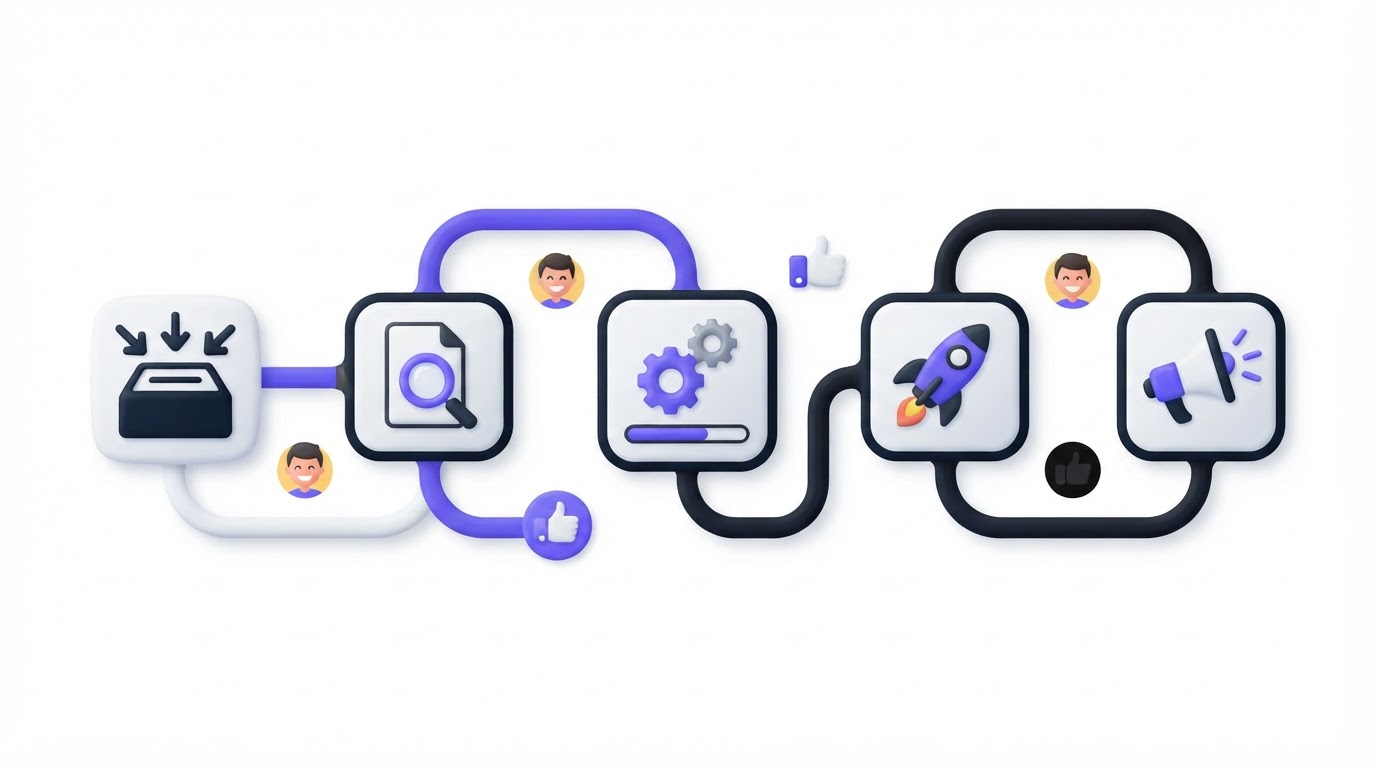
Use these steps to manage each request from submission through delivery:
- Send every new submission to Submitted and assign a feedback owner within one business day.
- Merge duplicates, request missing context, and move qualified ideas to Under review.
- Give product a decision deadline, then set the request to Planned, Not planned, or leave it Under review with a dated update.
- Move approved work to In progress only when an engineering team has accepted it for a delivery cycle.
- Publish a customer-facing Released update when the feature is available, with links or instructions for using it.
- Close declined, obsolete, and duplicate requests with a specific reason, then notify affected customers.
Keep the public workflow to five or six statuses. Record more detailed internal work in your delivery tool. Customers need a reliable answer about what happens next, while product and engineering need enough detail to make decisions.
Choose statuses for your feature request management software
A useful status answers two questions: who owns the next action, and when should a customer expect another update? Statuses that merely describe mood, such as “Thinking” or “Maybe,” create ambiguity.
Use this six-status workflow for most SaaS products.
| Status | Meaning for the customer | Internal owner | Required trigger to leave the status |
|---|---|---|---|
| Submitted | We received the request and are checking its scope. | Feedback operations or support | Duplicate check and basic request review complete |
| Under review | Product is assessing demand, fit, effort, and constraints. | Product manager | A documented decision or a dated review extension |
| Planned | The problem has been accepted for future work. | Product manager | A delivery team accepts it into a scheduled cycle |
| In progress | Active delivery work has started. | Engineering lead or delivery manager | Feature reaches production or is returned to planning |
| Released | Customers can use the completed capability. | Product manager or product marketing | Release note and customer guidance published |
| Closed | The request is declined, duplicated, obsolete, or no longer applicable. | Feedback operations with product approval | Reason and destination link added |
“Planned” needs careful use. It communicates product intent, so customers often read it as a promise. Add a timeframe only after the team has enough confidence to stand behind it. A public roadmap can show the broad direction without committing to a specific date. For the underlying structure, see this guide on how to build a public product roadmap customers trust.
Avoid a status called “Backlog” on the customer-facing board. Teams often use it for everything from strong candidates to ideas they may never revisit. “Under review” paired with a next-review date gives customers a clearer expectation.
Define ownership rules before requests arrive
A status workflow works when every handoff has an accountable person. Assign roles by decision type rather than by whoever happens to see the request first.
The feedback owner checks incoming submissions, combines duplicates, applies categories, and asks follow-up questions. This person keeps the board usable. They should never decide product scope alone.
The product manager owns the review decision. They evaluate the problem against product strategy, customer segments, opportunity size, technical dependencies, and current commitments. Engineering owns the accuracy of delivery readiness and moves an item to In progress after accepting the work.
Support and customer success own relationship context. They can add why an account needs the request, what workaround it uses, and whether the missing capability affects renewal or adoption. Keep that context in an internal note or linked CRM record rather than publishing sensitive account details.
Set service levels that fit the team’s capacity. For example, acknowledge every new request within one business day, complete an initial duplicate check within three business days, and review qualified requests every two weeks. A small team can use a monthly review cycle, provided the public update states that timing.
Use permissions to make these responsibilities explicit. Upvoty’s team roles and assignees and priorities support a clear internal handoff while the customer sees the status that matters to them.
Set update triggers that keep customers informed
Status changes are only one type of communication. A request can remain Under review for a while and still deserve an update when the team learns something meaningful.
Create an update trigger for each point in the workflow. New submissions need acknowledgement. Merged duplicates need a link to the canonical request. Under-review requests need a review date. Planned requests need a scope or timeframe update when confidence changes. Released requests need practical instructions.
Write short updates that state the decision, the reason customers can understand, and the next checkpoint. Avoid internal implementation details that could later change.
For example, an update on a planned feature could say: “We have accepted this for the reporting area of our roadmap. The team is resolving data-permission requirements before scheduling delivery. We will post the next update by June 30.” That gives customers a real checkpoint without making a date promise.
Automate the messages that follow a status change. Automatic voter notifications help every supporter hear about a decision, rather than only the customer who filed the original post. For release updates, publish the fuller explanation in a changelog. This practical guide explains how to close the customer feedback loop with a changelog.
Run one request through the workflow
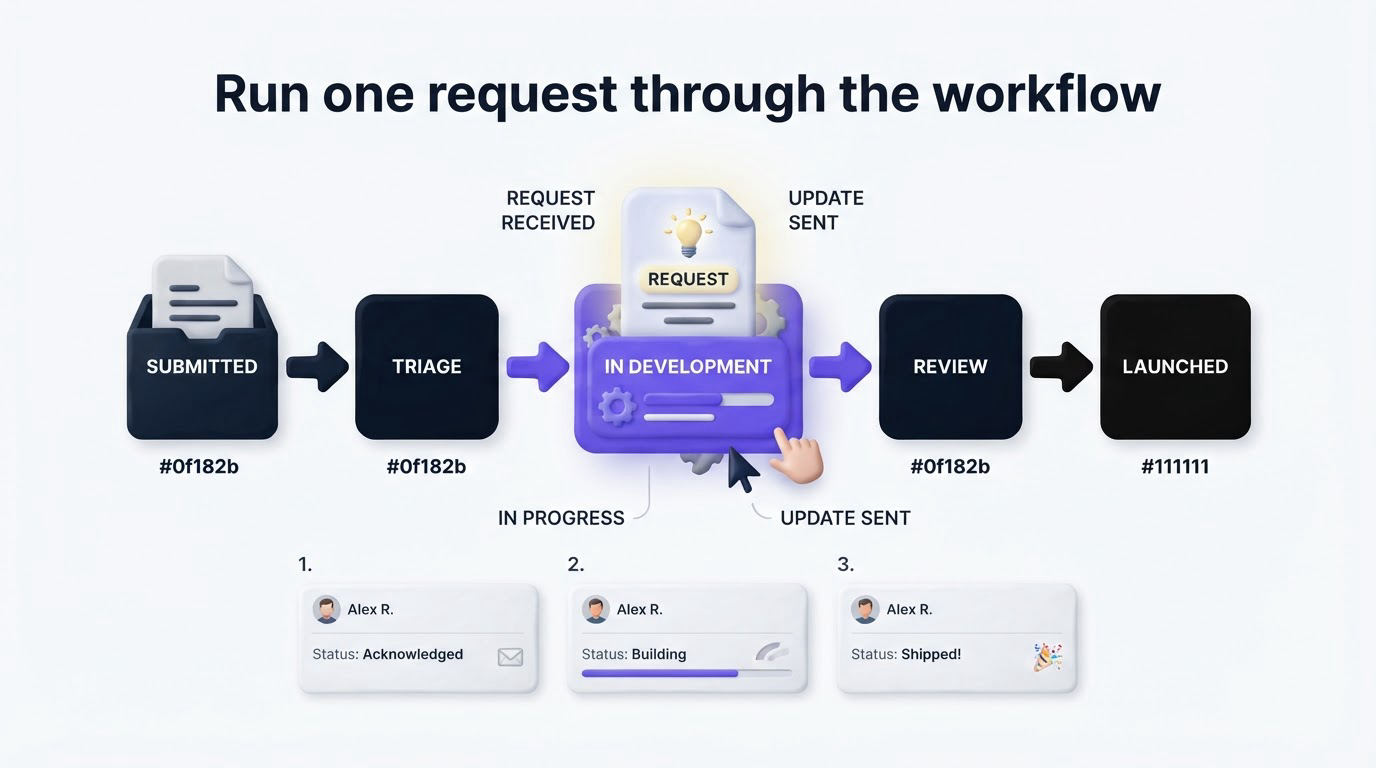
Consider InvoiceFlow, a fictional B2B invoicing platform. A customer submits “Export invoices to CSV with line-item tax details” through the feedback board. The support agent initially creates a second post because a similar request already exists under “Detailed invoice export.”
The feedback owner finds the existing request, merges the new submission into it, and changes the public status from Submitted to Under review. They add the customer’s context internally: the requester needs data for a quarterly tax reconciliation workflow. The customer receives a message pointing to the existing request, where they can follow progress.
At the next product review, the product manager sees 34 voters across three customer segments. The request also supports an existing reporting initiative, so it moves to Planned. The update says that the team has accepted the problem and will assess export format and permission requirements during the next planning cycle.
A week later, engineering identifies a dependency: the export service needs access controls before it can include tax data. The product manager keeps the status at Planned and posts a checkpoint date rather than moving it to In progress too early. This prevents customers from assuming active build work has started.
Once an engineering squad accepts the ticket, the request moves to In progress. After release, the team sets it to Released, posts a changelog entry with setup instructions, and links to the new export screen. Everyone who voted receives the update.
The failure occurred at the first step. Duplicate requests split the demand signal and could have led the product manager to underestimate customer interest. Merge early, preserve voters, and use a single canonical post for updates. Upvoty’s feedback boards give customers a place to find and support that canonical request.
Connect request statuses to your delivery workflow
Your feedback system and engineering tracker serve different jobs. Keep customer language in the request workflow, then link accepted work to the delivery issue when planning starts. The product manager remains responsible for the customer-facing status even when several engineering tickets sit behind one request.
A strong rule is simple: only move a request to In progress when someone on the delivery team has accepted the work. Design exploration, estimation, and dependency investigation can happen while the request remains Planned.
Structured intake improves the quality of this handoff. GitHub’s guidance on issue and pull request templates illustrates why prompts for reproduction steps, context, and expected outcome produce more actionable submissions. Apply the same principle to feature requests: ask for the job the customer is trying to complete, the current workaround, and the affected area of the product.
For teams using Jira, connect accepted requests to the delivery system through the Upvoty Jira integration. Atlassian’s overview of workflow concepts in Jira is useful when aligning product-facing statuses with internal issue transitions. Keep the public set smaller than the internal one. Customers rarely benefit from seeing “Ready for QA,” “Code review,” or “Blocked by dependency.”
How Upvoty supports the status workflow
You can build this process manually with a spreadsheet, a shared inbox, and a product tracker. The maintenance cost rises quickly as duplicate requests, voters, and release updates accumulate.
Inside Upvoty, start by creating a board for feature ideas and setting the visible statuses customers will recognize. Use the submission form to collect enough context, then direct customers to the relevant post when a duplicate appears. The team can assign an owner, set a priority, add internal notes, and move the request through review.
When a request becomes Planned, show it on the public roadmap at the level of certainty you can support. When delivery begins, update the board status. When the feature ships, publish the release details in the changelog and notify voters from the same feedback record.
This sequence preserves one thread from idea to outcome. It also gives support a dependable place to send customers asking, “What happened to this request?” Before configuring the workflow, review how to prioritize customer feedback by revenue, segment, and demand. Statuses communicate the decision. Prioritization supplies the evidence behind it.
Common feature request status workflow mistakes
The most damaging mistake is using Planned as a parking lot. Set a review date for every planned request that lacks a delivery cycle, and return it to Under review when assumptions change.
Another common issue is closing requests with a generic “won’t do” message. State the reason in plain terms, such as limited demand, overlap with an existing workflow, or a product direction that has changed. Where a workaround exists, link to it.
Teams also lose trust by updating only the person who submitted the request. Voters and commenters invested time in the issue too. Send updates to every interested customer when a decision is made or the feature ships.
Finally, avoid treating vote count as the only priority signal. One request from a key segment may reveal a serious workflow gap, while a highly voted idea may conflict with product direction. Review votes alongside account context, evidence, and delivery effort.
FAQ
How many feature request statuses should a SaaS company use?
Use five or six public statuses for most SaaS products. Submitted, Under review, Planned, In progress, Released, and Closed cover the main customer questions while keeping the board easy to scan. Add internal fields for finer operational detail.
When should a request move from Under review to Planned?
Move it when product has decided to pursue the underlying problem and can explain the decision publicly. Keep it Under review while demand, scope, dependencies, or strategic fit remain unresolved. Add a dated update if the review runs longer than expected.
Should customers see declined feature requests?
Yes, provided the response is respectful and specific. Visible closed requests reduce duplicate submissions and show that the team considers feedback. Remove posts only when they contain sensitive information, abuse, or material that breaks the board rules.
Who should update feature request statuses?
Give one feedback owner responsibility for board hygiene and follow-up. Product managers should approve decision statuses such as Planned and Closed, while engineering leads confirm when work has genuinely started. This division prevents premature delivery signals.
Can a public roadmap include every planned request?
Publish roadmap items customers can understand and that reflect a reasonable level of commitment. Keep exploratory work, sensitive initiatives, and uncertain dependencies in the internal workflow until the team can communicate them responsibly.
Set up a small, explicit workflow before your next batch of requests arrives. Upvoty gives your team one place to collect ideas, show status, notify voters, and publish the delivery outcome.