A release ships, the team posts a technical summary, and customers still ask what changed for them. That gap wastes launch effort and leaves people who requested the feature without a clear answer. Upvoty helps product teams connect feedback, roadmap progress, and changelog updates in one customer-facing flow.
Clear release notes make communicating product updates easier because every update answers three customer questions: what changed, why should I care, and where do I go next.
Quick answer: how to communicate product updates with release notes
Use this workflow for every customer-facing launch:
- Name the customer outcome before listing the feature.
- State what changed in plain language and identify who can use it.
- Explain the practical benefit with one realistic use case.
- Add a screenshot, help link, or direct product destination.
- Connect the update to the original feedback or roadmap item.
- Notify the customers most likely to benefit, then collect follow-up feedback.
Start communicating product updates with the customer outcome
A release note needs a useful first sentence. Feature names and engineering terms belong later, after customers understand the impact.
Consider a project management SaaS that adds a bulk status-change tool. Its team first drafts this update:
> Added bulk status controls to the task list.
The statement is accurate, yet it gives a customer little reason to open the product. A stronger version leads with the completed job:
> Update the status of several tasks at once, so weekly planning takes fewer repetitive clicks.
The feature name can follow in the body. This order helps busy customers decide whether the change applies to their work.
Use the same lens when writing a title. A title such as “Bulk task updates are here” is specific and readable. “Version 4.8 release” forces customers to decode the message before they can judge relevance.
For a broader channel plan beyond the changelog itself, see these practical approaches to communicating product updates to your customers.
Product release notes template for customer-friendly updates
Copy this structure, then remove any line that does not help customers take action.
Title: [Customer outcome] is now available
What changed: We added [feature or improvement] to [area of the product]. [Eligible audience] can now [specific action].
Why it matters: This helps you [practical outcome]. For example, [brief scenario].
How to use it: Go to [product location]. [One necessary setup step or limitation].
Learn more: [Help article, demo, or relevant destination].
Feedback connection: This update responds to [feedback topic or roadmap item]. Tell us how it works for your team.
The project management SaaS could turn the template into this finished note:
> ## Update task status across a whole list > > You can now select several tasks in List View and change their status together. > > This helps project leads move a completed sprint into review without opening every task one by one. Select the tasks, choose a new status from the bulk actions menu, and confirm the change. > > The update responds to requests for faster sprint cleanup. Visit the task list to try it, then share feedback from the changelog.
The copy stays concise because it covers one change and one outcome. A long inventory of minor fixes can sit below the main update in a separate “Also improved” section.
What to include in product release notes
Every field serves a different purpose. Combining them into a dense paragraph makes scanning harder, especially in an email or in-app notification.
| Release note element | What the customer needs to know | Example for bulk status changes |
|---|---|---|
| Title | The outcome in a few words | Update multiple task statuses at once |
| What changed | The new capability and product area | Select several tasks in List View and assign a status |
| Why it matters | The work made easier | Clean up a sprint without editing tasks individually |
| Availability | Who can access it and any needed action | Available to workspace admins and project leads |
| Next step | Where to try it or learn more | Open List View and use Bulk Actions |
| Feedback link | Where customers can respond | Share your workflow in the changelog |
Explain limits where customers will encounter them
A concise note can still prevent support tickets. Add a short availability detail when a release depends on a plan, role, browser, workspace setting, or staged rollout. Put it near the action instruction, where customers look for it.
For example: “Bulk Actions are available to project leads. Ask a workspace admin to update your role.” That sentence prevents a customer from searching menus that they cannot access.
Give customers one next step
Choose the next action that matches the release. A major capability may deserve a help center article. A small workflow improvement often needs only a direct link into the relevant screen. Avoid sending readers to three destinations after a short note.
Plain language improves comprehension across audiences. The U.S. government’s plain-language guidelines recommend familiar words, short sentences, and useful headings, all of which suit release notes customers scan between tasks.
Match the update channel to the product change
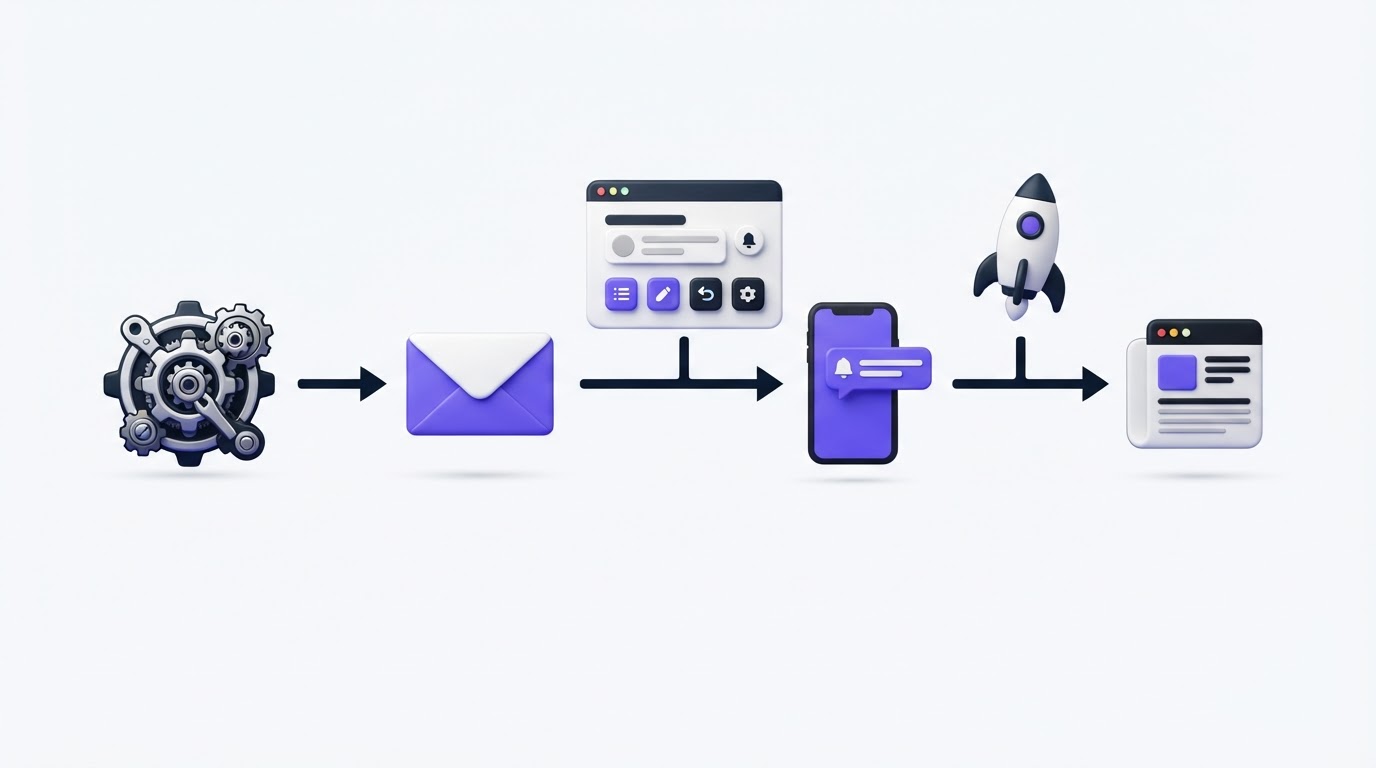
A public changelog is the durable record for launches. It gives customers a place to review changes later, share a link internally, and comment after trying the feature. In-app messages work well for timely prompts, while email reaches customers who have not opened the product recently.
Use one canonical release note, then adapt its opening and call to action for each channel. Rewriting the message from scratch for every channel causes details to drift.
For the bulk status-change launch, the canonical changelog post explains the workflow. An in-app message can say, “Move a whole sprint to review from List View,” and link directly to the same post. The email can use that customer outcome as the subject line and lead readers to the product.
A reliable public record also supports trust around future work. Build a public product roadmap customers trust explains how to show progress without promising dates your team cannot support.
Common mistakes when communicating product updates
Leading with internal language
“Refactored the permissions layer” may be important work, though customers need the resulting change in their daily workflow. Translate the release into the visible result: “Workspace admins can now manage permissions from one screen.” Technical detail can follow where technical users need it.
Publishing an update with no practical context
“Improved reporting” leaves customers guessing. Name the report, the action, and the use case. For instance: “Filter the activity report by workspace to prepare client reviews faster.”
Treating every release as equally important
Customers tune out when minor fixes receive the same treatment as a major workflow change. Reserve email and prominent in-app announcements for meaningful value. Keep small fixes visible in the changelog so customers can find them when relevant.
Ending at publication
The launch gains value when the people who asked for it hear about it. Review the original request, comments, and affected segment after publishing. Their replies often identify onboarding gaps, edge cases, or the next improvement.
How Upvoty turns release notes into a feedback loop
Release notes work best when they finish the same conversation that began with a request. Upvoty keeps that path visible from submitted feedback through delivery.
First, collect and organize requests on feedback boards, where product teams can group related ideas and understand the language customers use. For the bulk status-change example, requests such as “move a sprint faster” and “edit many tasks together” can be consolidated before planning.
Next, show the intended direction on a public roadmap. Customers can see that the team has considered the problem and follow progress without relying on a vague promise in a support conversation.
When the feature ships, publish the customer-ready explanation in the changelog. The note can point back to the underlying request, clarify the benefit, and give customers one route into the feature.
Finally, notify voters and invite a reply after they have had time to use the release. This closes the loop with the people who supplied the original signal. The workflow is covered in more depth in how to close the customer feedback loop with a changelog.
This screenshot shows the kind of public changelog space where a concise update remains easy to find after launch day.
!Public Upvoty changelog showing product launches and customer updates
Use feedback to improve the next product update
After publishing, watch for three signals: repeat questions, low adoption among the intended audience, and comments that reveal a different job customers expected the feature to solve. These signals guide the next note and the product work behind it.
For the bulk status-change release, several customers might ask whether they can assign different statuses in one action. That response belongs on the original feedback thread and can inform a follow-up request. It also tells the team that the current release note should state the existing behavior clearly.
Segment feedback before you treat volume as a decision. A request from a large, active customer group can carry a different product implication than a high number of casual votes. Read how to prioritize customer feedback by revenue segment and demand for a practical approach to weighting those signals.
FAQ about communicating product updates
How long should a product release note be?
Most release notes need a title, two or three short paragraphs, and a clear next step. Add detail when customers need setup instructions, availability information, or migration guidance. Put extensive technical documentation behind a relevant link.
Should every bug fix appear in the changelog?
Publish fixes that affect customer workflows, reliability, security, or a known issue customers have reported. Group small maintenance changes under a brief “Also improved” line when individual entries would add noise.
How do you tell customers their requested feature is live?
Link the release note to the request, then notify the people who voted or commented. Mention the outcome they asked for, explain where to find the feature, and ask for feedback after they use it. This creates a clear end-to-end response to their input.
What is the best place to publish product updates?
Use a changelog as the central source of truth, then distribute major updates through in-app messages, email, or support channels based on customer relevance. Each message should lead back to the full release note or directly into the feature.
Make every release note answer what changed, why it helps, and what customers should do next. Upvoty gives your team a clear place to collect feedback, share progress, and publish customer-ready updates. Read next: How to Segment Product Update Announcements by User Role, Plan, and Feature Usage.