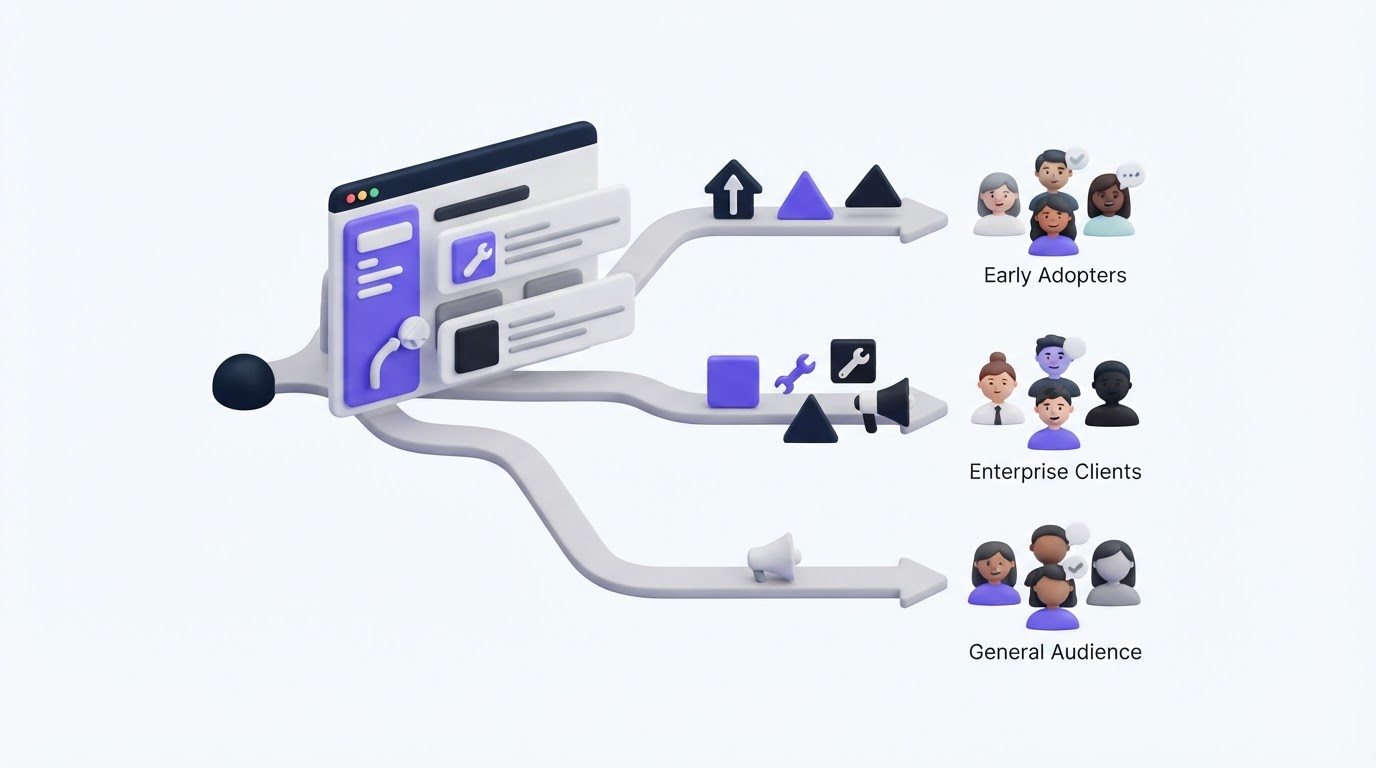
A billing admin opens an announcement about an API improvement. A developer receives a release note about invoice approvals. Both messages add noise, and the next announcement gets ignored.
Communicating product updates works better when each release reaches the people who have a clear reason to care. Upvoty helps SaaS teams connect customer feedback, roadmap items, and changelog posts so release communication can follow real customer demand.
Quick answer: how to segment product updates
Use this workflow to make product update announcements relevant:
- Define the customer action the update should create.
- Segment the audience by role, plan, feature usage, and lifecycle stage.
- Match each segment to a clear benefit and practical next step.
- Publish the full release note in a changelog, then distribute a tailored version to each group.
- Notify customers who requested or voted for the feature first.
- Measure adoption by segment and refine the next announcement.
Start communicating product updates with one adoption goal
Every announcement needs a specific customer behavior behind it. Choose the action before drafting the message: enable a setting, invite a teammate, migrate a workflow, try a new report, or book training.
Consider LedgerLoop, a fictional SaaS platform for finance teams. Its product team launches approval rules for expense reimbursements. The feature matters greatly to finance admins who manage review policies. It has little immediate value for employees who only submit expenses.
LedgerLoop sets one goal: finance admins on Growth and Enterprise plans should create their first approval rule within seven days. That decision shapes the audience, headline, CTA, and success measure.
A release that serves several actions needs separate announcements. Splitting messages takes more preparation, yet it prevents the vague “new features are live” update that leaves customers unsure what to do next.
Segment product updates by customer role
Role is often the strongest first segment because it changes the customer’s job, language, permissions, and measure of success.
For LedgerLoop, the release reaches finance admins first. Their announcement explains how approval rules reduce manual review and gives a direct setup path. A second message for managers explains that reimbursement routing may change. Employees receive a short in-app note only when they submit an expense affected by the new policy.
Use the vocabulary each role already uses. An admin needs configuration steps. An executive needs operational impact. A daily user needs to know what changes in their screen.
Keep the shared changelog entry as the factual source of record. Tailor the introduction and CTA around each role rather than maintaining conflicting release notes.
Segment product updates by plan and entitlement
Plan-based segments prevent a common source of customer frustration: promoting a feature to people who cannot access it.
Before sending, confirm whether the release is available on every plan, limited to a trial, or available as a paid add-on. Customers on an eligible plan can receive a setup-oriented message. Customers below the required tier need a transparent message that explains availability and points to the appropriate account conversation.
| Audience | What LedgerLoop sends | CTA | Why it fits |
|---|---|---|---|
| Enterprise finance admins | Detailed launch email with policy examples | Create an approval rule | They can use the feature immediately |
| Growth finance admins | In-app announcement with a short setup guide | Turn on approval rules | The release supports their current workflow |
| Starter plan admins | Brief availability update | View plan options | They need entitlement context before setup steps |
| Trial workspace owners | Guided message after first reimbursement | Test approval rules | The timing connects the feature to active evaluation |
Treat plan data as an eligibility check, then add role or usage data before choosing a channel. A broad plan-wide email can still create noise when only one role owns the workflow.
Segment product updates by feature usage
Usage-based communication reaches customers at the moment an update solves a visible problem. Start with a behavior that signals the customer will benefit, such as frequent exports, repeated manual assignments, high report usage, or an unfinished setup flow.
LedgerLoop identifies finance admins who exported reimbursement data at least twice in the past month. They receive an announcement focused on how approval rules can reduce the follow-up work surrounding those exports. The team avoids sending that detailed message to admins who have never configured reimbursements.
Use these audience signals carefully:
- Active users of the affected workflow
- Customers using a workaround the release replaces
- Accounts with an incomplete setup step
- Customers who requested the capability
- Teams with a related roadmap item in progress
Usage data should shape relevance, not create surprise. State clearly why a customer is receiving an update when the context may feel specific, and keep data handling aligned with your privacy commitments. The European Commission’s GDPR guidance provides a useful reference for teams serving EU customers.
Segment product updates by lifecycle stage
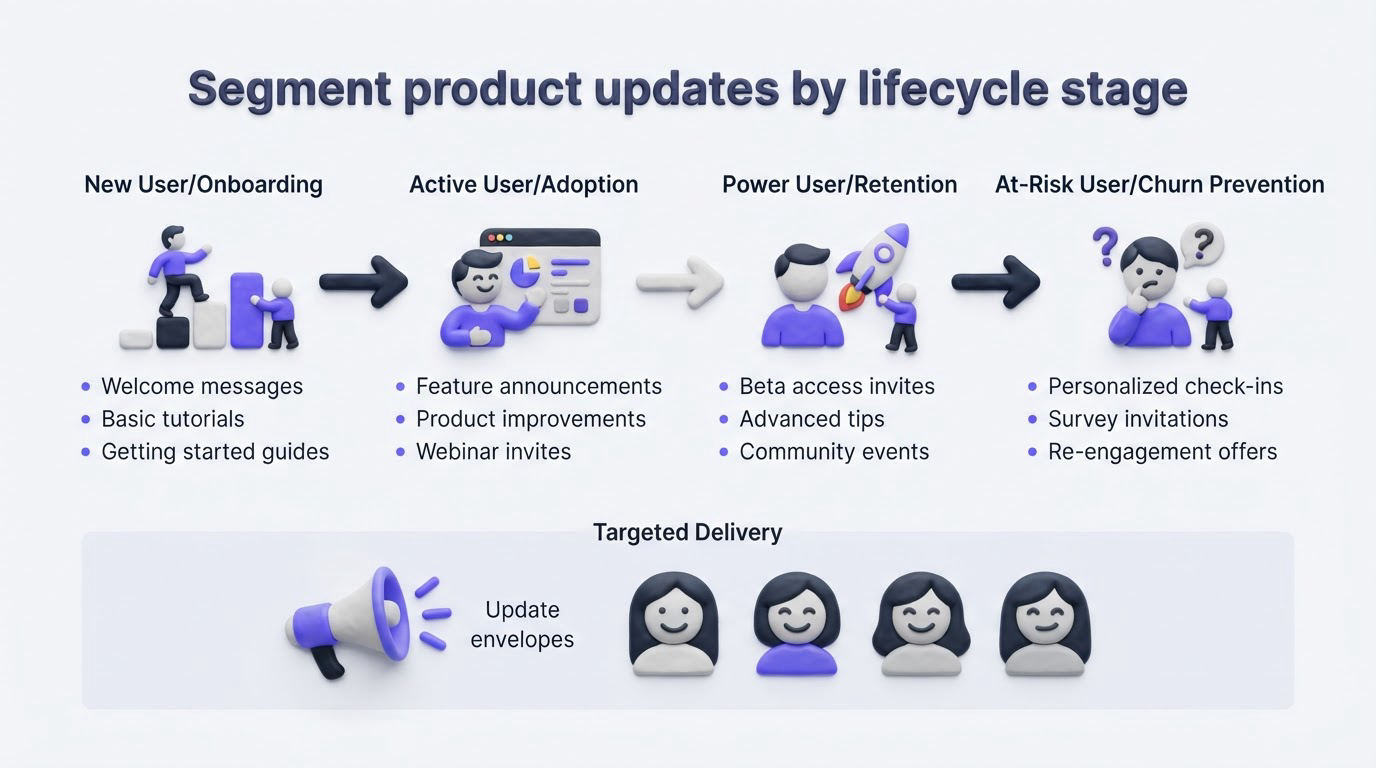
Lifecycle stage changes the amount of context a customer needs. A new account may need a guided walkthrough. A mature customer may only need release details and migration notes. An at-risk account may need a customer success conversation instead of another automated message.
For LedgerLoop, a workspace created within the past 30 days receives approval-rule guidance inside onboarding after its first reimbursement. Established accounts with active reimbursement workflows receive the full announcement. Inactive accounts stay out of the launch campaign because the feature has no immediate connection to their current behavior.
A simple lifecycle model is enough: trial, onboarding, activated, expanding, and inactive. Define each stage using events already tracked in your product, then review the definitions quarterly. Product behavior changes as the product and customer base grow.
Build one source of truth for communicating product updates
A segmented announcement fails when product, support, and sales teams work from different release details. Create one canonical changelog entry that includes the release scope, availability, screenshots, known limitations, and help resources.
Then create audience-specific distribution messages from that source. The best ways to communicate product updates to customers guide covers the channel choices in more detail, including when email, in-app messages, and changelog posts fit best.
For LedgerLoop, the canonical post explains approval rules, eligible plans, and setup requirements. The finance-admin email leads with policy control. The manager update leads with routing visibility. Support agents use the same release URL when answering questions.
This arrangement also makes it easier to close the loop after launch. Teams can see which release information customers viewed, which questions appeared, and which request themes deserve follow-up.
Use Upvoty to connect feedback segments to release announcements
Upvoty gives the release workflow a home where customer demand remains visible after development starts. Begin in Segments by grouping feedback around the customer context that matters for the launch, such as finance admins, Enterprise accounts, or customers using reimbursements.
Next, review the requests and votes attached to the feature. A customer who asked for approval rules needs a different message from a customer who has never used reimbursements. Prioritization becomes clearer when demand is tied to account context, as shown in this guide to prioritizing customer feedback by revenue, segment, and demand.
When the feature is ready, publish the release in your changelog. Add the practical details each segment needs: who can use it, where to find it, and the first action to take. Customers who supported a request can receive an automatic update through Auto Notify Voters, giving high-intent users a direct path back to the result they helped prioritize.
The final step is to keep the roadmap and changelog aligned. A clear status transition helps customers see that their input moved from idea to delivery. Learn how to structure that visibility in the article on building a public product roadmap customers can trust.
!Upvoty public changelog displaying product releases and update details
Measure whether segmented product updates drive adoption
Track results at the segment level. An overall open rate can hide a weak launch because broad audiences may open an email while eligible users fail to take the target action.
For LedgerLoop, the product team reviews the percentage of eligible finance admins who create an approval rule within seven days. It also compares activation between customers who voted for the request, customers who actively export reimbursement data, and the broader eligible audience.
Look for three signals: delivery engagement, feature activation, and support friction. High clicks with low activation often point to confusing setup, missing permissions, or a promise that does not match the product experience. A rise in support tickets can reveal documentation gaps early.
For email announcements, preserve a clear opt-out process and sender identity. The FTC’s CAN-SPAM compliance guidance outlines core requirements for commercial email.
Common mistakes when communicating product updates by segment
The most damaging mistake is building segments that are technically precise but operationally unusable. A team may combine plan, role, usage, region, contract status, and dozens of events until each audience contains only a handful of accounts. Start with one primary variable and one supporting variable.
Another frequent issue is treating feature voters as a single audience. Voters may include admins, end users, prospects, and former customers. Separate the message based on their current relationship to the product.
Finally, avoid leaving out customers whose request led to the release. Their announcement should acknowledge the outcome, link to the shipped capability, and invite practical feedback after use. This is a core part of closing the customer feedback loop with a changelog.
FAQ
How many segments should a SaaS product update use?
Start with two or three audiences for an important release. A practical first split is eligible power users, eligible occasional users, and customers who requested the feature. Add complexity after your team can maintain accurate data and tailored follow-up.
Should every product update get an email?
Use email for releases with broad customer impact, important workflow changes, plan availability changes, or actions that need attention outside the product. Small interface improvements often work better as in-app messages and changelog entries.
How do you announce a feature requested by customers?
Notify the customers who requested or voted for it first. Reference the problem they raised, explain what shipped, share the first action they can take, and provide a direct feedback path. Keep the message specific to the delivered scope.
What should be included in a product update announcement?
Include the customer benefit, affected audience, availability, first action, relevant setup details, and a help resource. Add known limitations when they affect adoption or workflow planning.
Give each customer group an announcement that reflects their job, entitlement, and product behavior. Upvoty can help you organize the feedback behind each release, publish the change, and bring requesters back when their idea ships. Start with the next meaningful feature, then build the repeatable workflow around it.