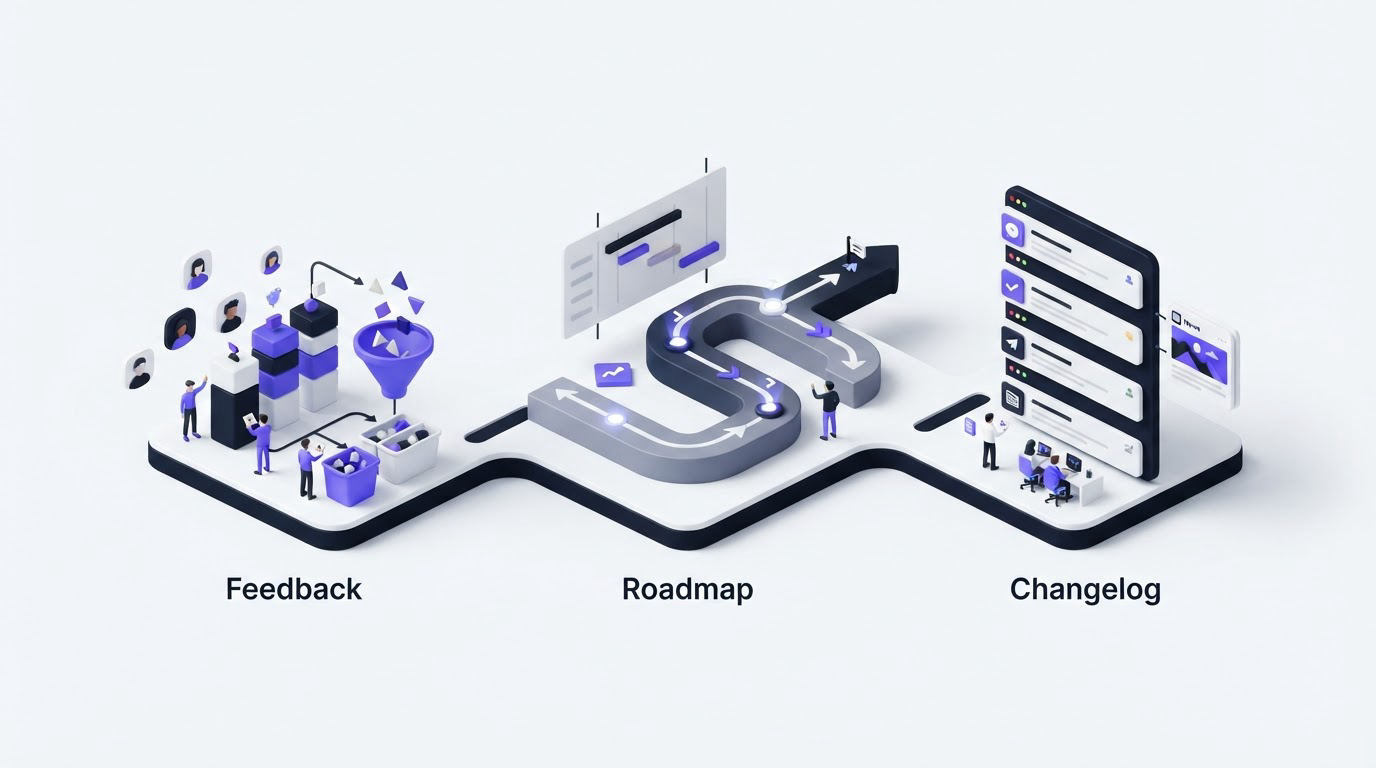
Customer requests often arrive through support tickets, sales calls, and scattered spreadsheets. Product teams then lose context, customers submit duplicate ideas, and roadmap updates turn into manual status emails. Upvoty is a Frill alternative built to bring that workflow into one customer-facing system.
Quick answer: how to choose a Frill alternative
Use this workflow to evaluate and move to a Frill alternative:
- Export your current requests, voter context, statuses, and published updates.
- Map feedback into public, private, and internal categories before rebuilding boards.
- Create a submission flow that captures the details your team needs to prioritize work.
- Set clear status definitions, then connect approved work to a customer-facing roadmap.
- Publish changelog updates and notify voters when shipped work answers their request.
- Run the new portal alongside your current process briefly, then direct every new request to one place.
Why teams look for a Frill alternative
A feedback portal earns its place when it helps customers feel heard and helps the product team make better decisions. Voting alone rarely provides enough context. A request from a strategic account, a trial user, and a long-tail customer can carry very different product signals.
Look for a platform that lets you collect requests where customers already work, organize related ideas, and decide how much information each audience can see. That usually means public boards for broad demand, private boards for account-specific discussions, and internal views for sensitive planning.
The customer experience also affects participation. A branded portal, understandable categories, clear statuses, and duplicate handling give people a useful destination instead of another form that disappears into a queue. For governance guidance before publishing a board, see how to manage public feedback boards.
How to evaluate a Frill alternative before switching
Start with your current workflow, not a feature checklist. Export the last 90 days of requests first. Count the channels where feedback arrives and identify which details help your team act: customer segment, plan, use case, account owner, or revenue context.
Use a test scenario throughout the evaluation. Consider a B2B scheduling SaaS whose customers repeatedly request “calendar sync.” The team discovers that the label hides three separate needs:
- Two-way Google Calendar sync for sales teams
- Outlook availability checks for enterprise accounts
- A simple iCal export for individual consultants
Treating these as one post creates a misleading vote total and an unclear build decision. A stronger workflow creates separate requests, links duplicates to the right request, and adds internal notes about account context. The roadmap can then show the approved work at the right level of detail.
| Evaluation area | What to test during a Frill review | Upvoty workflow to assess |
|---|---|---|
| Feedback intake | Can customers submit requests from the portal and inside the product? | Use feedback boards and an in-app feedback widget for contextual collection. |
| Request quality | Can the form capture product area, use case, and other required context? | Build structured intake with custom submit forms. |
| Prioritization | Can your team separate high-value demand from raw vote totals? | Add segments, smart tags, internal notes, assignees, and priorities. |
| Visibility controls | Can you keep account-specific or sensitive requests limited to the right audience? | Choose private or public feedback spaces. |
| Customer communication | Can customers see planned work and receive a shipping update? | Publish a roadmap, post changelog entries, and notify voters. |
| Team delivery flow | Can product work move into the systems your team already uses? | Review the available integrations, API, and webhooks. |
Ask a small group of customers to use the trial portal. Give them the three calendar-sync requests and observe whether they can find an existing post, vote, add useful context, and understand its status. This exercise exposes navigation and moderation problems quickly.
Accessibility deserves a practical check as well. Review color contrast, keyboard behavior, and form labels against the W3C Web Content Accessibility Guidelines. Customers need to be able to participate without avoidable barriers.
How to move feedback data to a Frill alternative

Build the destination structure before asking customers to change behavior. Start with three to five categories based on how your product team plans work. The scheduling SaaS might use Integrations, Availability, Mobile App, Reporting, and Administration.
Next, define statuses customers can understand. For example, Under Review, Planned, In Progress, and Shipped make the lifecycle visible. Keep internal debate in internal notes and use a concise public status update when there is meaningful progress.
Clean up old requests before transferring them. Merge exact duplicates, archive stale items, and split broad posts that describe several jobs. In the example, “calendar sync” becomes the three requests above. The team then connects the Outlook request with an enterprise segment and assigns it to the integrations product manager.
Protect personal and account data during this work. Remove unnecessary identifiers from public posts, set an owner for access decisions, and document why data is retained. The European Commission’s GDPR guidance provides a useful starting point for teams serving EU customers.
Share the change clearly. Place the new portal in your product navigation, link it in support replies, and redirect forms that used to create isolated tickets. Keep a short transition period for legacy links, then use the portal as the source of truth for new product requests.
How Upvoty works as a Frill alternative
Upvoty supports the full loop from a customer request to a visible release update. Here is how the scheduling SaaS team would run the calendar-sync workflow inside Upvoty.
First, the team creates a feedback board for Integrations and adds a custom form field for the customer’s calendar provider. The in-app widget appears in the integrations settings area, where the request is most relevant. This reduces vague submissions from customers who have never used that part of the product.
!Public voting board for customer feedback and feature requests
Second, the product team reviews new posts in the dashboard. They merge duplicate Outlook requests, tag the post as Enterprise, and add an internal note with implementation constraints. Analytics and segments help the team read demand with more care than a single vote count. For a practical prioritization model, read how to prioritize feedback by revenue segment and demand.
Third, after the team commits to Outlook availability checks, it adds the item to the public roadmap with a Planned status. Customers can see the direction of travel without exposing private delivery dates or internal technical dependencies.
!Customer-facing product roadmap with planned and in-progress work
Fourth, once the feature ships, the team publishes a changelog entry and uses voter notifications to close the loop. Customers who requested the capability receive a direct, relevant update. Learn how to make those messages useful in this guide to closing the customer feedback loop with a changelog.
This workflow keeps public communication connected to the request that created the demand. It also gives product, support, and sales teams a shared record of the decision.
Frill alternative mistakes that weaken the feedback process
The most common issue is treating a portal as a passive suggestion box. Assign an owner who reviews incoming posts, merges duplicates, updates statuses, and escalates evidence to product planning.
Another issue is publishing every internal idea on a public roadmap. Keep exploratory work private until the team has enough confidence to share it. A roadmap works best when customers can use it to understand direction and progress.
Avoid building priority from raw votes alone. The calendar-sync example shows why. A smaller group of enterprise customers may represent an urgent integration gap, while a large group of individual users may want a low-effort export. Read feature voting results without popularity bias before setting your decision rules.
Finally, publish the changelog consistently. Shipped work should move from product delivery into customer communication within the same release process. That habit turns feedback participation into a continuing relationship.
Frill alternative FAQs
What should a Frill alternative include?
Choose a platform with feedback boards, feature voting, moderation, private and public access controls, a roadmap, a changelog, and a way to collect feedback inside the product. Integrations, API access, and structured submission forms become increasingly valuable as your volume grows.
Can I keep some customer feedback private?
Yes. Private boards suit account-specific requests, beta programs, sensitive operational issues, and internal employee feedback. Keep public boards focused on requests that benefit from broad discussion and voting.
How do I prevent duplicate feature requests?
Search and merge during moderation, then direct every submission channel to the same portal. Write clear post titles and categories so customers can find existing discussions before submitting a new idea.
Should customers see my entire product roadmap?
Share the level of detail that supports trust and sets realistic expectations. Many teams publish themes or committed features with broad statuses, while dates, dependencies, and exploratory ideas remain internal. This guide explains how to build a public product roadmap customers trust.
If you need one place to collect requests, make informed product decisions, and communicate progress, try Upvoty for your feedback workflow. Set up a focused board first, invite a small customer group, and expand once the process is working for your team. Read next: Sleekplan Alternative: Manage Feedback, Roadmaps, and Updates.