
Feature requests often arrive through support tickets, sales calls, Slack messages, customer success notes, and direct emails. Once volume rises, duplicate requests obscure demand and product decisions become difficult to explain.
A repeatable process gives every request a route from submission to decision. Upvoty provides the shared workspace for collecting requests, grouping related demand, setting priorities, and keeping customers informed.
Quick answer: how to manage feature requests at scale
Use feature request management software to run this workflow:
- Capture requests through a feedback board, in-app widget, and team-submitted entries.
- Consolidate duplicates into one clear problem statement with supporting customer context.
- Evaluate each theme for affected segments, strategic fit, urgency, and delivery effort.
- Prioritize the validated themes in a regular product review using visible decision criteria.
- Communicate status through a roadmap, release updates, and automatic voter notifications.
1. Capture feature requests in one place
Start by giving customers a single, easy route to submit ideas. A public feedback board works well for broad product input because customers can search before posting, add detail, and vote on existing requests. An in-app widget reaches people while they are using the workflow that created the friction.
Support, sales, and customer success also need a submission route. These teams often hear the most detailed requests, including the account context behind them. Ask them to submit the customer’s problem, affected workflow, account segment, and any deadline or commercial context. Avoid turning a sales conversation into a vague feature title.
Consider a fictional SaaS company, BeaconDesk, which sells incident-management software to IT teams. A customer writes, “Please add scheduled PDF exports.” Meanwhile, support logs “Monthly report needs emailed PDF,” and sales records “Enterprise prospect needs board-ready reports.” These belong in the same system from day one.
Use separate boards where audiences or confidentiality require it. For example, BeaconDesk could maintain a public board for general product improvements and a private board for enterprise administration requests. Upvoty feedback boards support a structured place for these submissions, while an in-app feedback widget brings collection into the product experience.
Keep the submission form short. Three fields usually provide enough structure: a plain-language title, a description of the job the customer is trying to complete, and an optional attachment. Add fields for account plan or product area only when the information cannot be reliably attached elsewhere.
For implementation details, see how to set up an in-app feedback widget without disrupting users. Place the widget after a meaningful action, such as exporting a report or completing a setup flow, so the request carries useful context.
2. Consolidate duplicates before measuring demand
A request database becomes misleading when one idea has six titles and six separate vote totals. Consolidation creates a single source of truth for each underlying customer problem.
At BeaconDesk, the product manager creates one parent request: “Schedule and email recurring incident reports.” The original posts remain connected to that parent request. Their comments reveal three use cases: a weekly operations review, a monthly executive pack, and compliance evidence. The resulting request describes the shared job rather than one customer’s preferred implementation.
Review new submissions on a fixed cadence. Daily review fits teams with high volume; twice-weekly review works for many SaaS products. During triage, choose one of four actions: publish as a new request, merge with an existing request, ask for clarification, or archive an out-of-scope submission.
Clear titles improve search and reduce repeat posts. Write titles around the outcome, such as “Schedule recurring incident reports,” rather than “PDF exports please.” Preserve the original wording in comments or internal notes because that language often clarifies why customers care.
AI-assisted merging can speed up the first pass when a board receives many similar submissions. The reviewer still needs to confirm that the requests describe the same underlying need. “Export report as PDF” and “Email a report every Monday” overlap, yet they can lead to different delivery choices. Merge AI helps identify likely duplicates for review.
3. Evaluate requests with customer context
Votes are one input. A reliable evaluation combines demand with customer fit, product strategy, urgency, and delivery implications.
Give each request enough context for a product manager to make a reasoned call weeks later. For BeaconDesk’s recurring-report request, the team records that enterprise administrators raised it, sales sees it during evaluations, and customers currently build reports manually at month end. Those details carry more decision value than a bare vote count.
Use segments to separate demand by plan, role, region, industry, or lifecycle stage. Twenty votes from trial users and twenty votes from long-term administrators describe different signals. Customer feedback prioritization by revenue segment and demand explains how to bring account context into the decision without treating one customer class as the only voice.
The table shows how BeaconDesk could document its review. Scores use a 1 to 5 scale and serve as a record of the discussion rather than a formula that replaces judgment.
| Evaluation signal | BeaconDesk evidence | Score | Product implication |
|---|---|---|---|
| Affected customer segment | Enterprise administrators and team leads | 4 | Strong fit for a high-value workflow |
| Frequency and demand | One merged request with several supporting posts | 3 | Validate further through interviews and board activity |
| Strategic fit | Reporting is central to adoption and renewal reviews | 5 | Supports the product direction |
| Urgency | Manual monthly process creates recurring friction | 3 | Plan after urgent reliability work |
| Delivery effort | Requires scheduling, email delivery, and permissions | 3 | Scope an incremental first release |
Protect sensitive information during this step. Internal notes should hold account-specific context, contractual commitments, and personally identifiable information. Public posts should remain useful to other customers without exposing private details. The European Commission’s GDPR overview provides a practical starting point for teams handling personal data from customers in the EU. For a broader privacy governance model, consult the NIST Privacy Framework.
4. Prioritize feature requests in a regular product review
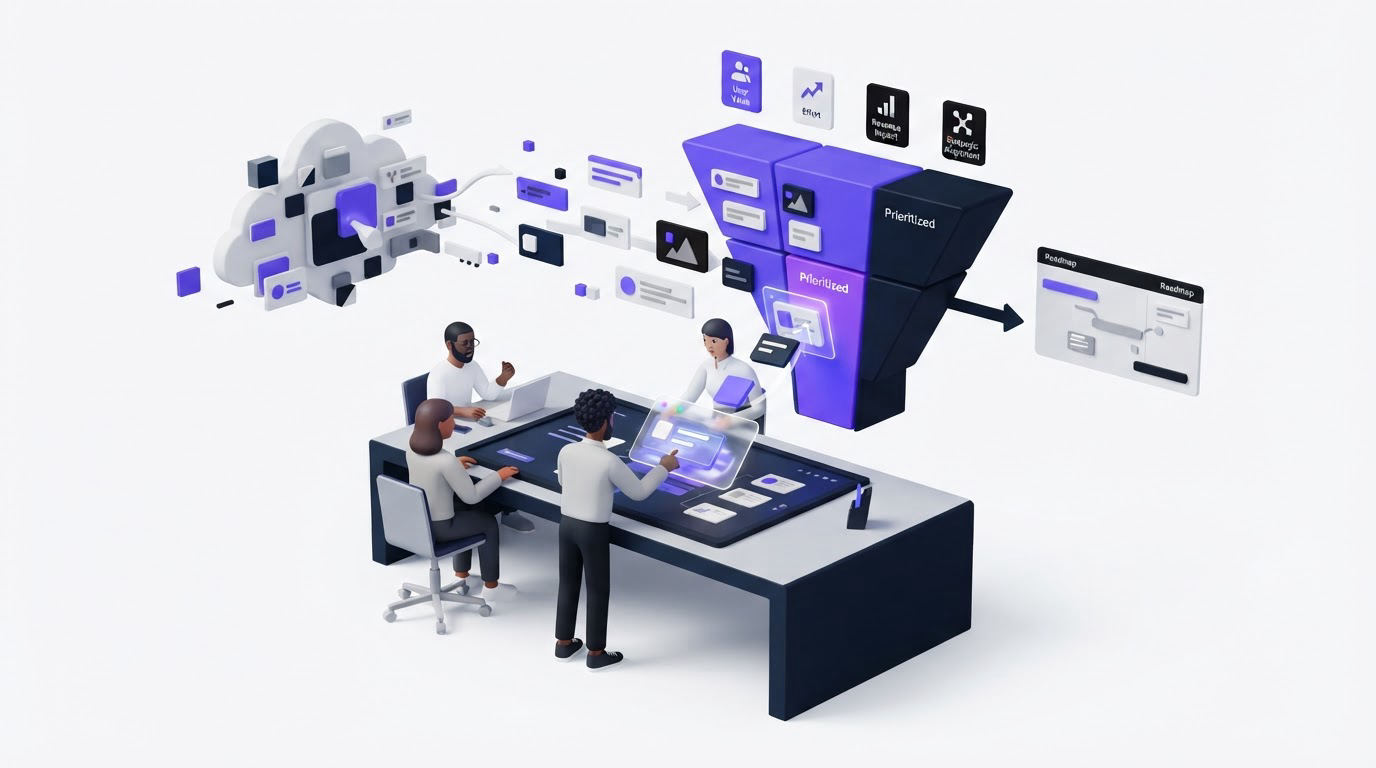
Set a recurring review meeting with product, engineering, and the customer-facing owner responsible for the request channel. Weekly or biweekly review prevents good evidence from sitting untouched until quarterly planning.
Bring themes to the review, rather than a long unfiltered list of posts. For each theme, show the consolidated request, segmented demand, direct customer quotes, relevant product metrics, engineering constraints, and a recommended status. Then make one of three decisions: move it toward discovery, place it in a future planning pool, or close it with a clear reason.
BeaconDesk chooses discovery for scheduled reports. The demand is credible and strategically aligned, while the team needs to learn which cadence, report format, and permission model solves the highest-value use case. They avoid committing to a full report builder before that discovery work.
A frequent failure mode is treating the highest vote total as the roadmap order. Large customer communities can surface popular convenience ideas, while smaller groups reveal critical workflow blockers. Read voting as evidence of demand and combine it with segment, impact, and strategy. Feature voting without popularity bias offers practical ways to interpret those signals.
Assign an owner and priority to every request that enters active consideration. Ownership prevents a request from cycling endlessly through review. A visible priority also gives customer-facing teams a current answer when an account asks for an update.
How Upvoty supports a feature request management process
A scalable process depends on the handoffs between collection, review, planning, and communication. Here is how that workflow can run in Upvoty.
First, publish a feedback board and add the widget where users can share product ideas in context. Configure public or private access based on the audience, then use custom submission forms to capture the details your team actually needs.
Next, review incoming posts in the feedback dashboard. Merge related submissions, apply smart tags for product area or request type, and add internal notes where customer context needs to stay within the team. The screenshot below shows the kind of central view that keeps review work out of disconnected spreadsheets.
!Upvoty dashboard for managing feedback and feature requests
Then, use segments, assignees, and priorities to prepare requests for product review. When an item moves forward, reflect that decision on a customer-facing roadmap. Upvoty’s roadmap feature lets teams share direction without publishing internal planning details.
Finally, publish the completed work in a changelog and notify the people who asked for it. This closes the loop with evidence rather than a generic release announcement. Read how to close the customer feedback loop with a changelog for the release communication pattern, and use auto-notify voters to reach interested customers at the right time.
5. Communicate feature request decisions and progress
Customers can accept a deferred decision when they receive a direct explanation and a realistic status. Silence creates repeat submissions, support tickets, and uncertainty about whether anyone read the feedback.
Use a small, consistent set of statuses. “Under consideration,” “Planned,” “In progress,” “Released,” and “Closed” give customers useful visibility. Write a short update whenever the status changes. Explain the customer problem the team is addressing, the next decision point, or the scope of the shipped release.
BeaconDesk updates its recurring-report request to “Under consideration” while interviewing administrators. After discovery, it moves the request to “Planned” with a first-release scope: weekly and monthly email schedules for existing incident reports. When released, the changelog links to setup instructions and the original voters receive a notification.
A roadmap works best when it communicates direction and confidence level. Keep uncertain ideas in a discovery-oriented status and reserve planned status for work with a genuine commitment. How to build a public product roadmap customers trust covers the governance choices behind that practice.
Metrics to review each month
Measure the health of the workflow alongside the requests themselves. Track the share of incoming requests merged into existing themes, time from submission to first review, requests with an assigned owner, and the number of voters notified after release. These measures expose bottlenecks in intake, triage, or communication.
Also review the themes that customer-facing teams submit manually. A rise in manually logged requests may signal that the in-app route is hard to find, or it may expose a customer segment that needs a private collection path. Export the prior 90 days of requests first, group them by theme and segment, and look for changes that warrant a product decision.
FAQ about feature request management software
What is feature request management software?
Feature request management software gives SaaS teams a structured system for collecting product ideas, grouping duplicates, reviewing demand, assigning ownership, and sharing outcomes. It replaces scattered feedback sources with a traceable decision workflow.
How do you prioritize feature requests from enterprise customers?
Record the affected workflow, account segment, strategic importance, urgency, and likely delivery effort. Give enterprise context appropriate weight, then review it alongside broader customer demand and product direction. Keep commercial commitments documented in internal notes so the public board remains focused on the shared problem.
Should feature requests be public or private?
Use public boards for ideas that benefit from discoverability, voting, and open discussion. Use private boards for beta programs, internal teams, security-sensitive topics, and account-specific feedback. Many SaaS teams use both paths under one review process.
How often should a product team review feature requests?
High-volume teams benefit from daily triage and a weekly prioritization review. Lower-volume teams can review new submissions twice a week and run a broader decision meeting every two weeks. Choose a cadence that keeps customers from waiting without a first response.
What should happen after a feature request is released?
Update the request status, publish a changelog entry that explains the delivered outcome, and notify the people who voted or commented. Review follow-up feedback after release to learn whether the shipped scope solved the original workflow.
Build the process before the backlog becomes unmanageable. Use Upvoty to bring requests, decisions, roadmap updates, and release communication into one visible workflow for your team and customers.


