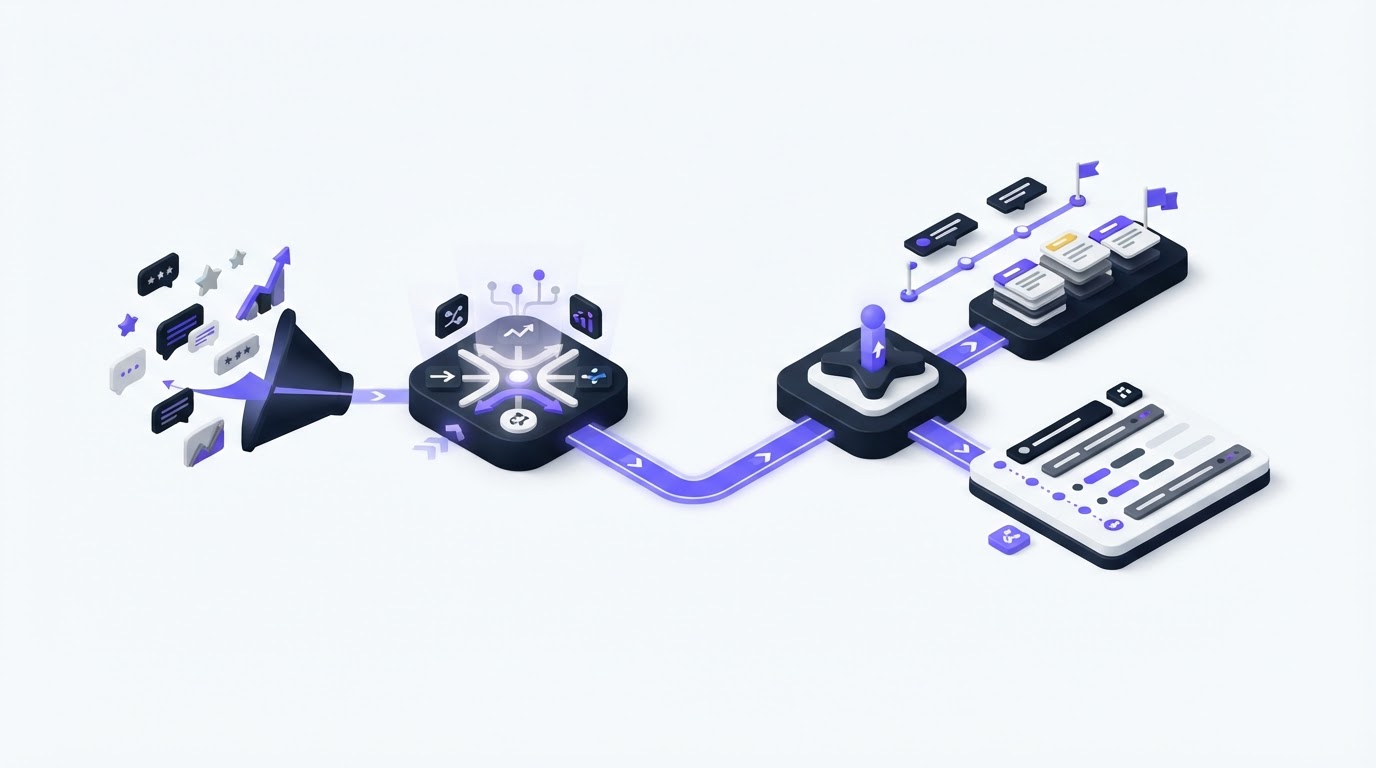
Feature requests often arrive through support tickets, sales calls, account reviews, and chat messages. Without a shared workflow, the original request disappears before the team can show customers what happened next.
Roadmap and changelog software connects each stage: collect feedback, validate the problem, prioritize the work, communicate progress, and announce the release. Upvoty brings those customer-facing touchpoints into one place, so each status change has a clear purpose.
Quick answer: connect feedback, roadmap items, and changelog posts
Use this workflow to turn customer input into visible product progress:
- Capture requests in one feedback board and merge reports describing the same outcome.
- Validate the request with voter context, customer segment, revenue relevance, support evidence, and product strategy.
- Create a roadmap item only after the team has made a real commitment and set its public status.
- Move the roadmap item through clear progress stages, with short explanations customers can understand.
- Publish a changelog entry at release, link it to the delivered work, and notify the people who asked for it.
How roadmap and changelog software creates a reliable feedback trail
Treat each request as an evidence record. It should preserve the customer's wording, the underlying job they are trying to complete, related reports, and the team decision. A vote count alone offers an incomplete view of demand.
Consider an illustrative B2B scheduling platform. Customers submit requests for a "bulk reschedule" action through the product portal. The product team finds seven similar posts: three focus on moving appointments after a weather closure, two need a way to notify attendees, and two refer to recurring events. Merge them into one parent request called "Reschedule multiple appointments and notify attendees." Keep the distinct use cases in internal notes.
The team then sees a stronger product problem: operations staff need to recover from schedule disruptions quickly. That framing supports a better scope than building a button around one customer's phrasing.
A connected system gives every request a home through delivery. The customer can see a status, the product team can see why the item exists, and support can answer questions without searching across disconnected tools.
Keep customer identities and request details proportionate to the purpose of your feedback process. The data-minimization and purpose-limitation principles in GDPR Article 5 offer a useful standard for teams serving any market.
How to validate feedback before adding it to the roadmap
Validation turns a collection of suggestions into a set of decisions. Start by separating the requested solution from the problem behind it. In the scheduling example, "bulk reschedule" describes a solution. "Recover from a disruption without editing hundreds of appointments" describes the job.
Review the request with four lenses: frequency, customer importance, strategic fit, and delivery effort. Add evidence from support conversations, churn risks, sales objections, and usage data where available. Use segments to distinguish a request from enterprise administrators, trial users, or a particular plan type.
| Decision input | What to record | How it changes the decision |
|---|---|---|
| Demand | Unique voters and merged reports | Shows breadth of the problem |
| Customer context | Segment, account type, and relationship owner | Reveals who experiences the pain |
| Product evidence | Support examples, workflow friction, and usage signals | Confirms the problem occurs in practice |
| Strategic fit | Product objective or planned capability | Keeps the roadmap focused |
| Delivery shape | Scope, dependencies, and risk | Helps set an honest status and timing window |
In the example, the team learns that the requests cluster around organizations with recurring group classes. That segment is part of the product's retention focus for the quarter. The team marks the idea as planned and splits the notification work into a later release because messaging templates require separate design and compliance review.
For a deeper scoring approach, see how to prioritize customer feedback by revenue, segment, and demand. Give each decision a short internal rationale. Six months later, that rationale is often more valuable than the original vote total.
How to turn validated feedback into roadmap items
A roadmap item should communicate a customer outcome and a commitment level. Write it in language customers recognize, then keep technical implementation detail within your delivery system.
For the scheduling example, the customer-facing roadmap item could read: "Reschedule groups of appointments after a disruption." The public description can explain that the first release covers selecting multiple appointments and moving them to a new time. The attendee-notification workflow remains a separate future item.
Set statuses that describe the current level of commitment. A useful sequence is under consideration, planned, in progress, and complete. Use planned after a product decision, in progress after delivery work begins, and complete only when customers can use the capability.
Avoid publishing exact ship dates until the release work has a stable scope and dependencies. A quarter, month, or "in progress" label often gives customers useful context while leaving room for discovery. Explain material changes in the roadmap item itself. Silence creates more uncertainty than a concise scope update.
A public roadmap also needs accessible content. Clear headings, descriptive links, sufficient contrast, and keyboard-friendly interactions help more customers follow progress. Use W3C's WCAG 2.2 guidance when reviewing the portal experience.
Read how to build a public product roadmap customers can trust for guidance on scope, status language, and expectations.
How Upvoty connects feedback, roadmap, and changelog work
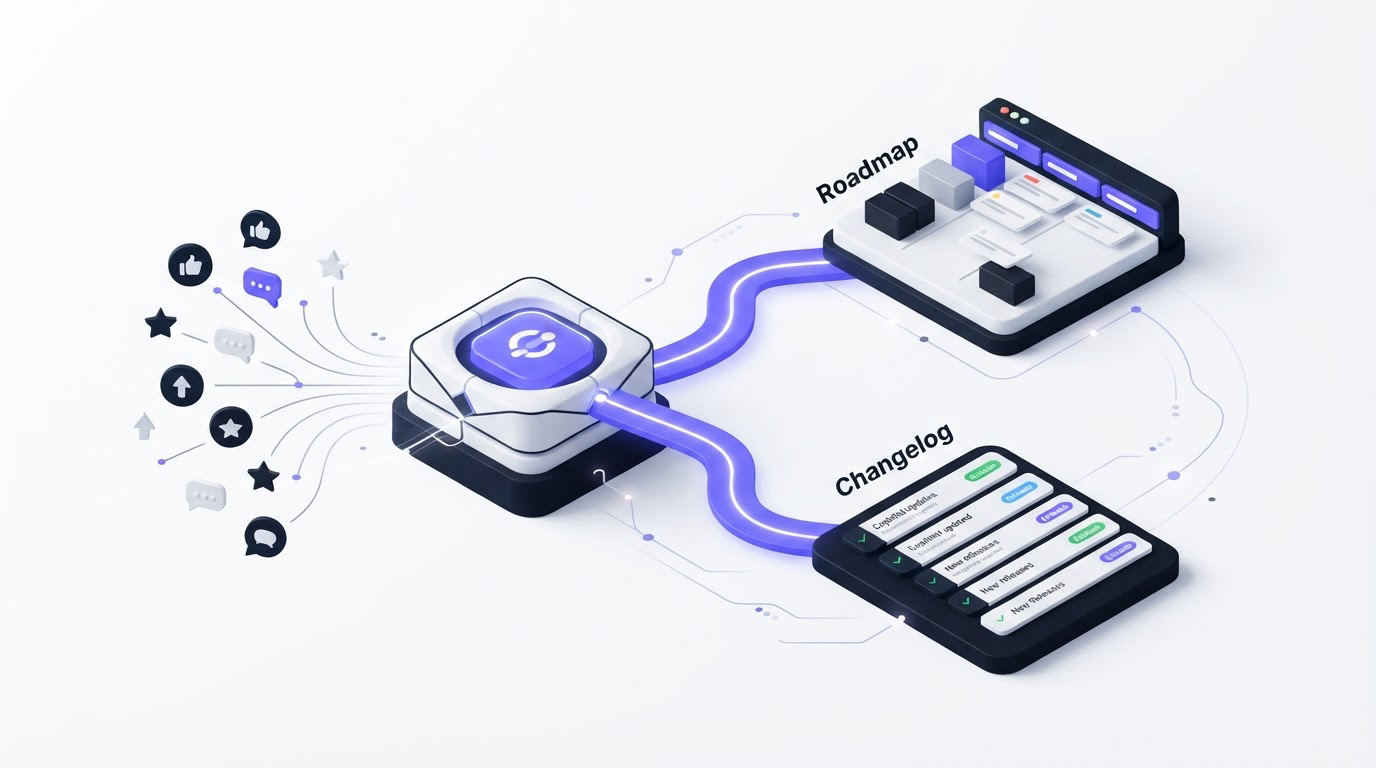
Upvoty keeps the workflow visible from the first request to the release announcement. Start with feedback boards where customers can submit ideas, vote, and add context. Moderation, smart tags, segments, assignees, and internal notes help the team turn an unstructured stream into reviewable themes.
This dashboard view shows where teams review requests and bring related feedback together.
!Upvoty feedback dashboard for reviewing customer requests and feedback
When the scheduling team commits to bulk rescheduling, they move the request into a product roadmap status such as planned. Customers who supported the idea can follow the same item rather than receiving a vague reply from support.
As work starts, the team updates the roadmap status and adds a short explanation of the first-release scope. Once the feature is available, they publish the release in the changelog, using a customer-oriented title and screenshots or details where useful. Upvoty's voter notifications can then close the loop with people who showed interest.
The key operating habit is simple: update the status where customers already look for answers. Support, sales, and product teams can point to the same feedback item, roadmap card, and release post.
How to communicate roadmap progress without overpromising
Customers usually want three answers: whether the team has seen the request, whether it is planned, and whether it is available. Each update should answer one of those questions directly.
For the scheduling feature, the planned status can say: "We are designing bulk selection and a shared move action for appointments. Attendee notifications are being evaluated as follow-up work." When development begins, change the status to in progress and explain the portion currently underway. Keep each update brief and dated.
Use private roadmaps for internal planning where commercial sensitivity or uncertain exploration requires it. Use a customer-facing roadmap for initiatives that benefit from transparency. Teams can also publish a focused view for a customer segment rather than exposing every internal workstream.
Give sales and support a dependable response pattern. They can link a validated request when an item is under review, share the roadmap item when a commitment exists, and send the changelog post after release. This creates continuity for the customer and reduces repeated status-chasing.
Use roadmap evidence in outbound sales conversations
Product feedback can sharpen outbound messaging when sales teams keep the promise grounded in what the product already supports and what is publicly planned. For example, the scheduling platform's sales team may see recurring interest from multi-location class operators. They can record that segment's workflow friction in the feedback board, link interested prospects to the relevant roadmap item, and avoid claiming an unshipped capability as available.
An AI sales engagement platform for prospecting and account prioritization can support the earlier part of that process by helping a sales team organize outreach around relevant accounts and buyer signals. The product team should give sales a short approved brief for each roadmap item: the customer problem, the current status, the public link, and words to avoid until launch.
When bulk rescheduling ships, sales can share the changelog post with prospects who raised the issue and use the release as a reason for a relevant follow-up. Capture any response back in the feedback system. A prospect may reveal that attendee notifications remain the blocker, which strengthens or weakens the case for the next roadmap item.
This loop works when product and sales agree on one rule: roadmap updates describe current commitments, while changelog posts describe released capabilities. That rule protects trust during every conversation.
How roadmap and changelog software closes the feedback loop
A changelog post is the final customer-facing record of delivery. Write it around the completed outcome, who benefits, and how to access it. Avoid release-note language that only engineers can interpret.
For the scheduling example, a strong post might say: "Reschedule multiple appointments at once. Select affected appointments, choose a new time, and save the change from one workflow." Add a note explaining the current limitation around attendee notifications and link customers to the related feedback request if more input would help.
This changelog view is where released work becomes easy for customers to find and share.
!Upvoty public changelog showing product updates and releases
Notify voters after release, then watch their responses. Some customers will confirm the problem is solved. Others may reveal a second workflow issue. Those follow-up signals belong back in the feedback board, where they can inform the next decision.
For practical post structure and notification timing, use this guide on closing the customer feedback loop with a changelog.
FAQ about roadmap and changelog software
Should every feature request appear on a public roadmap?
Publish requests after the team has validated the problem and is ready to communicate a meaningful status. Early exploration can remain internal while research, scope, and dependencies are still changing quickly. A public roadmap earns trust when each item has a clear explanation and an honest commitment level.
How many votes should a feature need before it reaches the roadmap?
There is no universal threshold. A request from a strategically important segment may justify work with few votes, while a highly voted request may have limited fit with the product direction. Review votes alongside customer context, evidence, strategy, and effort.
What belongs in a changelog instead of a roadmap update?
Use the roadmap for work that is planned or underway. Use the changelog for capabilities customers can access now. A changelog entry should explain the released outcome, where to find it, and any relevant setup details.
Can support teams use the same workflow as product managers?
Yes. Support can consolidate recurring reports, add customer context, direct customers to the roadmap, and share changelog announcements after release. Product managers retain decision ownership while every team works from the same customer record. Read next: Roadmap and Changelog Software: Turn Requests Into Updates.
Connect your requests, commitments, and releases in one visible flow with Upvoty. Give customers a clear place to share ideas, track progress, and see the work they helped shape.


