
Feature requests arrive through support tickets, sales calls, email, and chat. Without one shared process, duplicate requests pile up, product decisions lose context, and customers hear little after they share an idea.
Upvoty gives SaaS teams a focused place to collect product feedback, turn it into a decision-ready backlog, and show customers what happens next.
Quick answer: how to use a product feedback platform
- Create a single feedback destination for requests from customers, prospects, and internal teams.
- Group duplicates around a clear problem statement and preserve every voter and comment.
- Add customer context such as segment, account value, use case, and source.
- Prioritize themes against product strategy, effort, confidence, and demand.
- Publish selected work to a roadmap and notify contributors when it ships.
How a product feedback platform works from request to release
A useful system gives each request a visible path. Customers need a low-friction place to contribute, while product teams need enough structure to make a defensible decision.
Consider an illustrative B2B scheduling product with a feedback portal at feedback.example-scheduler.com. During a three-week period, its team receives 18 requests for calendar syncing. The wording varies: "Google Calendar two-way sync," "avoid double bookings," and "calendar blocks." A product manager merges them into one request: Prevent booking conflicts with two-way calendar sync.
That merged request keeps the original language, 18 voters, and comments explaining why the problem hurts. Three voters are agency customers managing several calendars. Two are new trials. The team now has one demand signal to assess rather than 18 disconnected tickets.
A practical product feedback platform supports five connected jobs:
- Capture feedback through a public portal, embedded widget, or internal submission form.
- Make existing requests easy to find before someone submits a duplicate.
- Organize themes with boards, statuses, tags, and ownership.
- Add decision context beyond vote totals.
- Communicate planned, in-progress, and shipped work in the same customer-facing system.
The workflow needs governance. Set a weekly triage owner, define status meanings, and agree on when a request earns a roadmap review. Teams that leave every post in an open queue teach customers that submitting feedback leads nowhere.
Collect product feedback where customers already work
A portal works well for customers who actively want to shape the product. An embedded form catches feedback at the moment a user encounters friction. Internal teams also need an intake path, since sales and support often hold valuable context from conversations.
For the scheduling product, place a small feedback entry point beside the calendar settings screen. The prompt can ask, "What makes scheduling harder today?" That question produces richer evidence than a broad request for ideas. Route submissions to the same board as portal posts, then give the user a chance to vote for an existing request before creating a new one.
Use feedback boards for broad product ideas and separate boards for areas with distinct audiences, such as API requests or integrations. Use an in-app feedback widget when the product itself provides the best moment to ask.
Public collection carries privacy responsibilities. Keep personally identifiable details out of titles and configure your form accordingly. If you serve people in the EU, review the lawful-processing requirements in the GDPR text published on EUR-Lex. For public portals, also make controls usable by keyboard and assistive technology in line with the W3C WCAG guidance.
Organize feature requests before voting distorts the backlog
Vote totals are useful, yet they are only one signal. A vocal set of free users can outweigh a small group of accounts with an urgent, strategic need. Preserve the raw request and consolidate it beneath a problem-led parent post.
For the calendar-sync example, the product manager creates a parent post, merges the 18 related entries, and tags it scheduling and integrations. A support lead adds an internal note: five requests followed users missing appointments due to external calendar conflicts. This note changes the conversation from a feature wish to a reliability issue.
Use a consistent title format: outcome first, mechanism second. "Prevent booking conflicts with two-way calendar sync" gives customers a clear place to vote and gives engineering a useful starting point. "Calendar stuff" creates confusion and more duplicates.
Set a review cadence. Weekly triage suits fast-moving SaaS products; a biweekly review can suit smaller teams. During each session, merge duplicates, remove spam, clarify vague submissions, and apply an owner. The detailed feature request management workflow explains how to turn that cadence into a repeatable operating process.
Prioritize product feedback with customer context
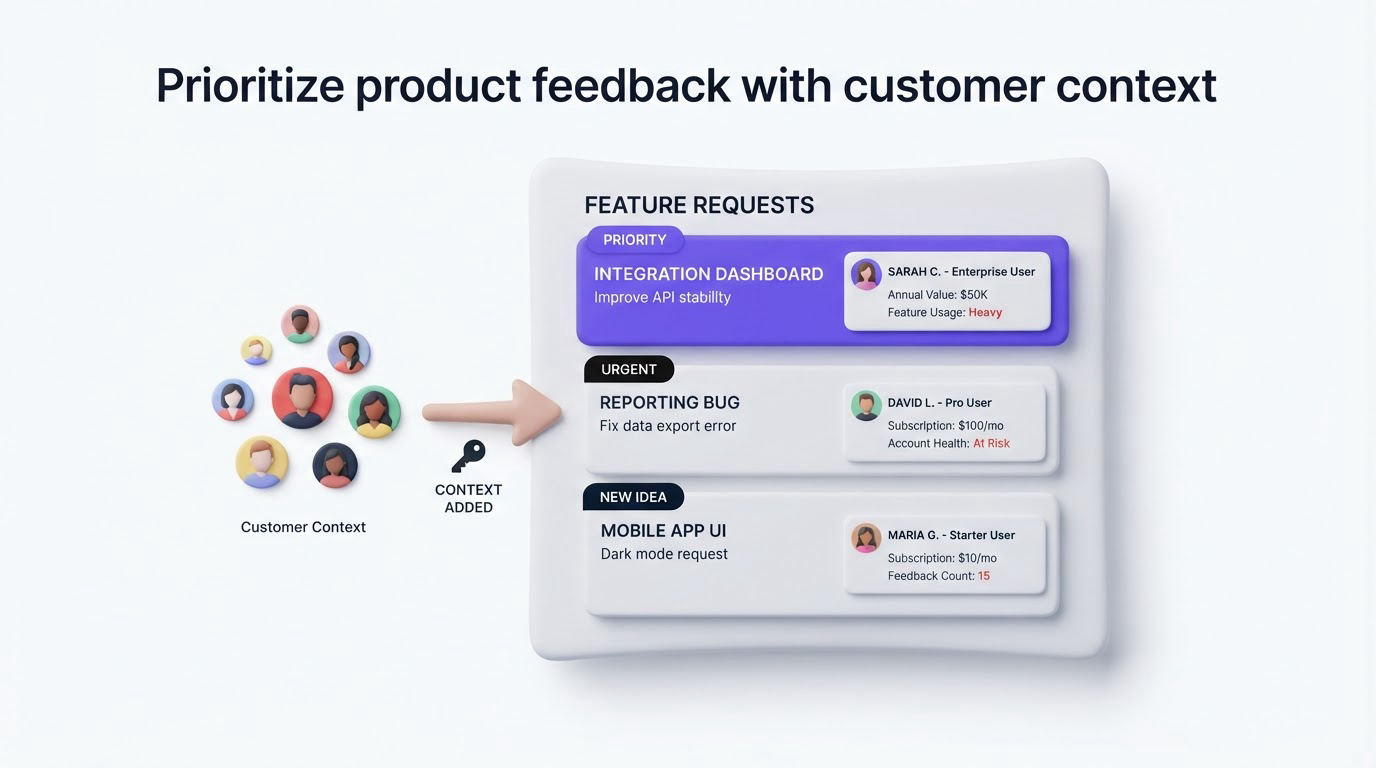
Prioritization needs a shared rubric. Give each request fields that reflect how your company makes product decisions. For many B2B teams, the core inputs are demand, strategic fit, revenue exposure, confidence, and delivery effort.
Here is how the illustrative team evaluates its consolidated calendar-sync request:
| Decision input | Evidence for calendar sync | Decision effect |
|---|---|---|
| Demand | 18 merged voters and recurring support conversations | Strong interest across the user base |
| Customer segment | Three agency accounts manage multiple calendars | High relevance for a target segment |
| Revenue context | Two active opportunities asked about conflict prevention | Add sales urgency for review |
| Strategic fit | Scheduling reliability is a stated product priority | Supports current direction |
| Delivery effort | Engineering estimates API work and conflict rules | Requires scoped discovery before commitment |
The team marks the request as under consideration rather than promising a date. Product then validates scope with five affected users, while engineering investigates calendar-provider constraints. That protects the roadmap from a commitment made on an incomplete estimate.
Use segments and feedback analytics to see who is asking, how demand changes, and which themes keep resurfacing. For a deeper scoring approach, read how to prioritize feedback by revenue, segment, and demand.
A common failure mode is treating the highest-voted post as an automatic build instruction. Give votes a place in the score, then weigh them alongside customer fit and product direction. Publish the decision status quickly, even when the outcome is a decline or a later review.
Run the product feedback platform workflow in Upvoty
Upvoty is built around the full customer-feedback loop, from request capture through release communication. Here is what the scheduling team’s process looks like inside the product.
First, it creates a branded portal and uses boards to separate general feedback from integration requests. Customers submit and vote in a shared place, while the team can moderate posts before they appear publicly.
Next, the product manager reviews incoming posts in the feedback dashboard, merges the 18 calendar entries, adds smart tags, assigns ownership, and records decision context in internal notes. The team retains the original voters, so the merged post remains the source of truth.
This view shows the operational side of managing feedback, including the queue a product team uses to organize requests before roadmap planning.
!Upvoty dashboard for managing product feedback and feature requests
When the request clears discovery, the team moves it to a public roadmap status. Customers can see that calendar sync is planned without receiving a promise that the team has yet to validate. Learn how to structure those expectations in this guide to a public product roadmap customers can trust.
Finally, once the capability ships, the team publishes a changelog update and notifies voters automatically. A clear release note explains what two-way sync covers, which calendar providers work, and any setup steps. The changelog feature keeps release communication connected to the original request, while automatic voter notifications remove the manual follow-up task.
Choose the right product feedback platform for your team
Evaluate platforms against the workflow your team will actually run. A portal alone captures ideas, while a complete process also needs organization, prioritization context, roadmap communication, and release follow-up.
Ask these questions during evaluation:
- Can customers search and vote before creating duplicate posts?
- Can your team merge related requests while retaining voter context?
- Can you distinguish segments, accounts, and internal evidence?
- Can public and private feedback follow different access rules?
- Can you connect feedback to roadmap and changelog updates?
- Can the portal match your domain, brand, and product language?
Canny, Featurebase, and Nolt are options buyers may encounter. Compare each product using a live workflow from your own backlog. Import a small set of real requests, ask one support teammate and one product manager to complete triage, then judge the effort required to reach a clear customer update. For a broader buying framework, see the practical guide to selecting product feedback tools.
Product feedback platform FAQs
What should a product feedback platform include?
Look for request collection, duplicate management, voting, moderation, customer context, prioritization fields, public or private access controls, roadmap publishing, and changelog communication. Integrations with the systems your team already uses can keep ownership and delivery work connected.
Should product feedback be public or private?
Use a public portal when community discovery and visible progress will help adoption. Use private boards for enterprise accounts, sensitive product areas, or internal planning. Many teams run both: public ideas for broad discovery and private spaces for account-specific feedback.
How do you close the customer feedback loop after a feature ships?
Change the request status, publish a release note, and notify everyone who voted or commented. Include a concise explanation of what shipped and any limits users should know. The guide on closing the feedback loop with a changelog provides a practical template for that handoff.
How often should product teams review feedback?
Review new submissions weekly, then run a deeper prioritization session every two to four weeks. The right interval depends on volume and release cadence. A visible, consistent cadence builds confidence for customers and keeps the backlog usable for the team.
Build one reliable path from request to release, then give customers visibility at each meaningful stage. Try Upvoty to collect feedback, prioritize it with context, and keep voters informed when work moves forward.