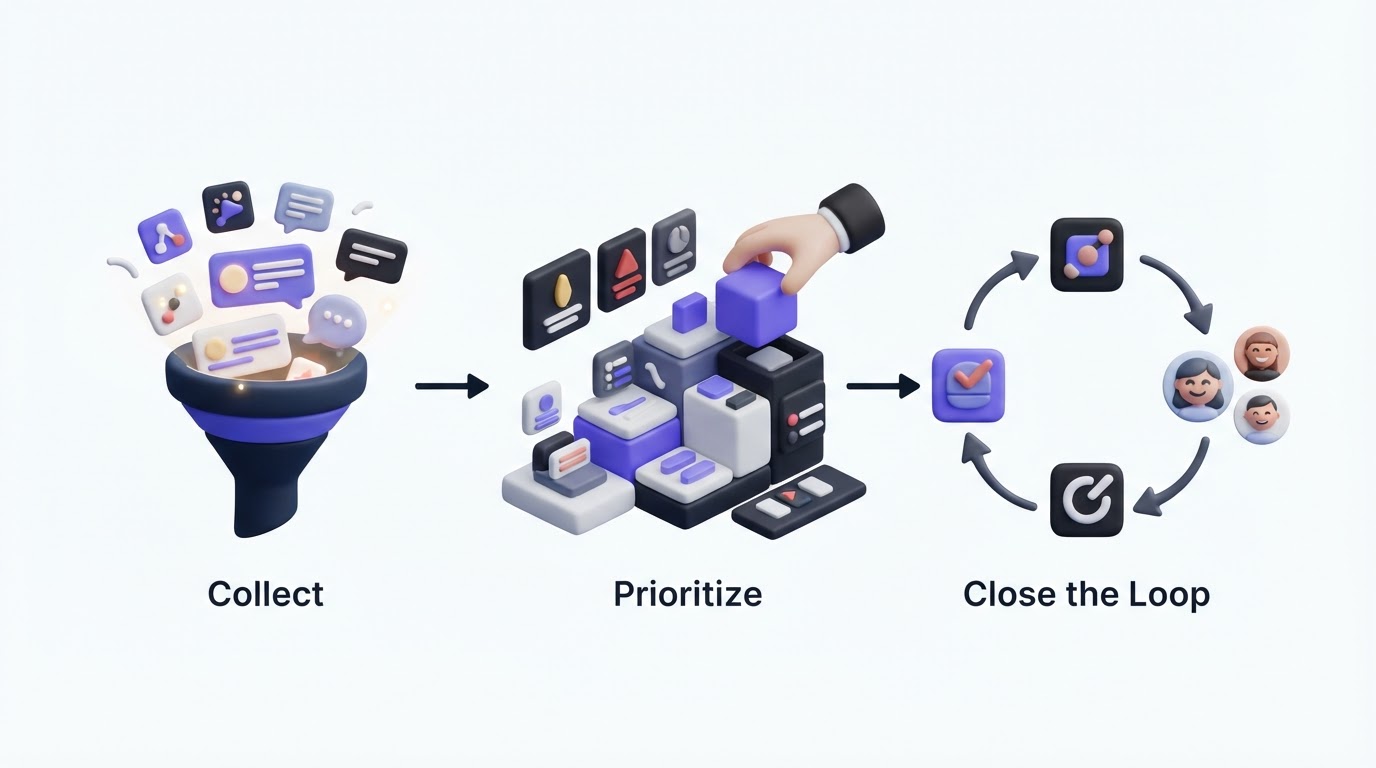
Feature requests often arrive through support tickets, sales calls, chat messages, and scattered spreadsheets. The product team loses the original context, customers submit the same idea repeatedly, and nobody knows whether an idea has been reviewed.
A feature request portal gives customers one place to submit ideas, vote on existing requests, and follow their status. Upvoty helps teams run that workflow through branded boards, internal prioritization, a roadmap, and release updates.
Quick answer: how to set up a feature request portal
- Create one board for each audience or product area that needs separate visibility.
- Add a clear submission form that captures the problem, use case, and relevant account context.
- Moderate and merge duplicate requests before votes fragment across similar posts.
- Review demand alongside customer segment, revenue, effort, and strategic fit.
- Publish selected work on a roadmap with status labels customers can understand.
- Notify voters when work ships, then document the release in a changelog.
Create a feature request portal customers will actually use
Start with a focused entry point. A portal called “Product Feedback” works well when customers have several types of input. Separate boards work better when requests differ sharply by product, such as an admin console and a mobile app.
Use plain labels: “Submit an idea,” “Vote,” “Planned,” and “Released.” Customers should be able to find similar requests before creating a new post. This concentrates demand on a shared problem instead of leaving your team with five lightly voted copies.
Consider RelayDesk, a fictional B2B scheduling platform. Its team launched feedback.relaydesk.example with a single general board. Within two weeks, “Google Calendar two-way sync” appeared four times, each with a few votes. The team changed the form to ask, “Which calendar provider and workflow are affected?” They merged the duplicate posts into one canonical request and retained the original comments. That record showed that the request came largely from multi-location operations teams, which shaped the eventual scope.
A public portal needs sensible privacy boundaries. Keep sensitive account details, security reports, and individual support cases out of public posts. Create a private board for customer advisory groups or internal teams when those conversations require restricted access. For personal data collected through a form, limit fields to what the decision requires and document the purpose. Teams serving EU users can use the GDPR data-processing principles as a practical baseline.
Make the portal easy to use with a keyboard, descriptive form labels, and readable color contrast. The W3C WCAG 2.2 guidance provides useful criteria for public-facing interfaces.
!Public voting boards for feature requests and product feedback
Explore how Upvoty feedback boards can provide a branded home for feature requests and discussions.
Collect better feature requests in your portal
A short request title and an open text box create volume, yet they rarely create enough evidence for a product decision. Ask for the situation behind the request. RelayDesk changed “Describe your idea” to three prompts: what task the customer was trying to complete, where the current workflow breaks down, and what result they need.
That small change revealed a key detail. People asking for two-way sync were trying to avoid booking conflicts across locations. A broad calendar integration would have addressed only part of the problem. The team could now evaluate availability conflict handling as the core job to solve.
Keep the public form short. Ask follow-up questions privately when a post reaches a review threshold or when a sales-owned account needs context. If feedback originates inside the product, place an in-app feedback widget near the workflow where the frustration occurs. Context collected at that moment is often more useful than a vague request submitted days later.
Moderation keeps the portal credible. Review new posts regularly, edit unclear titles with care, merge close duplicates, and explain why a post was merged. Avoid deleting a legitimate request simply because it falls outside the current plan. A status such as “Under review” gives customers an accurate signal without creating a delivery commitment.
Prioritize feature requests with evidence beyond votes
Votes indicate the visible demand in your portal. Product prioritization needs a wider view. A request from 30 free users and a request from three enterprise accounts can call for very different conversations.
Use a consistent review record for each candidate:
- Vote count and voter comments
- Customer segment and account significance
- Frequency and severity of the underlying problem
- Strategic fit and product dependencies
- Delivery effort, risk, and maintenance cost
RelayDesk initially ranked calendar sync first because it had 42 votes. During review, the team found that 31 voters used a basic plan and described occasional inconvenience. A smaller request, “prevent double-booking across shared rooms,” had 11 votes from teams that scheduled hundreds of appointments each week. The team selected conflict prevention first, then kept the sync request visible as a related future improvement.
| Signal | What it tells you | How RelayDesk used it |
|---|---|---|
| Votes | Visible demand from portal users | Combined duplicate requests into one count of 42 |
| Comments | Language, urgency, and use cases | Identified double bookings as the recurring operational issue |
| Segment | Which customers face the issue | Found multi-location teams had the strongest need |
| Effort and dependencies | Delivery risk and sequencing | Built conflict prevention before the broader sync work |
Set a regular review cadence. A weekly triage for new posts and a monthly planning review is enough for many SaaS teams. Assign an owner to every post that enters active consideration. For a deeper scoring approach, see how to prioritize customer feedback by revenue, segment, and demand.
Turn your feature request portal into a roadmap customers can follow
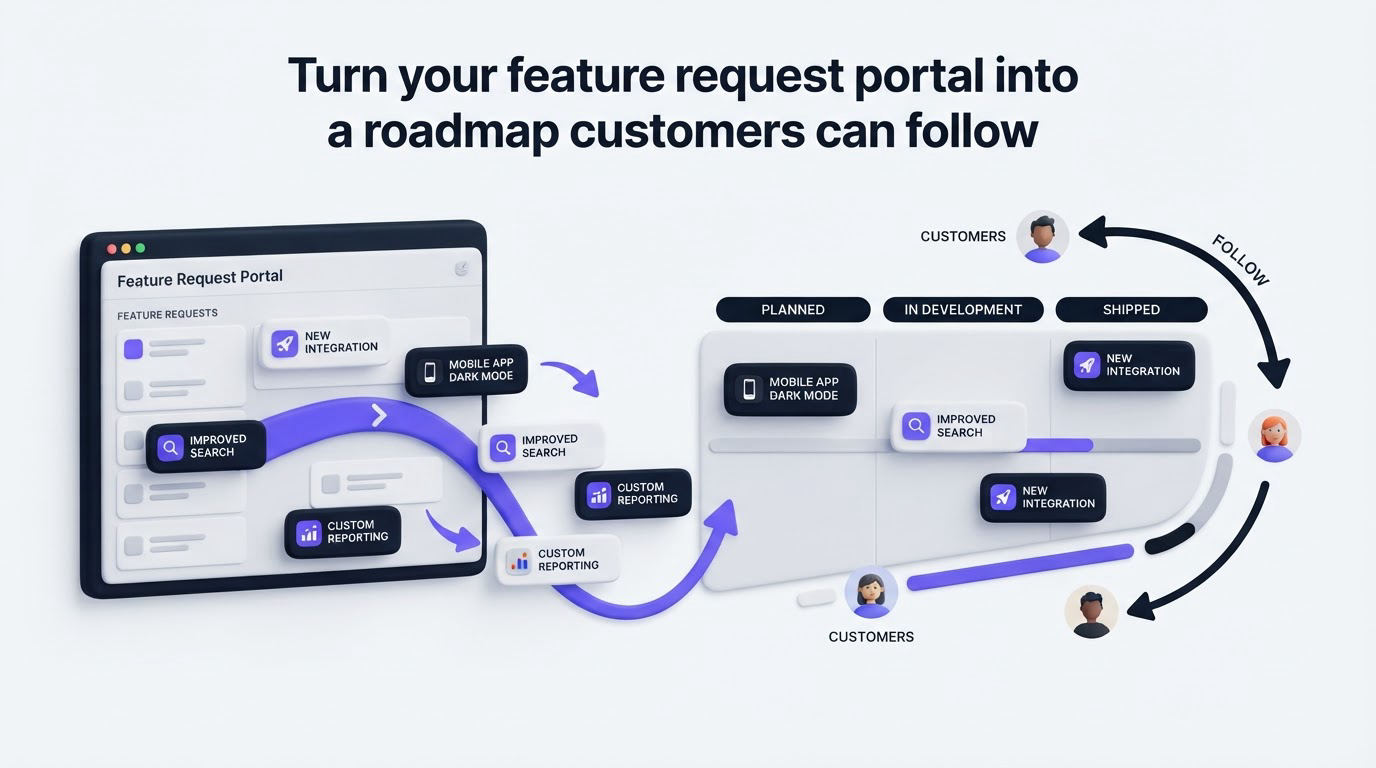
After a decision, show only the amount of detail customers need. A public roadmap can use simple stages such as Under Consideration, Planned, In Progress, and Released. Leave speculative ideas in the portal until they earn a real product decision.
The risk comes from treating a requested feature as a promise. RelayDesk put “Google Calendar two-way sync” on its roadmap before the team had resolved data-conflict rules. Customers read the card as a committed release date. The team moved it back to Under Consideration, added a clear explanation, and published conflict prevention as the immediate plan. Specific status language reduced follow-up tickets because customers could see the real state of work.
Use a public product roadmap to connect a selected request to its delivery status. Then publish released work in a changelog and notify the people who voted. The workflow shows customers that their input reaches a real decision process. Read how to build a public product roadmap customers can trust for guidance on setting expectations without overcommitting.
How Upvoty runs the feature request portal workflow
Upvoty brings the customer-facing and internal parts of this process into one product. Start by creating a portal and configuring public or private access, a custom submission form, and the boards your audiences need. The portal demo shows the customer experience.
Customers submit posts and vote for existing ideas. Your team then reviews the feedback in the dashboard, merges related posts, applies tags, adds internal notes, and assigns ownership or priority. Segments help you compare demand across the customer groups that matter to your business.
Next, move validated initiatives onto the roadmap when they are ready for customer visibility. Keep the card’s status current as work progresses. Once the work is released, publish a changelog entry and use automatic voter notifications to close the loop with everyone who supported the request.
!Feedback management dashboard showing requests and analytics
This sequence keeps the evidence, decision, status, and release communication connected. Teams that need feedback from support or product systems can also review Upvoty integrations before choosing their setup.
Common feature request portal mistakes
The most frequent failure is a portal that collects ideas but receives no visible attention. Set an owner and review rhythm before inviting customers. Even a short moderator response signals that a person has read the request.
Another failure is letting duplicates accumulate. Search, merge, and preserve the useful comments. Customers lose confidence when the same problem appears in many places and each post looks ignored.
Avoid voting alone as the roadmap. Votes are one input among many. Use them to identify patterns, then examine the customer problem, commercial context, implementation effort, and product direction.
Finally, keep status updates accurate. “Planned” should mean the team has chosen the work. “Under consideration” gives you space to learn without implying a release date. When you publish updates consistently, a changelog becomes part of the feedback system rather than a separate announcement channel. See the practical steps for closing the customer feedback loop with a changelog.
Feature request portal FAQ
What should a feature request portal include?
Include a searchable submission board, voting, comments, moderation, status labels, internal review tools, and a roadmap or changelog connection. Private access and customer segmentation are useful when different audiences require different visibility.
Should feature requests be public or private?
Public portals work well when you want customers to discover shared demand and follow visible progress. Private portals suit beta groups, enterprise accounts, internal teams, or sensitive product areas. Many teams use both: a public board for broad ideas and a private board for structured customer research.
How often should product teams review feature requests?
Review new submissions weekly so duplicates and unclear posts receive prompt attention. Hold a larger prioritization review monthly or alongside your planning cycle. Keep the cadence realistic enough that the portal remains current.
Can customers see why a request was declined?
Yes. A short, respectful explanation helps customers understand the product direction and prevents repeated submissions. Share the rationale when it is safe to do so, especially when a request conflicts with security, product scope, or a planned alternative.
Set up a focused portal, give every request a clear review path, and publish progress customers can verify. Start with Upvoty to collect requests, prioritize the work that fits your strategy, and keep voters informed through release.