
A merchant asks whether bulk editing is coming. Another asks for the same feature two days later through chat, followed by an email asking for an ETA. When feature plans live only in Slack, Linear, or a founder's memory, every answer becomes a manual support task.
A public roadmap for Shopify apps gives merchants one reliable place to see what is being considered, what is being built, and what has shipped. Upvoty helps teams connect those roadmap updates to the requests and votes behind them.
Quick answer: how to create a public roadmap for Shopify apps
Use this workflow to publish a useful roadmap without exposing your entire internal product plan:
- Collect repeated merchant requests in one feedback board and merge duplicates.
- Group requests into customer-facing problems rather than internal engineering tasks.
- Select a small set of validated items for the public roadmap.
- Publish each item with a clear status, scope, and expectation level.
- Link support replies, help articles, and in-app messages to the relevant roadmap item.
- Update status at meaningful milestones and publish a changelog entry when work ships.
1. Collect Shopify app requests before publishing a roadmap
A roadmap only earns trust when it reflects a real request pipeline. Start by moving recurring questions out of inboxes and into a shared location where the product and support teams can see the same demand.
For example, consider a Shopify returns-management app. Merchants keep asking for automatic return-status emails that use their store's branding. Support has logged variations of the request in Intercom, email, and app reviews:
- “Can customers get a return received email?”
- “We need branded return notifications.”
- “Please send updates when a refund is approved.”
Create one request called Branded automated return-status emails. Merge the variations into that request, preserve the useful context, and invite each merchant to vote. A single vote total now represents the demand that was previously scattered across support conversations.
Use a public board for broadly relevant merchant requests. Keep account-specific workflows, security reports, and merchant data issues in a private process. Upvoty's feedback boards give teams a dedicated place for merchants to submit and discuss requests without turning a support inbox into a product backlog.
A good request title describes the outcome a merchant wants. “Add event listener for notification service” belongs in an internal ticket. “Send branded updates at each return stage” gives merchants language they can recognize and vote for.
For a fuller intake and deduplication process, read How to Collect, Organize, and Prioritize Feature Requests.
2. Choose roadmap items that set clear expectations
Your internal backlog may contain dozens of tasks for one customer-facing capability: API changes, Shopify webhook handling, email templates, settings screens, permissions, QA, and documentation. Publish the capability, then retain the technical breakdown internally.
For the returns app example, the public item could say:
> Branded return-status emails > Let shoppers receive emails when a return is received, approved, refunded, or rejected. Merchants will be able to customize logo, sender name, and message content.
That description answers three merchant questions immediately: what the feature does, which moments it covers, and where configuration will happen. It also draws a boundary around scope. A request for SMS notifications can remain a separate item instead of becoming an assumed part of this work.
Select public items using more than vote totals. Votes show breadth of interest. Support frequency reveals operational pressure. Revenue segment, plan type, merchant category, strategic fit, implementation effort, and dependencies all shape the decision.
A request with 20 votes from active Shopify Plus merchants may deserve closer review than one with 80 votes from trial accounts. Track those signals internally and explain the high-level decision publicly without exposing merchant data. The framework in How to Prioritize Customer Feedback by Revenue, Segment, and Demand helps teams weigh these inputs consistently.
Keep the public roadmap focused. Around five to 12 active items usually gives merchants enough visibility while leaving room for priorities to change. A crowded roadmap creates more interpretation work for support because every card invites questions about timing and scope.
3. Publish roadmap statuses merchants can act on
Status labels carry more weight than most teams expect. Each label should tell a merchant whether to vote, plan around the capability, test it, or use an available workaround.
Use a consistent status model across your public roadmap for Shopify apps:
| Status | Use it when | What merchants should infer | Returns app example |
|---|---|---|---|
| Under consideration | Demand and feasibility are being evaluated | Vote and add use-case context | Branded return-status emails |
| Planned | The team has committed the item to a future cycle | The capability is expected, with timing still flexible | Custom email templates |
| In progress | Active design, development, or QA work has started | Follow the item for updates | Return-event email triggers |
| Released | The feature is available to eligible merchants | Read the release notes and configure it | Branded status emails are live |
Avoid calendar dates unless a release window is genuinely firm. Shopify app work can shift when platform changes, API dependencies, review requirements, or production issues take priority. “Planned for Q3” creates a concrete expectation. “Planned” leaves necessary room for sequencing while still showing a decision.
Write a short update whenever status changes. For example: “We completed the event model and are building the template editor. The first release will cover received, approved, and refunded events.” This level of detail gives support a dependable answer and tells merchants how the scope is progressing.
Shopify app teams should also account for platform rules while setting expectations. Shopify's App Store requirements cover areas such as app quality, merchant-facing information, and review expectations. Leave flexibility for that work when deciding which roadmap items receive a public time commitment.
4. Turn repetitive support questions into roadmap traffic
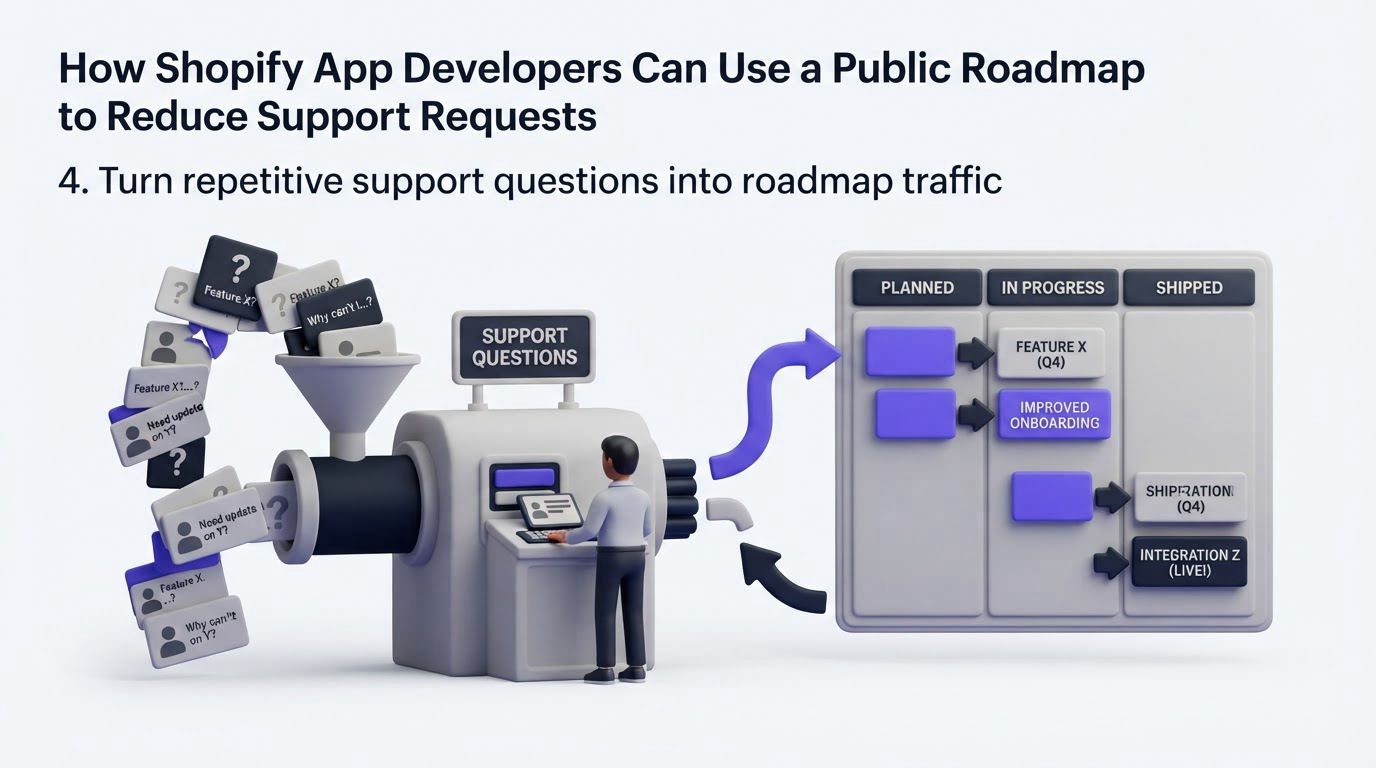
A roadmap reduces support requests when the support team actively uses it. Place the roadmap link where merchants already look for answers: in your help center, support macros, onboarding emails, and in-app navigation.
When a merchant asks about branded return emails, support can answer with a short, useful reply:
> We are building branded return-status emails. You can follow progress and add your use case on our roadmap: [roadmap item link].
The link gives the merchant a current answer and routes their context to the product team. It also prevents support from making individual promises that later drift from the actual plan.
Create a macro for each recurring feature-status topic. Update the macro whenever the roadmap status changes. For high-volume requests, add a link inside the relevant product screen. A merchant configuring return rules is more likely to find an email-notification roadmap item there than in a general resources menu.
Support can still answer questions that require account review, troubleshooting, or an urgent workaround. The roadmap handles the repeated product-direction question. It should never become a reason to leave a merchant without help.
5. Keep your public roadmap for Shopify apps accurate
Set an operating cadence before publishing. A roadmap with stale “in progress” cards creates fresh tickets because merchants will ask whether the status still applies.
Review public items every two weeks with product and support. Check whether development has started, paused, changed scope, or shipped. Add a dated note after a meaningful development milestone. Archive requests that no longer fit the product direction and explain the decision briefly and respectfully.
For the returns app, suppose engineering finds that Shopify email permissions require a different approach than expected. Update the roadmap item: “We are revising the delivery approach to support reliable event notifications. The item remains planned, and we will share the next milestone here.” Merchants receive an honest update, while support has language that reflects the current situation.
When the feature is available, move it to Released and publish a changelog entry with setup instructions, eligibility, and limitations. Pairing a roadmap with release communication closes the loop for voters and turns delivery into a discoverable update. See How to Close the Customer Feedback Loop with a Changelog for the handoff from request to announcement.
If your board collects merchant names, emails, or account context, define who can view and export that information. Shopify's guidance on privacy law compliance for apps is a useful reference when designing data handling around customer feedback.
How Upvoty runs this workflow for Shopify app teams
Upvoty provides a connected path from merchant request to visible release update. The practical advantage comes from keeping the customer-facing parts of the workflow together.
First, create a feedback board for Shopify merchants and add categories that match your product areas, such as returns, subscriptions, fulfillment, reporting, and integrations. Merchants can submit requests and vote on existing ones, which reduces duplicate submissions.
Next, review similar posts, merge duplicates, and use internal context to decide which requests belong on the roadmap. A public post can then move through customer-facing statuses without exposing your internal tickets or implementation details.
This screenshot shows the customer-facing view that merchants can use to check what is coming next.
!Upvoty public roadmap showing planned and in-progress product updates
Use Upvoty's roadmap feature to present selected items and statuses, then add release notes through the changelog when a capability is ready. Voters can receive updates as the request advances, so support does not need to manually revisit every original conversation.
For teams gathering input inside the app, the Shopify customer feedback workflow shows how to place feedback collection closer to the merchant's actual task. That placement often produces better requests because the merchant can describe the exact workflow they are trying to complete.
Common mistakes with a public roadmap for Shopify apps
Publishing every backlog ticket is the fastest route to an unusable roadmap. Merchants need product outcomes and dependable statuses, while teams need space to explore implementation options privately.
Another frequent issue is treating votes as an automatic build order. A high-vote request deserves attention, yet it may conflict with platform constraints, serve a narrow segment, or create a large maintenance burden. Explain the decision through roadmap updates rather than leaving popular posts untouched.
Teams also lose trust by keeping “in progress” on an item after work has paused. Change the status, add a short explanation, and invite affected merchants to follow the item. Honest movement builds more credibility than a silent card that appears permanently active.
Finally, avoid using the roadmap as a release archive. Keep shipped work in a changelog, where merchants can find instructions and details. The roadmap should make the next decisions visible.
FAQ about public roadmaps for Shopify apps
Should every Shopify app have a public roadmap?
A public roadmap works especially well for apps with recurring feature requests, several customer segments, or a support team that repeatedly answers product-direction questions. A smaller app can begin with a compact board of three to five active items and grow the process as request volume increases.
What should Shopify app developers put on a public roadmap?
Publish customer outcomes that affect many merchants, such as a new reporting view, an integration, a workflow automation, or expanded notification controls. Keep security work, infrastructure upgrades, merchant-specific commitments, and early technical investigations private until there is a clear customer-facing outcome to share.
How often should a Shopify app roadmap be updated?
Review active items at least every two weeks. Update immediately when an item enters development, changes material scope, pauses, or ships. A dated update is often enough to answer the questions merchants would otherwise send to support.
Can a public roadmap include target release dates?
Use a target date only after the team has enough confidence in scope, dependencies, and release readiness. Many Shopify app teams get better results from status-based updates and broad release windows because they can maintain accuracy when priorities change.
How do feature votes help with Shopify app prioritization?
Votes reveal which problems are shared across merchants and give voters a direct channel for adding context. Review votes alongside account segment, support volume, strategic fit, development cost, and Shopify platform dependencies before committing an item to the roadmap.
A public roadmap works best when support, product, and delivery teams share ownership of its accuracy. Use Upvoty to collect merchant requests, publish the priorities worth sharing, and notify customers as work moves from consideration to release.


