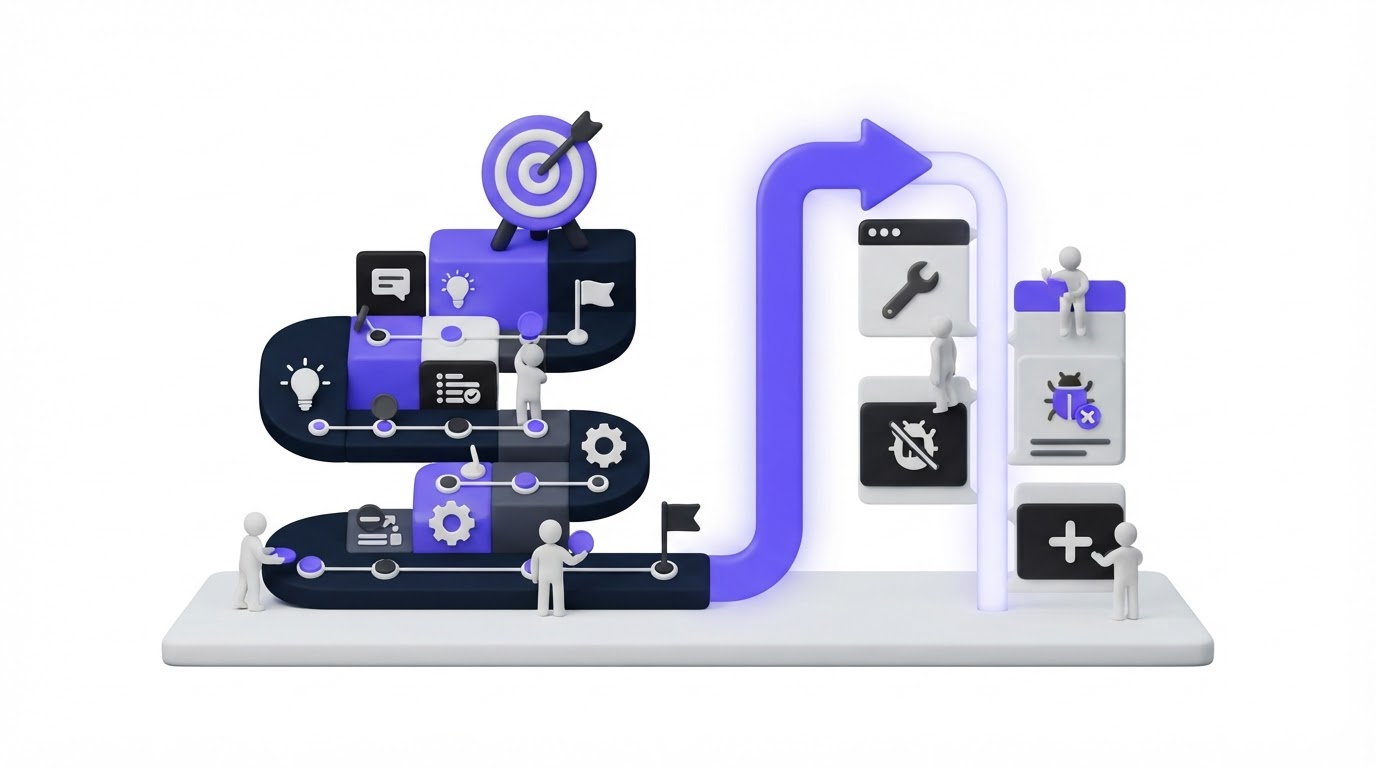
A customer submits a feature request, sees it gather votes, and then hears nothing for six months. Meanwhile, the product team ships the feature but publishes the release update in a separate place with no connection to the original request.
That gap creates repeat questions for support, duplicate requests, and uncertainty for customers trying to plan around your product. Upvoty keeps feedback, roadmap statuses, and changelog posts in one customer-facing workflow.
Quick answer: how to connect your roadmap and changelog
Use roadmap and changelog software as one continuous workflow:
- Collect and merge related feature requests into one clear feedback item.
- Set a customer-visible status when the team decides to consider or plan the item.
- Add the planned item to the roadmap with a scope customers can understand.
- Move the same item through development statuses as work progresses.
- Publish a changelog entry when the release is live and notify the people who requested it.
- Review follow-up feedback to improve the next iteration.
Why disconnected roadmaps and changelogs create customer confusion
A feedback board answers, “What are customers asking for?” A roadmap answers, “What are we actively considering or building?” A changelog answers, “What became available?” Customers need all three answers when they are deciding whether to wait, renew, expand their use of a product, or find a workaround.
When these tools sit in separate systems, each handoff relies on someone remembering to update another page. Product managers may mark a ticket as complete in their delivery tool. Support may receive no release context. Customers keep voting on a request that has already shipped under a different name.
A connected workflow gives every stage a visible link. It also gives teams a disciplined way to communicate uncertainty. A roadmap item can say “Planned” without promising a release date. A changelog entry can say exactly what shipped, who can use it, and where to find it.
For customers, this produces a simple, credible story: “I asked for this, the team evaluated it, they worked on it, and it is now available.” Read how to build a public product roadmap customers trust for guidance on setting those expectations without turning a roadmap into a calendar of commitments.
How roadmap and changelog software should work, step by step
The workflow starts before anything appears on a roadmap. Clean input makes every later status more useful.
1. Turn duplicate requests into one decision-ready item
Consider a fictional expense-management SaaS called LedgerLane. Its customers submit requests such as “approval chains for subsidiaries,” “multiple legal entities,” and “regional approvers.” The wording differs, while the underlying job is the same: route expenses through entity-specific approval rules.
Merge those submissions into one feedback item called “Multi-entity approval rules.” Preserve the linked voters and their comments. The product team now has one place to assess demand, customer segment, revenue context, implementation effort, and strategic fit.
Give the item a specific outcome rather than a solution label. “Configure approval rules by legal entity” helps customers recognize their need and gives engineering room to determine the implementation. For a fuller intake process, see this guide to organizing and prioritizing feature requests.
2. Use statuses that describe an actual decision
Each status should answer a customer question. “Under Review” tells LedgerLane customers the team is evaluating the request. “Planned” tells them it has entered product planning. “In Progress” signals active delivery work. “Live” confirms availability.
Avoid vague labels such as “Maybe,” “Future,” or “Interesting.” They create room for competing interpretations and leave support teams unable to give a useful answer. Use a short status description when scope, access, or timing needs clarification.
Set a cadence for status reviews. A monthly review may suit a small team, while a team with weekly releases may update statuses during its regular planning cycle. The important operational rule is ownership: assign one person to update the customer-facing state when a decision occurs.
3. Put planned work on a roadmap customers can read
When LedgerLane commits the multi-entity work to a product cycle, add it to the public roadmap. Describe the customer result, such as “Set approval flows by legal entity,” rather than exposing internal epics, technical dependencies, or sprint labels.
A roadmap works best at the level of direction and outcomes. Customers get enough information to make plans. The team retains room to sequence work and adjust implementation as new evidence arrives. Upvoty’s roadmap feature lets teams present these status-based items alongside the feedback that informed them.
| Workflow stage | Internal team action | What the customer sees | LedgerLane example |
|---|---|---|---|
| Submitted | Merge related requests and review evidence | A request they can vote on and follow | Multi-entity approval rules |
| Under Review | Assess demand, strategy, and delivery effort | The request is being evaluated | Product team validates entity model |
| Planned | Add outcome to a roadmap column | Intent to deliver, without a fixed promise | Approval flows by legal entity |
| In Progress | Build, test, and prepare documentation | Active work is underway | Admin configuration is in development |
| Live | Publish release details and notify requesters | What shipped and how to use it | Entity-level rules are available |
4. Publish the changelog from the released item
When LedgerLane releases entity-level rules, create a changelog post with the final name, the available plan or permissions, setup steps, and any limits customers should know. Link to relevant documentation or product screens where appropriate.
The changelog should address the finished capability, which may differ from the original request wording. In this example, “Multi-entity approval rules” becomes “Approval rules by legal entity.” Keep the underlying feedback item connected so original voters can recognize the outcome.
A clear release post is especially useful for users who never visit a roadmap. It gives customer success and support a durable URL to share in conversations. This article on closing the customer feedback loop with a changelog explains how to write updates that answer the questions requesters actually have.
5. Notify requesters and collect the next layer of feedback
Send a release notification to the customers who voted for or followed the request. The message should name the outcome, link to the changelog, and invite practical feedback after use.
For LedgerLane, a useful notification would say that entity-specific approval flows are live, explain where administrators configure them, and link to the release notes. Customers who expected a different variation can then add focused follow-up requests instead of reopening the original conversation with broad comments.
A real-world use case: product feedback for painting quote software
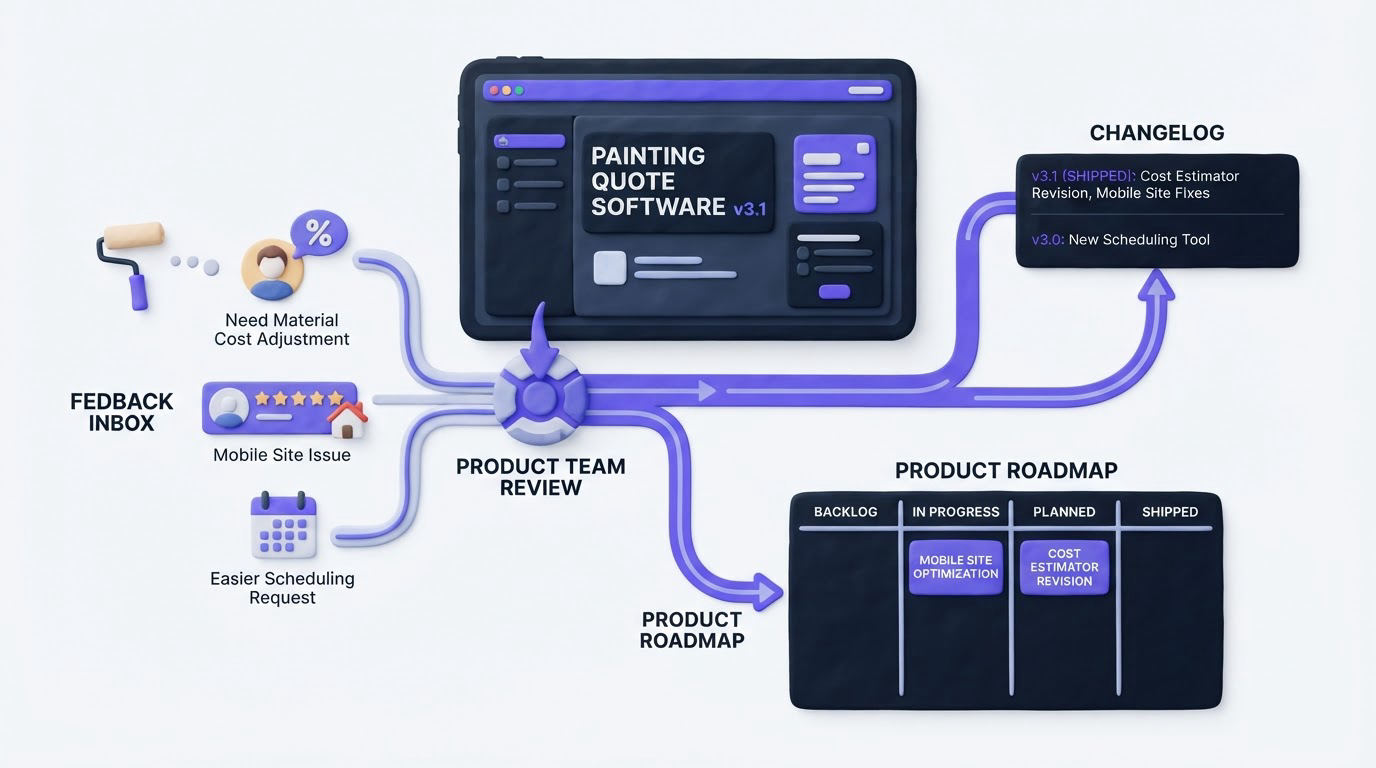
A team building quote-request software for home-service businesses can use this same flow to avoid a common product communication problem. Homeowners often arrive with urgent, highly specific questions: “precio pintar piso completo,” “cuánto cuesta pintar un piso de 90 metros,” or “precio pintar una habitación.” They need a clear estimate process, while painting businesses need enough project details to scope the work accurately.
Imagine that customers of the software request a room-by-room calculator, photo uploads, and separate fields for interior walls, ceilings, and facades. The team merges those requests into an “Improved painting estimate intake” item, places it under review, then moves it to the roadmap when the scope is approved. A later changelog entry can explain that homeowners can now submit room dimensions and surface details before requesting a quote.
This workflow also helps teams validate the language customers use. Someone looking for a presupuesto pintor de casas or pintores profesionales en andalucía needs clear scope information before making a decision. A homeowner can use guidance on painting a complete apartment and requesting a painter’s quote to frame those needs, while the software team turns repeated questions into structured feedback. The resulting roadmap item has stronger evidence, and the release announcement can explain the practical improvement in terms customers already understand.
How Upvoty connects feedback, roadmap status, and changelog updates
A connected workflow reduces the manual work of copying titles, links, and customer lists between separate tools. Here is how the LedgerLane process would run in Upvoty.
First, customers submit and vote on requests through feedback boards. The product team merges related submissions, adds internal context, and uses voter demand to inform prioritization.
Next, the team changes the item’s status as its decision changes. When the work is planned, the item can appear on the public roadmap with an outcome-focused title and a customer-appropriate description. Customers can return to the same item rather than searching a separate planning page.
This product view shows how roadmap entries can be organized by status for customers.
!Upvoty public roadmap organized by product status
When the release is ready, the team publishes the delivery update through Upvoty’s changelog feature. The post can include formatted release information and links that help customers adopt the capability. The release closes the visible path that began with the request.
Finally, use automatic voter notifications to tell interested customers about the status change or released feature. This is where the connected model pays off: the audience already exists because people followed the request when it mattered to them.
Keep private planning details private. Customer-facing information should cover the problem, delivery state, and released outcome. Internal discussion, estimates, security considerations, and changing implementation tasks belong in the team’s delivery workspace.
Common mistakes when connecting a roadmap and changelog
The first mistake is publishing a roadmap item only after development starts. Customers lose visibility into the decision phase, and support loses a useful place to direct repeated questions. Add items when the team has made a genuine planning decision.
The second is treating “Live” as the final administrative step. A release needs a changelog entry that explains the outcome and a notification for the people who raised the need. Assign release communication ownership as part of the delivery checklist.
The third is letting terminology drift. If the board says “Export reports to CSV,” the roadmap says “Reporting improvements,” and the changelog says “Data extracts,” customers may miss the connection. Keep an identifiable customer phrase in each stage, even when the title evolves.
The fourth is using color as the only status signal. Write the status name in text and explain key changes in plain language. The W3C guidance for status messages explains why programmatically conveyed updates support people using assistive technologies.
The fifth is collecting identifiable feedback without a clear privacy process. Collect only the data needed to manage the request, explain the purpose, and set access rules for the team. The European Commission’s GDPR overview provides a useful starting point for teams handling customer data from EU users.
FAQ about roadmap and changelog software
Should every feature request go on the public roadmap?
No. Put items on the roadmap after a meaningful planning decision. Early requests can remain on the feedback board while the team evaluates demand, feasibility, and product fit. This prevents the roadmap from becoming a long list of uncommitted ideas.
When should a roadmap item become a changelog post?
Publish the changelog post when customers can use the capability. Include any rollout conditions, required permissions, setup steps, or known limits. If availability is phased, state which customers have access and when others can expect it.
Can we keep an internal roadmap and a public roadmap?
Yes. Internal roadmaps can include dependencies, effort, owners, dates, and delivery risks. Public roadmaps should focus on customer outcomes and meaningful status changes. The two views can share underlying work while serving different audiences.
How do we prioritize requests before adding them to the roadmap?
Review demand alongside customer segment, revenue relevance, strategic direction, support burden, and delivery effort. Raw vote totals provide one signal. Use the framework in customer feedback prioritization by revenue, segment, and demand to make the decision process more defensible.
What should a product changelog include?
Write a short customer-facing title, explain the capability or fix, identify who can use it, and link to setup guidance where useful. Screenshots help when the release changes a visible workflow. Keep technical implementation detail for engineering documentation unless it changes customer behavior.
Connect each request to a visible status and every completed item to a release announcement. Build the full feedback-to-release workflow with Upvoty so customers can follow what happens after they speak up. Read next: Feedback Collection Software for Product Teams.


