
A customer hits a rough edge in your product, sends a message to support, and the detail disappears into a ticket queue. Weeks later, product planning starts with partial evidence and repeated requests spread across inboxes, calls, and spreadsheets.
A customer feedback widget gives customers a direct place to share ideas while the problem is fresh. Upvoty brings those submissions into a structured workflow where your team can review demand, connect related requests, publish progress, and notify the people who asked.
Quick answer: how to use a customer feedback widget
Set up the workflow in this order:
- Place the widget on the product pages where customers experience the relevant workflow.
- Ask for a clear problem, desired outcome, and optional supporting context.
- Send each submission to a feedback board and check for an existing request before creating a new one.
- Let customers vote, then review demand alongside customer segment and revenue context.
- Assign a status, share selected plans on a roadmap, and publish shipped updates in a changelog.
- Notify voters when progress changes so every request has a visible outcome.
How a customer feedback widget works inside your product
The widget should meet customers in context. Put it beside the workflow that creates the question, such as a reporting screen, onboarding step, or integration settings page. A persistent launcher works well for broad input; a contextual prompt works well after a completed action or a repeated error.
Keep the form short. Ask customers to describe the outcome they want and what blocks them today. Capture their account identity from your app when available. Product teams can then see whether a request comes from a trial user, a long-term customer, or a key segment.
The submission needs a destination. Send it to a board where customers can discover related posts and vote. This reduces duplicate requests and turns scattered opinions into a shared demand signal. A feedback board also gives support a reliable URL to share instead of asking customers to repeat themselves.
Buttons, labels, focus states, and error messages carry real weight in a small embedded interface. Build the trigger and form around the requirements in the W3C WCAG 2.2 standard, and use native button behavior where possible, as described in MDN's button element guidance. Test the complete submission flow with a keyboard before release.
A worked example: feedback on report exports
Consider a B2B analytics SaaS with a report page at app.example.com/reports/monthly. Customers repeatedly export CSV files and then prepare them for finance teams.
The product team adds a feedback launcher labeled "Suggest an improvement" on that page. A customer submits: "Schedule monthly exports to email." Before the post appears, the widget surfaces a close match called "Email scheduled reports." The customer votes for the existing request and adds context: "Needed for month-end close."
That detail changes the decision. The team now has one request rather than two near-identical cards, a vote count that represents demand, and a use case tied to a specific workflow. Support can add further context from similar conversations without turning the board into a second ticketing system.
Where to place a customer feedback widget
Placement determines the quality of the input. A generic link in the footer can collect ideas, yet product teams need contextual feedback too.
| Product moment | Widget placement | Prompt to use | What the team learns |
|---|---|---|---|
| After onboarding | Completion screen | "What stopped you from finishing faster?" | Friction in activation |
| During a core workflow | Persistent launcher | "What would make this task easier?" | Improvements tied to daily use |
| After an error or limitation | Inline prompt near the message | "What were you trying to do?" | Missing capabilities and confusing constraints |
| On an integration page | Beside connection settings | "Which integration should we support next?" | Ecosystem demand |
| In an account area | Feedback link in navigation | "What should we improve next?" | Broad ideas from active users |
For the example above, place the launcher on /reports/monthly rather than every page in the app. The message then asks about reporting, which produces useful detail instead of a vague suggestion such as "make exports better."
Avoid interrupting customers with a modal on every login. Use event-based prompts carefully and provide a visible route to feedback whenever users need it. Repeated interruption lowers response quality and can make the widget feel like an obstacle.
How to collect feature requests without creating a backlog mess
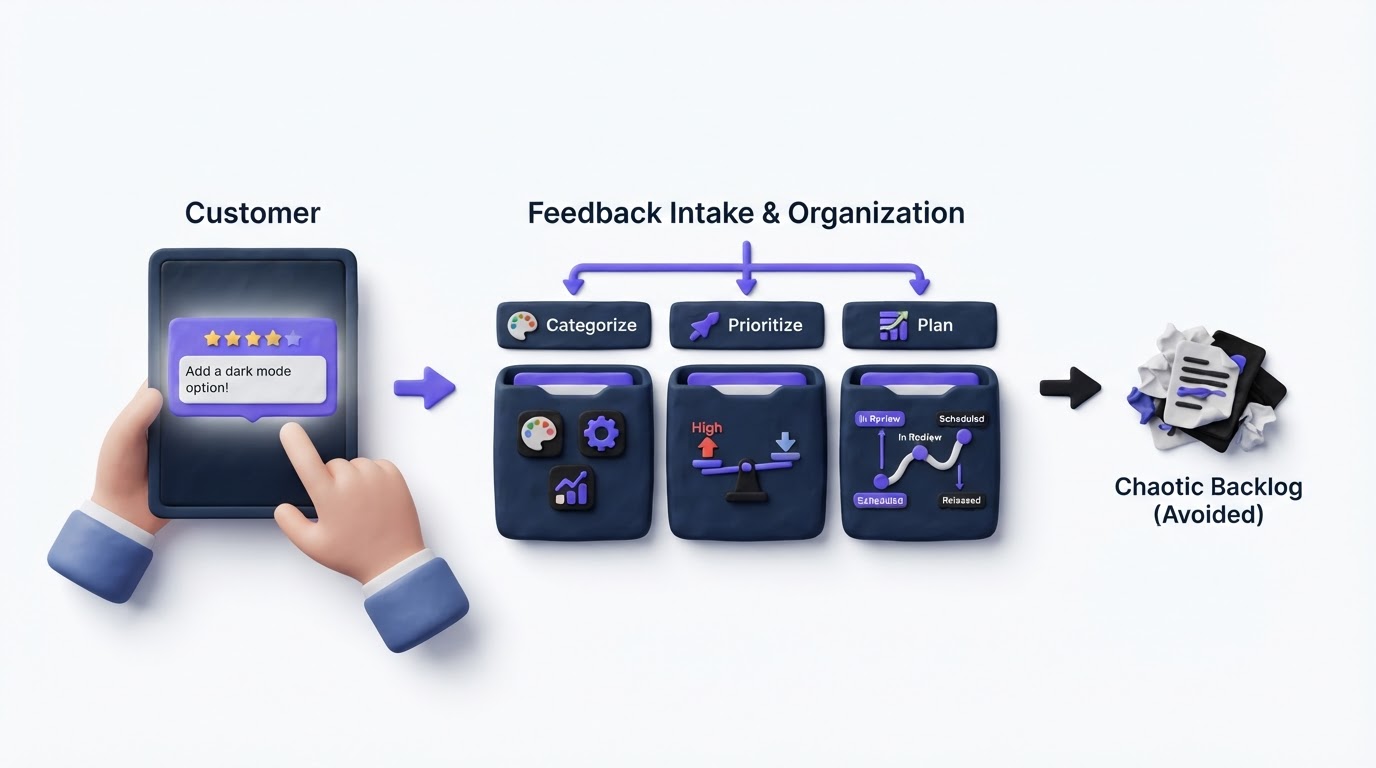
Every new post needs a review habit. Start with one owner who checks submissions on a fixed cadence, merges obvious duplicates, applies a category, and requests clarification when the description lacks enough context.
For the report-export example, the owner merges "Scheduled CSV exports" into "Email scheduled reports." Keep the original wording available in internal notes, because phrasing often reveals the customer job behind the request. The post can then carry tags such as reporting, exports, and finance.
Voting offers a useful signal, though it needs context before it drives a roadmap decision. One vote from a strategic segment can be more consequential than several votes from accounts that rarely use the workflow. Read how to prioritize customer feedback by revenue, segment, and demand for a practical scoring approach that keeps these inputs visible.
Use a consistent set of fields for every request:
- Customer segment or plan
- Source page or product area
- Problem statement and desired outcome
- Linked support conversations or research notes
- Owner and current status
- Related request or duplicate relationship
A common failure mode appears when teams publish a board and leave every post at "open." Customers see activity but cannot tell whether anyone reviewed their input. Set statuses that reflect your actual workflow, such as under review, planned, in progress, and complete. Only mark work as planned after a team has committed capacity.
How Upvoty turns widget feedback into a visible product loop
Upvoty is built for the full path after a customer submits an idea. Start by configuring the feedback widget to match your product and choosing the board where each submission belongs.
Next, review incoming posts in the dashboard. Merge overlapping requests, add smart tags, leave internal notes, and assign ownership. In the reporting example, the team links both export requests to one post, tags it for reporting, and records the finance use case for the product manager.
Then use segments, votes, and feedback analytics to assess demand. Your team can publish selected items through the public roadmap, giving customers a clear view of work that has reached a committed stage. The roadmap should show progress without exposing every exploratory idea. See how to build a public product roadmap customers can trust for guidance on that balance.
When the scheduled-export feature ships, publish the release in a changelog and notify the voters. The original customer receives a concrete update instead of silence, while the team retains the request history for future planning. This approach is covered in more depth in this guide to closing the customer feedback loop with a changelog.
The dashboard below shows the operational view behind the widget: requests, demand, and the context required to make a decision.
!Upvoty dashboard for managing customer feedback requests
Choose the right customer feedback widget setup for your team
A lightweight widget is enough when the goal is simply to capture comments. Product-led SaaS teams usually need a connected system because requests continue through triage, prioritization, planning, delivery, and communication.
Choose public collection when customer discovery and voting help consolidate demand. Choose a private board when requests contain account-specific detail, security concerns, or internal planning information. Teams can also use both: a public place for broad product ideas and a private channel for customer-specific feedback.
Connect the workflow to the tools your team already uses. A product manager may send an approved request to Jira or Linear, while support follows updates in Slack or Microsoft Teams. Review the available Upvoty integrations before deciding how feedback will move between teams.
The key trade-off is moderation time. Open submissions create a more accessible channel and require active duplicate management. Restricted access reduces noise and can limit the breadth of feedback. Set expectations on the board, define an owner, and review new items consistently.
Customer feedback widget FAQ
Should a customer feedback widget be public?
Public boards work well for product ideas that benefit from voting and discovery. Use private boards for account-specific requests, sensitive details, or internal employee feedback. Many SaaS teams run one of each.
How do you prevent duplicate feature requests?
Search existing posts during submission, show close matches, and merge duplicates during moderation. Preserve the original submitter and voter relationships when merging so demand remains attached to the consolidated request.
What should customers see after they submit feedback?
Show the post, its current status, and a way to add more context or vote. Later, communicate status changes through the roadmap or changelog. Clear follow-up builds confidence that the channel receives active review.
Can support teams use a feedback widget?
Yes. Support can direct customers to existing posts, add request context, and track status without maintaining a separate feature-request spreadsheet. Give support clear rules for when to create a new post and when to link a customer to an existing one.
How often should a team review widget feedback?
Review new submissions at least weekly for an active product. High-volume teams often need a daily moderation pass and a separate weekly prioritization review. Keep those two activities separate so urgent cleanup does not become rushed roadmap planning.
Put feedback beside the work customers already do, then give every request a route through review, prioritization, and follow-up. Try Upvoty to create a customer feedback widget with boards, roadmaps, and changelogs connected in one workflow.