
When feedback arrives through support tickets, sales calls, email, and a legacy ideas portal, product teams lose the signal behind each request. Customers also lose visibility after they submit an idea, which invites repeat requests and follow-up questions.
Upvoty is an Aha Ideas alternative for teams that want a dedicated place to collect requests, gather votes, prioritize feedback, publish a roadmap, and announce released work.
Quick answer: how to choose an Aha Ideas alternative
Use this workflow to replace or improve your current ideas portal:
- Export existing posts, votes, statuses, and customer context from Aha Ideas.
- Define the feedback intake points your customers and internal teams actually use.
- Merge duplicate requests into clear problem statements and retain vote counts.
- Prioritize with demand, customer segment, revenue context, effort, and strategy.
- Publish selected work on a customer-facing roadmap with plain status definitions.
- Notify voters when requests move forward and when released work reaches the changelog.
What an Aha Ideas alternative needs to handle
A useful replacement has to support the full feedback loop. An ideas board alone captures demand, yet product decisions require context and customers need clear follow-through.
Start with an intake experience that fits your product. A public board works well for community-led SaaS products. A private board suits account-based products, internal teams, or beta programs. An embedded widget reduces the friction of sending customers to another tab. Upvoty supports feedback boards, a feedback widget, and controls for private or public feedback.
Then consider how the portal behaves after a request arrives. Look for moderation, duplicate management, voting, tags, segments, internal notes, and ownership. These details prevent a busy board from becoming a list of loosely related feature names.
A reliable workflow also needs customer communication. A public roadmap shows the direction of committed work, while a changelog records what actually shipped. For accessibility guidance when designing a customer portal, use the W3C Web Content Accessibility Guidelines. Clear labels, readable contrast, and keyboard access help more customers contribute.
How to assess your Aha Ideas replacement workflow
Before moving data, map the route one request follows from submission to release. This reveals whether the new tool supports the work your team already does.
Consider a fictional B2B analytics platform with 1,200 active customer accounts. Its team receives a request for scheduled CSV exports through its existing ideas portal, six support tickets, and four sales notes. The portal contains separate requests titled “email export,” “weekly report file,” and “automated CSV.” Product managers need one decision record, while customers need a clear place to see progress.
First, consolidate those requests under a single post: “Schedule recurring CSV exports.” Preserve useful customer comments and associate each related request with that parent item. A merged request gives the team a credible demand signal rather than three smaller vote totals.
Next, add the information votes cannot provide on their own. The platform may learn that two enterprise accounts need scheduled exports for compliance reporting, while several smaller accounts want the feature for convenience. Both groups matter. Their urgency, retention risk, implementation effort, and fit with the reporting roadmap may lead to different prioritization outcomes.
Use a consistent decision view. The framework below creates a practical baseline.
| Decision input | What to record | Example for scheduled CSV exports |
|---|---|---|
| Demand | Votes, linked requests, repeat themes | 46 votes across three merged posts |
| Customer context | Segment, plan, account importance, use case | Two enterprise reporting teams affected |
| Product fit | Connection to current strategy and roadmap | Supports the reporting automation initiative |
| Delivery effort | Engineering dependencies and estimated scope | Requires export queue and notification work |
| Decision | Next action and reason | Planned after reporting API reliability work |
For a deeper scoring method, see how to prioritize customer feedback by revenue, segment, and demand. Keep the scoring visible to the product team, then use a simpler public status for customers.
How to migrate from Aha Ideas to a new feedback portal
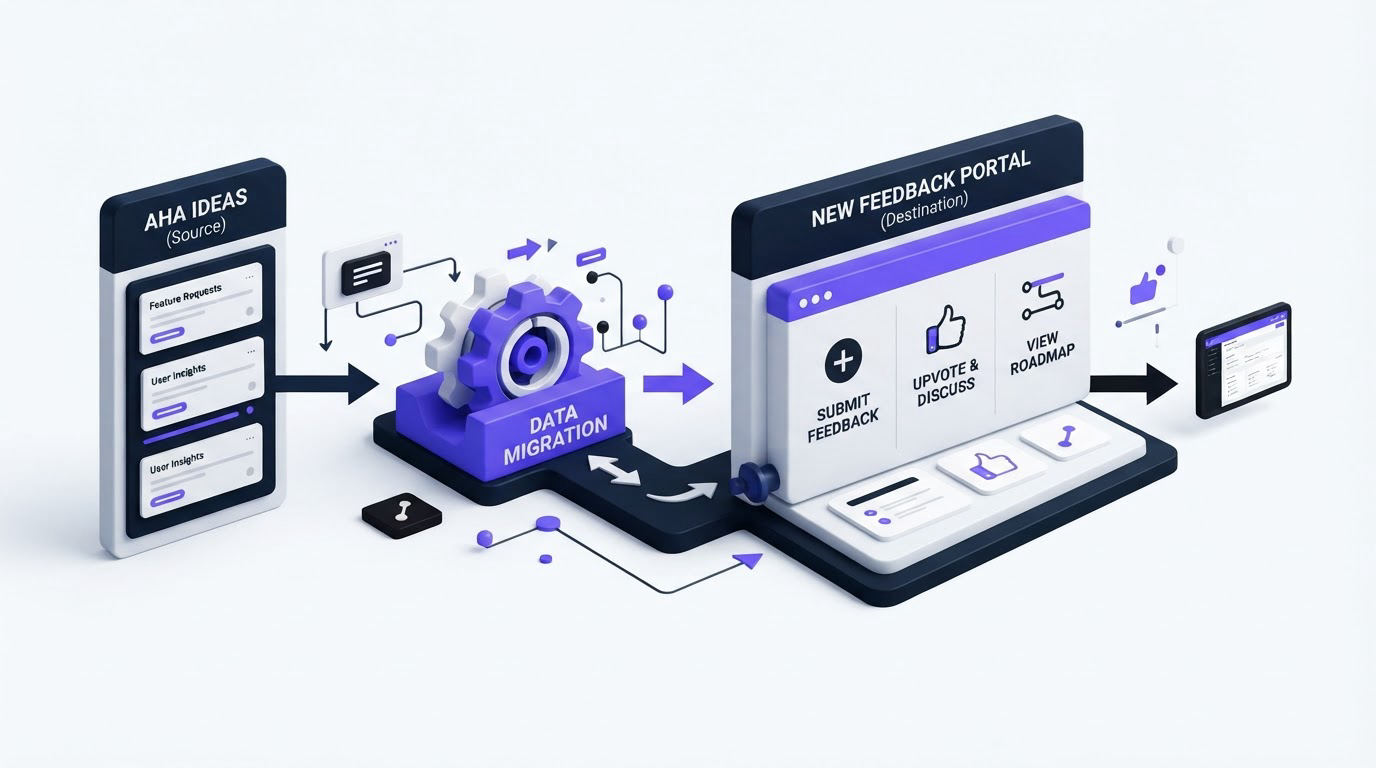
Export the last 90 days first. That window usually contains active conversations, recent votes, and requests that customers still expect your team to address. Export older records as an archive, then decide which historical posts deserve a place in the new public board.
Create a field map before import. Match old titles, descriptions, vote totals, status, author details, comments, tags, and links to the destination fields. Customer identity deserves particular care. Import only information your privacy policy and customer agreements allow you to process. Teams serving people in the EU should review the principles in the GDPR text published by EUR-Lex.
Return to the CSV export example. During cleanup, the team finds “monthly CSV attachment” from 2021 with one vote and no comments. It reflects an old delivery method and creates confusion beside the current scheduled-export request. Archive the old post, merge the current requests, and explain the change in the request description. This protects the signal without deleting useful history.
Set statuses before opening the new board. A compact set such as Open, Under Review, Planned, In Progress, and Complete gives customers a predictable view. Avoid status labels that sound committed when the team still needs discovery or technical validation.
Finally, publish a short migration notice in the old portal and support channels. Give customers the new URL, state where active requests moved, and explain how they will receive updates. A clear transition cuts down on duplicate submissions during the changeover.
How Upvoty works as an Aha Ideas alternative
Upvoty keeps feedback collection, prioritization, roadmap communication, and release updates connected in one customer-facing workflow.
Begin by creating a board for your product area. Set it public for community input or private for a specific customer group. Customers submit requests and vote on existing posts, which encourages them to add their support to a shared request instead of opening another version of it.
The product team then reviews incoming posts in the dashboard. Use moderation to remove spam, merge overlapping requests, apply smart tags, assign owners, and add internal notes. Segments add context to demand, such as plan level, customer type, or beta cohort. This is especially useful when a low-vote request comes from a strategically important group.
This dashboard view shows where requests can be organized before they reach a product decision.
!Upvoty dashboard for managing customer feedback, requests, and voting
When scheduled CSV exports becomes Planned, add it to the roadmap and describe the outcome customers can expect. When the team releases the work, publish the release note and use automatic voter notifications to close the loop with people who supported it. Read more about closing the customer feedback loop with a changelog.
For teams that need customer-facing planning, this guide to building a public product roadmap customers can trust explains how to share progress without making promises your delivery team cannot yet support.
Aha Ideas alternatives compared by workflow fit
The right option depends on how much of the feedback loop you want in one system and how much administration your team can support. Check each vendor’s current plans and product documentation before making a purchasing decision.
| Option | Best suited to | Workflow focus | Consider during evaluation |
|---|---|---|---|
| Upvoty | SaaS teams that need a focused feedback-to-changelog workflow | Boards, voting, segmentation, roadmap, changelog, and voter updates | Useful when customer communication and feedback administration need to stay connected |
| Aha Ideas | Teams already operating within the wider Aha product environment | Idea collection within a broader product management setup | Assess how the portal fits your current planning process and customer experience |
| Canny | Teams seeking a familiar feedback portal format | Feedback collection, voting, and public product communication | Review the depth of customization, segmentation, and workflow controls you need |
| Featurebase | Teams evaluating feedback alongside product communication | Feedback boards and customer communication | Test the staff workflow for duplicate handling and prioritization context |
| Nolt | Teams wanting a straightforward public request board | Idea voting and roadmap sharing | Confirm the administration controls needed as request volume grows |
If Canny is also on your shortlist, compare the specific trade-offs in Upvoty vs Canny: features, pricing, and best use cases. A structured evaluation takes less time when every vendor receives the same sample data: a duplicate cluster, an internal request, a strategic account request, and a completed item that needs a customer update.
FAQs about choosing an Aha Ideas alternative
Can I keep customer votes when moving from Aha Ideas?
Usually, yes, provided your export includes the relevant records and the destination supports the required import approach. Confirm the available fields before migration, especially when vote history connects to customer identities. Preserve the total demand signal where individual voter records cannot move cleanly.
Should product feedback be public or private?
Use public boards when customer discussion and visible demand help your product. Use private boards for account-specific requests, internal feedback, or controlled beta groups. Many teams operate both: a public community board plus a private area for customer advisory feedback.
How do we prevent duplicate feature requests?
Search and merge requests during moderation, then use a clear parent post with a specific title and detailed description. Link related support conversations to that parent item. The scheduled CSV export example works because every variation of the request contributes to one decision record.
Does a public roadmap commit us to delivery dates?
A public roadmap communicates direction and progress. Use broad status stages, describe the intended customer outcome, and reserve precise dates for work your delivery team has formally committed to. The Upvoty roadmap feature gives customers a place to follow that progress.
What should happen after a feature ships?
Publish a changelog entry, update the request status, and notify the people who voted or commented. This creates a visible response to customer input and gives customer-facing teams a link they can share in follow-up conversations.
If your team needs a practical Aha Ideas alternative with feedback boards, roadmap updates, and release communication in one workflow, explore Upvoty. Start with a small migration set, test the moderation flow, and invite a few customers before moving the entire portal.